
How to launch
While Warp Files is selected, press Launch Warp UI (1).
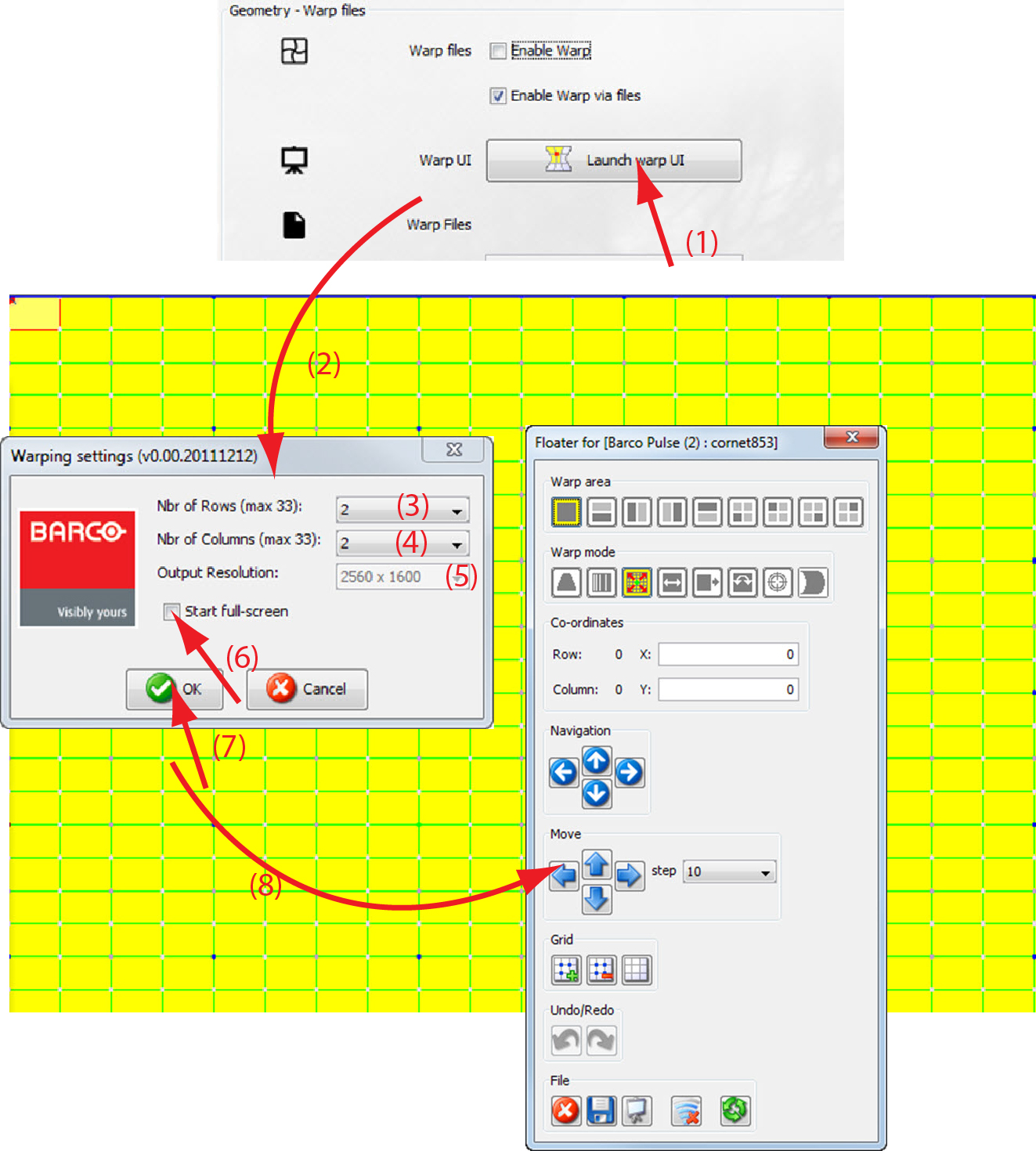
Image 13–17 Launch warp UI The window opens (2).
A warping grid contains maximum 33 rows and 33 columns. Each row and each column contain active nodes. Active nodes are nodes which can be moved inside the grid.
- Enter the number of active nodes per rows by clicking on the up down control of the spin box next to (3).
- Enter the number of active nodes per column by clicking on the up down control of the spin box next to (4).
- To change the output resolution of the grid, click on the drop down box next to and select the desired resolution (5).
- If you want to start the warping grid in full screen, check the check box in front of (6).
Click OK (7).
The warping grid and the associated menu starts up.