What can be done?
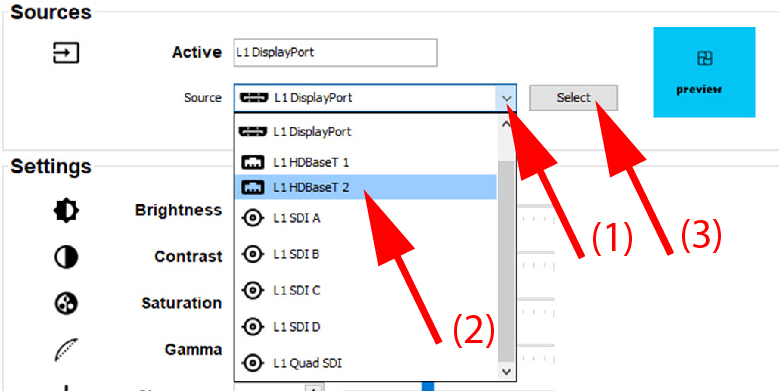
The active source is displayed.
Next, a new source can be selected. Depending on the installed input boards and the projector type, the following sources are possible:
- DisplayPort 1, 2 or A, B, C, D
- DisplayPort dual, dual head, quad, columns, sequential
- HDBaseT
- HDMI
- Quad SDI
- SDI A, B, C, D
- DVI, dual, columns, sequential
- Dual display port