The about function in the Help menu gives an overview of the used system parameters and the installed modules. This information can be handy when calling for help.
The images given below are just example images. These images can differ from version to version.
Note: The versions indicated on the illustrations are only given as info and these versions can be different with the current versions.
How to start up
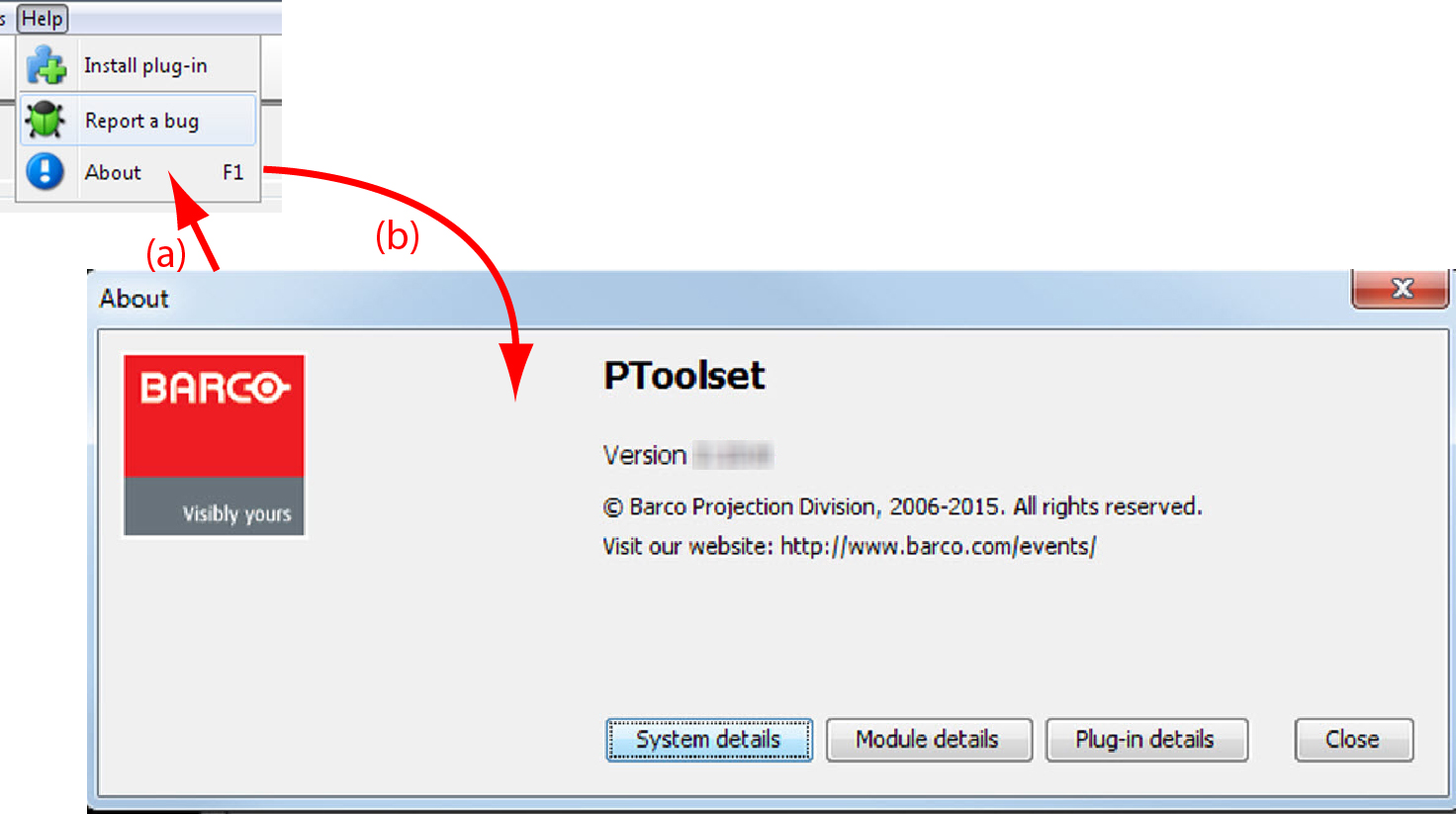
Click Help on the menu and select About (a).
Image 3–5About window
The About start up dialog box opens (b).
System details
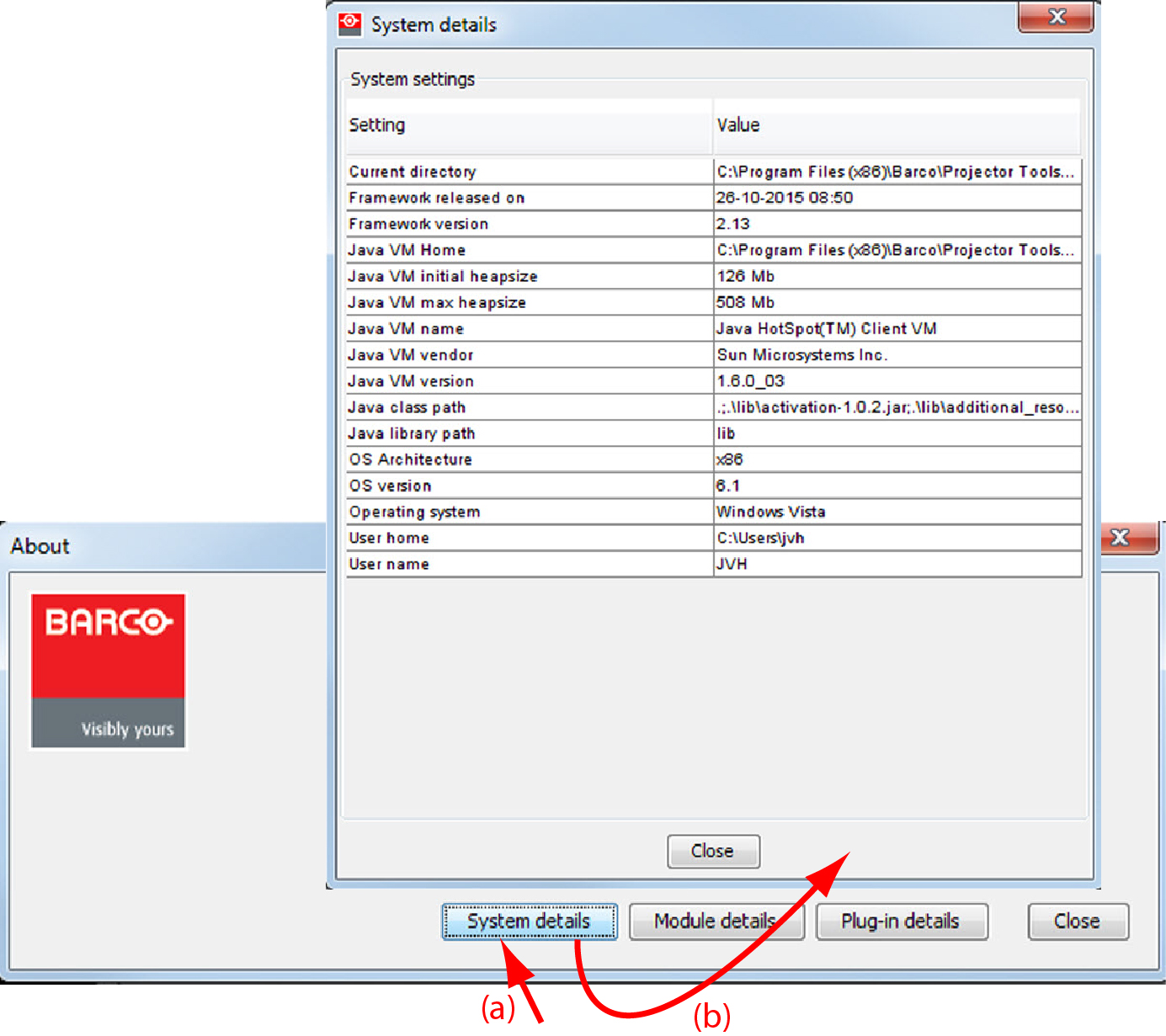
Click on System details to see the system parameters on which Projector Toolset is running.
Image 3–6System details
Module details
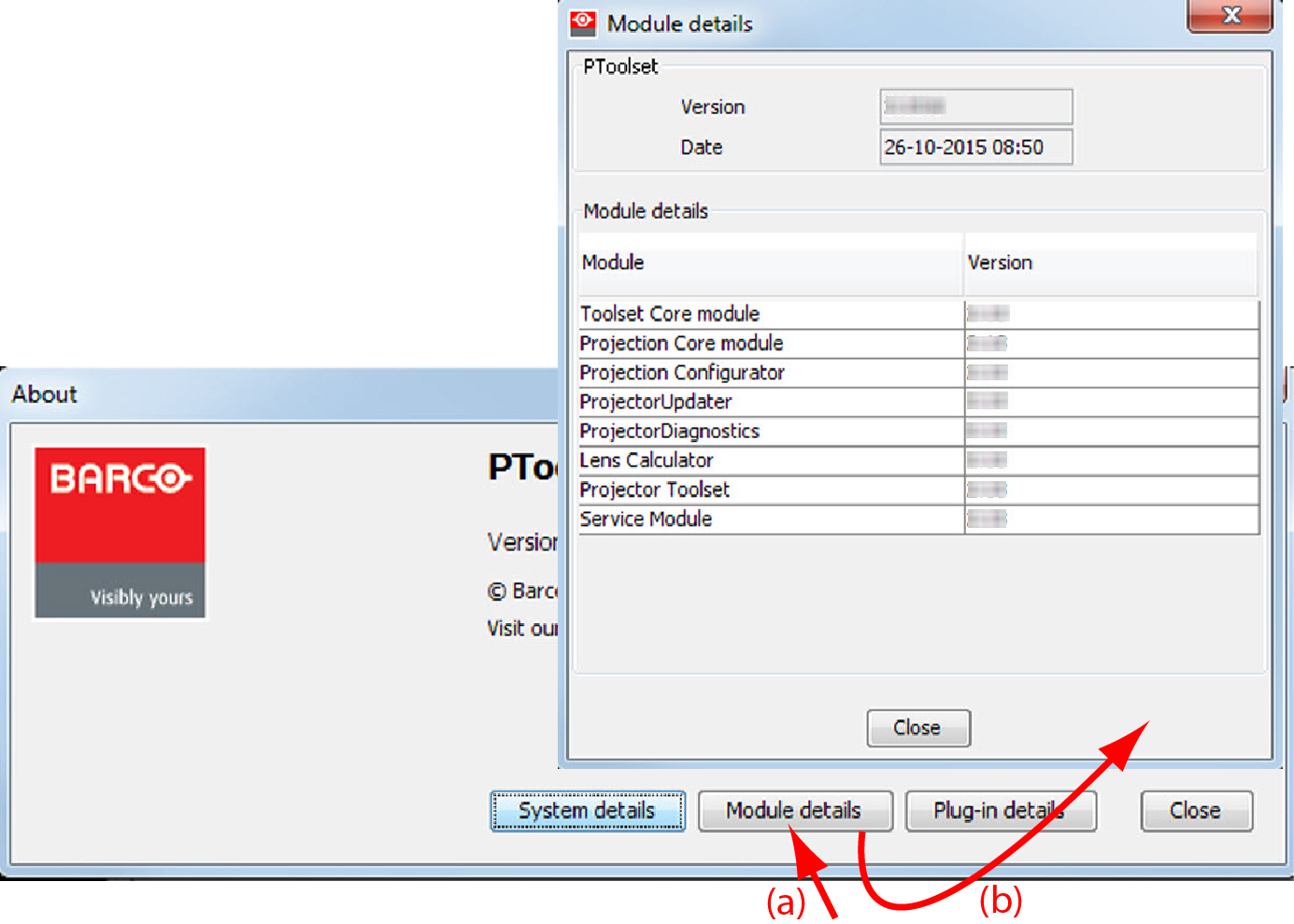
Click on Module details to get an overview of the installed modules.
Image 3–7Module details
First of all the software version and the release date are indicated in Module manager.
Module details gives an overview of the installed modules and their version.
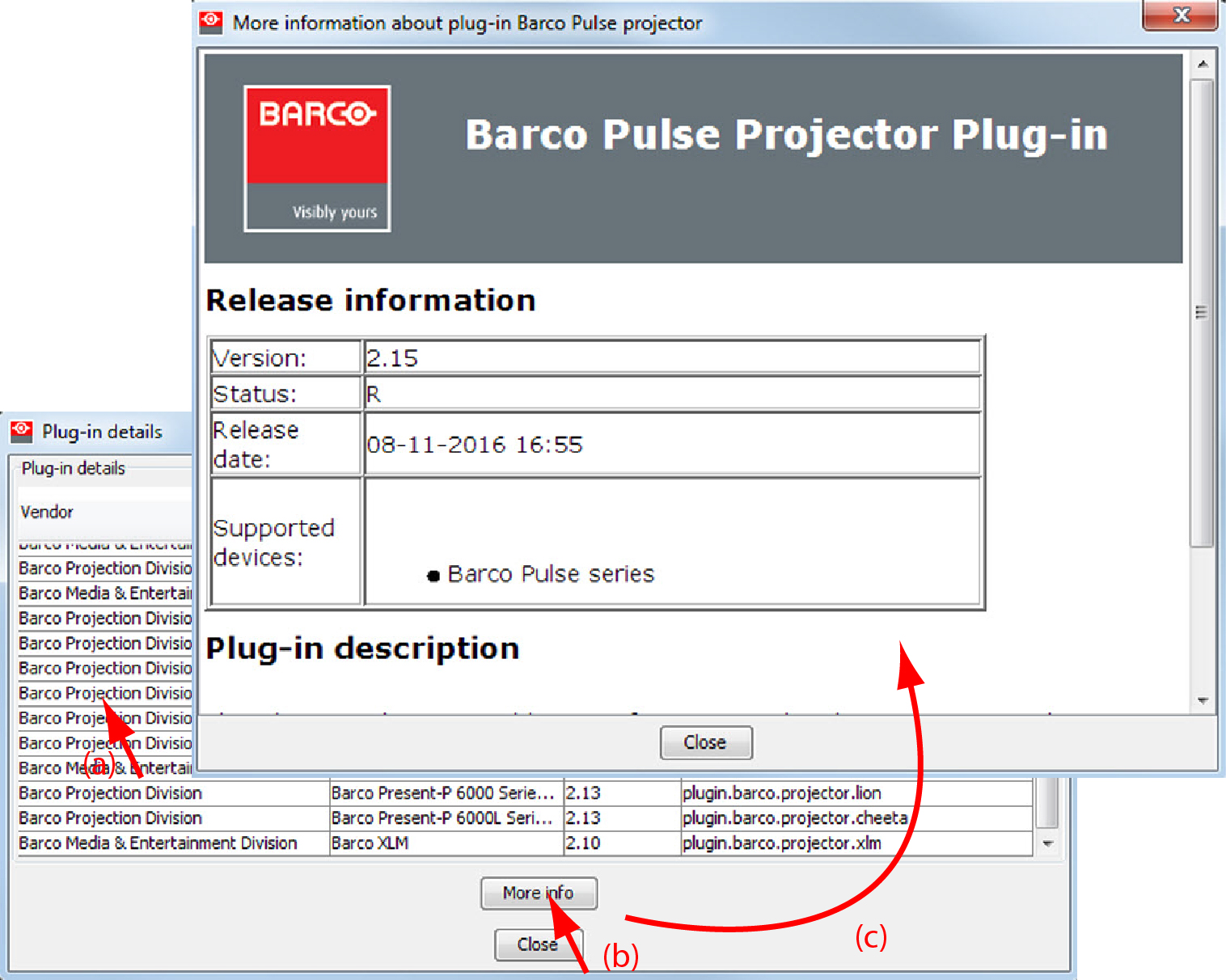
Plug-in details
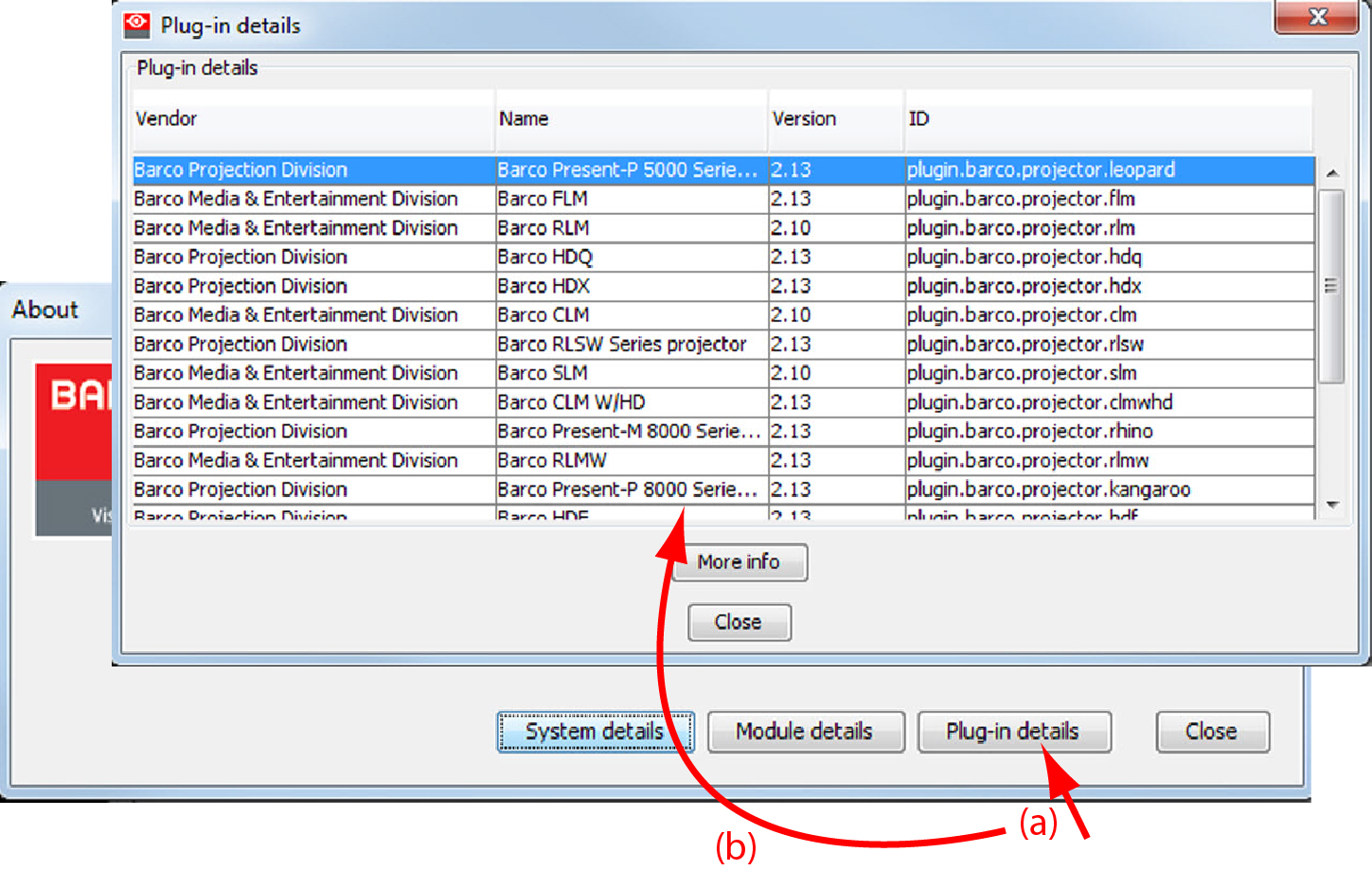
Plug-in details gives an overview of the installed device plug-in together with their version.
Image 3–8Device plug-ins details
For more info about a device plug-in, click on the desired plug-in to select and then click on More info... .
Image 3–9More info device plug-in
Release information, plug-in description and license agreement is given.