6.3.4 OSD on - off

What can be done?

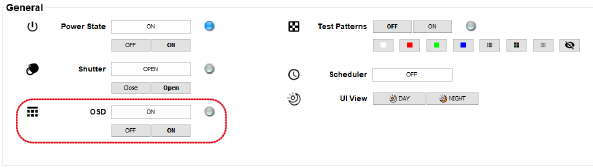
The on screen display of the menus can be switched off and on. Switching off the OSD allows the use to make small adjustment on the image with Projector Toolset while a show is running.

The indication button next to the setting shows the current status.

How to toggle the OSD
  1. While the OSD is displayed on the screen, click on OFF the remove the OSD from the screen.

    Image 6–6 OSD ON – OFF
  2. While no OSD is displayed on the screen while making adjustment, click on ON to display the OSD.
Note: The OSD of multiple projectors can be switched from ON to OFF or vice versa at the same time. First make a multiple selection of projectors before switching the shutter state.