8.7 Stereo

What can be done?

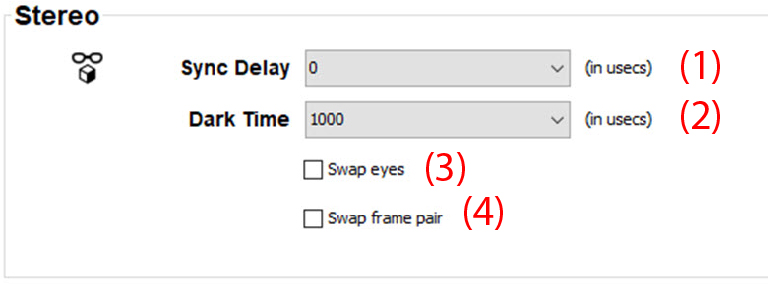
The Stereo setup allows to configure the output image to the specifications of your glasses and emitter.

The following can be configured:

How to configure
  1. While in the I/O tab, go to the Stereo pane.
  2. To setup the sync delay, click on the drop down box and select the desired delay (1).

    Image 8–12 Stereo emitter configuration

    The sync delay be set between -10000 µs and +10000 µs. The step between two values is 100 µs.

  3. To setup the dark time, click on the drop down box and select the desired delay (2).

    The dark time can be set between 1000 µs and 2500 µs.

  4. To invert the stereo sync, check or uncheck the check box next to Swap eyes (3).