DMX data is a value that is sent on a specific channel to a specific Artnet address. Only the device with that specific address will recognize the command and will execute that command.
Some adjustments consist out of 2 channels to update a setting. The first channel of the pair provides coarse control changes, the second channel provides fine control changes. Some examples are 'pan' and 'tilt'.
Enable Artnet
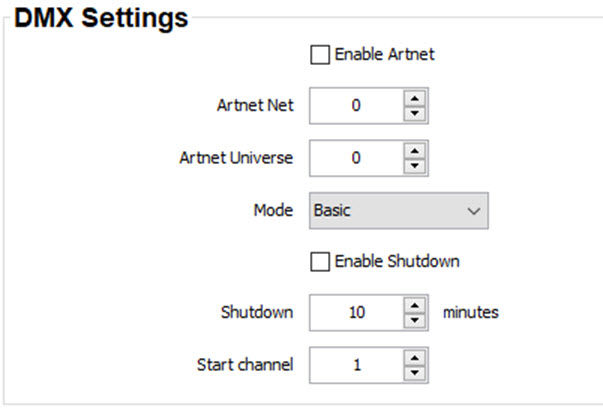
Check the check box in front of Enable Artnet to activate the DMX functionality on the projector via the Ethernet connector.
Image 14–16DMX settings
Artnet address
Before a device can be controlled over ethernet, a Artnet address must be assigned to that device That address can be any value between 0 and 512 and should be unique within an ArtNet universe.
Click on the up down control of the spin box or click in the input field and enter the desired address with the keyboard.
Artnet universe
Note: Artnet Universe can only be used when Enable Artnet is enabled.
If Artnet is enabled, you can specify to which Artnet universe this projector belongs to.
DMX mode
2 modes for DMX are available:
Basic mode which has currently 2 channels implemented.
Extended mode which has currently 14 channels implemented.
Click on the drop down box and select the desired mode.
Shutdown
If Enable Shutdown is checked, the projector will be forced to shut down after a certain time-out period (in minutes) if no DMX signals are available.
Click on the up down control until the desired time is setup. Select the start channel.