

Setup bug report
While in the Preferences menu:
Click Bug reporting.
The bug report setup window is displayed.
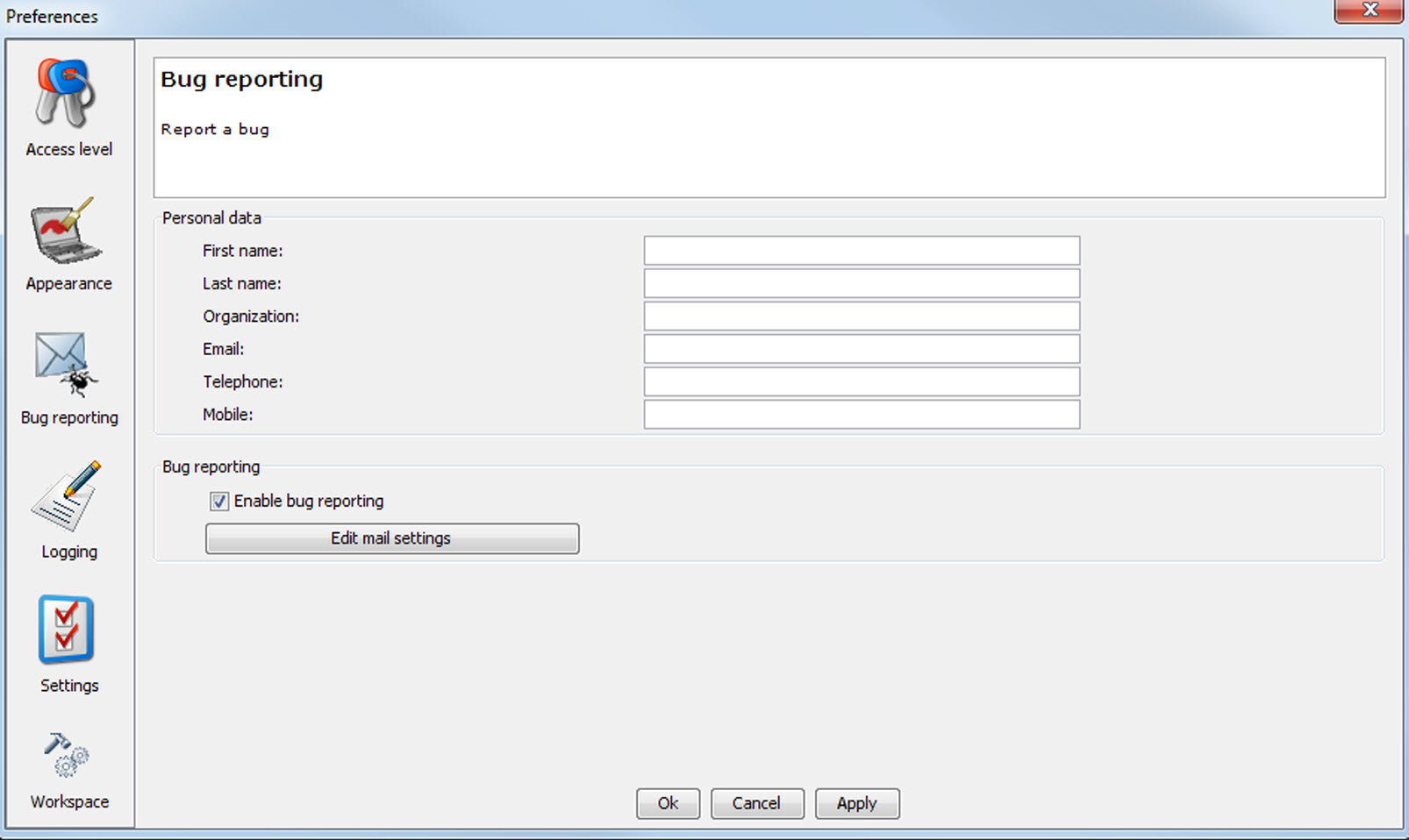
Image 4–9 Bug report setup window Bug reporting is by default enabled.
Fill out the Personal data.
This personal data will be incorporated in the bug report so that Barco can contact you.
Personal data contains the following information :
- First name
- Last name
- Organization
- E-mail address
- Telephone number
- Mobile number
Click on Edit mail settings.
The mail settings window opens.
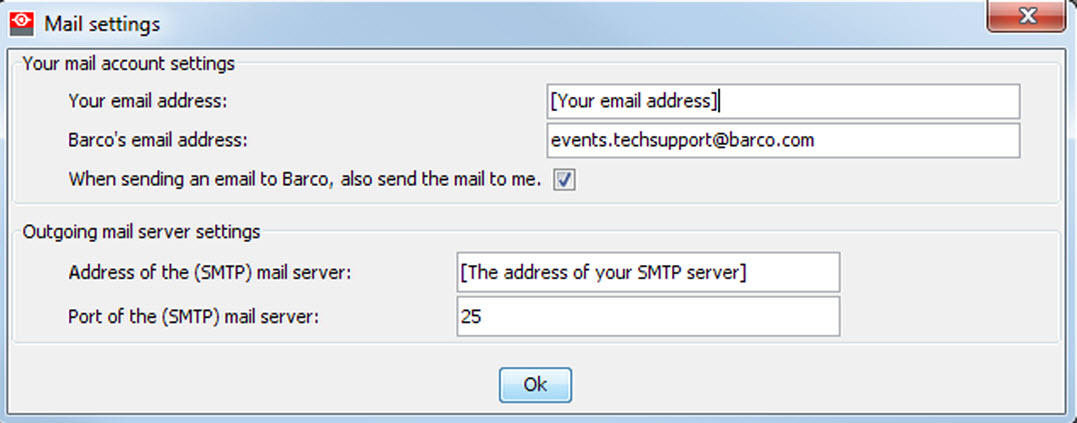
Image 4–10 Mail setup window Fill out .
The following settings should be entered :
- Your E-mail address
- Organization
- Barco's E-mail address, automatically filled out when installing the software.
- If you want to receive a copy of the bug report E-mail to Barco, check this check box.
Fill out the address of the SMTP mail server.

- Fill out the port of the mail server. Your system administrator can help you. The port is default set on 25.
- Click OK.