9.7 Power Settings

What can be done?

As a power-saving feature, the projector will automatically go to Ready and standby mode after 15 minutes each. While in standby mode, it is no longer possible to use the OSD for anything other than a status overview. If you want to be able to fully access the projector for a longer period of time, or want to reduce the time the projector remains idle, it is best to change the power settings to your own personal preferences. Alternatively, you can also fully disable these power-saving features all together, ensuring that all power state transitions have to be done manually, or via remote commands (e.g. by using DMX).

When the projector is not used for certain time it can switch off.
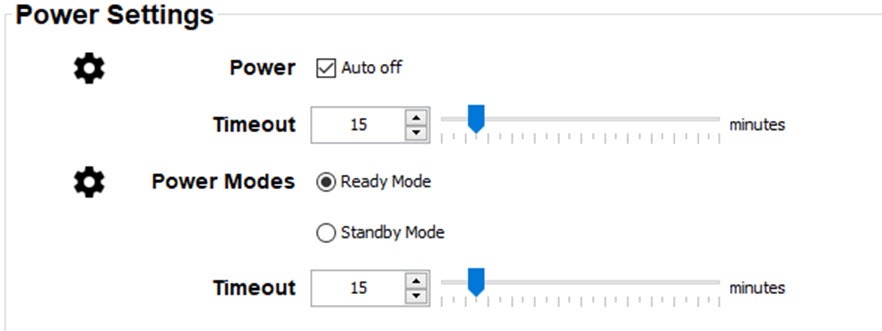
Image 9–7
Power off
  1. To switch automatically the power off after a certain interval when there is no signal on the input source, check the check box next to Auto off.
  2. To set the power off delay time:

    • Drag the slider to the left or right until the desired time is reached or
    • Click on the up down control until the desired time is reached or
    • Click in the input field, select the current time and enter a new time with your keyboard.
Power mode
  1. Click on the desired radio button to select the power mode.
  2. When standby is selected, and the power is off and there is no activity, the projector goes to standby after a certain interval.
  3. To set the interval time:

    • Drag the slider to the left or right until the desired time is reached or
    • Click on the up down control until the desired time is reached or
    • Click in the input field, select the current time and enter a new time with your keyboard.