
How to clone
Click on Toggle Manage to open the management functions (1).
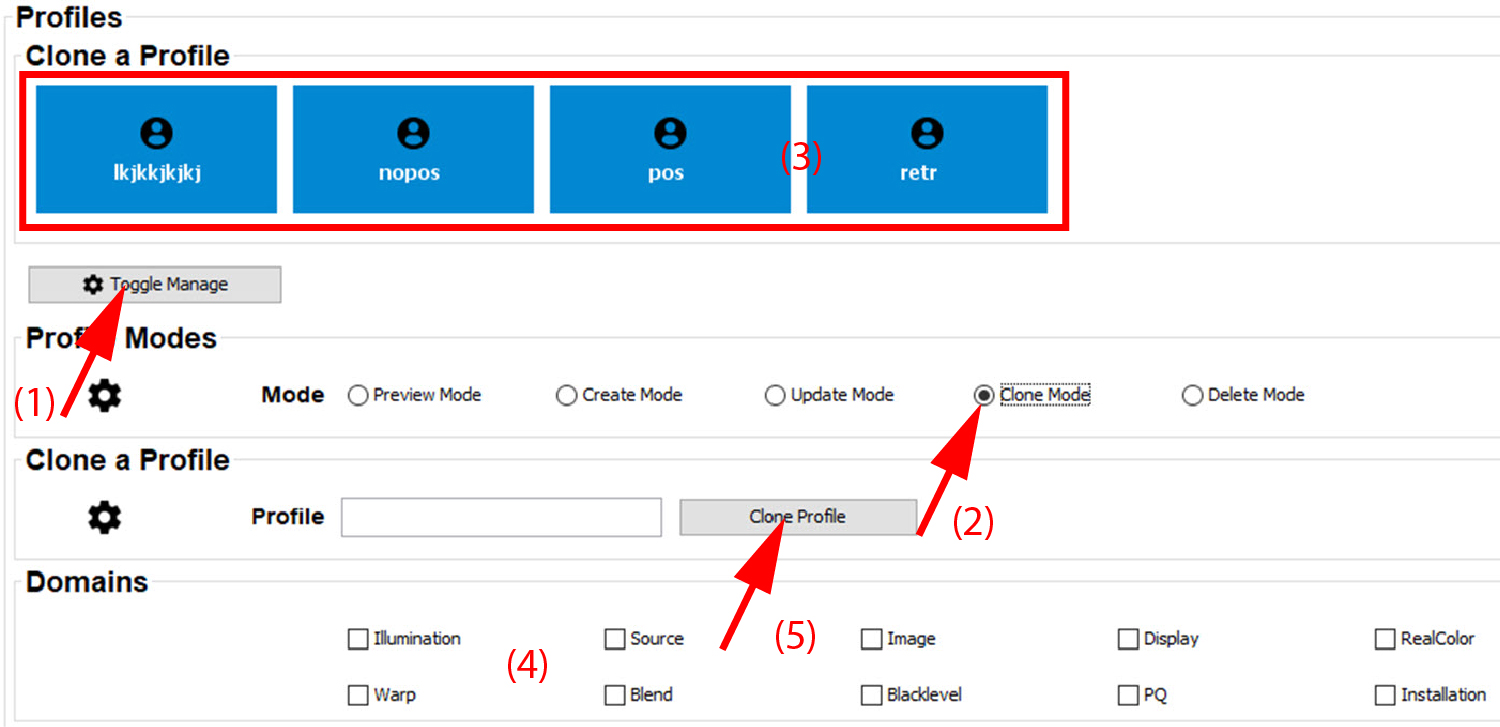
Image 18–5 Clone profile - Select the profile mode. To update a profile, select (2).
- Select the profile to be cloned (3).
- Enter a new name for the clone in the input field next to .
- Click Clone Profile.