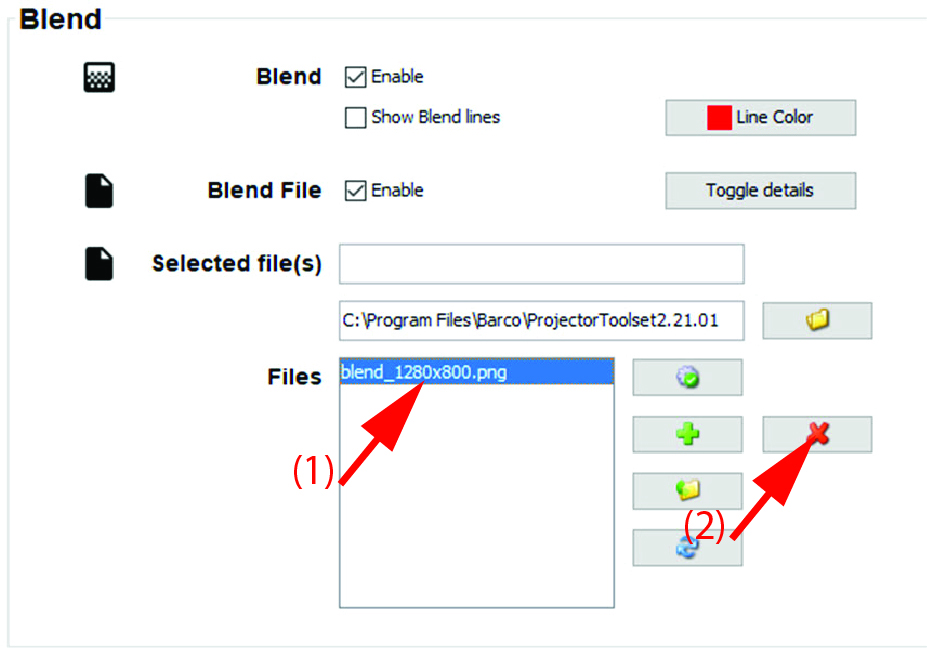
How to add a Blend mask file
Click Show details to open the details window.
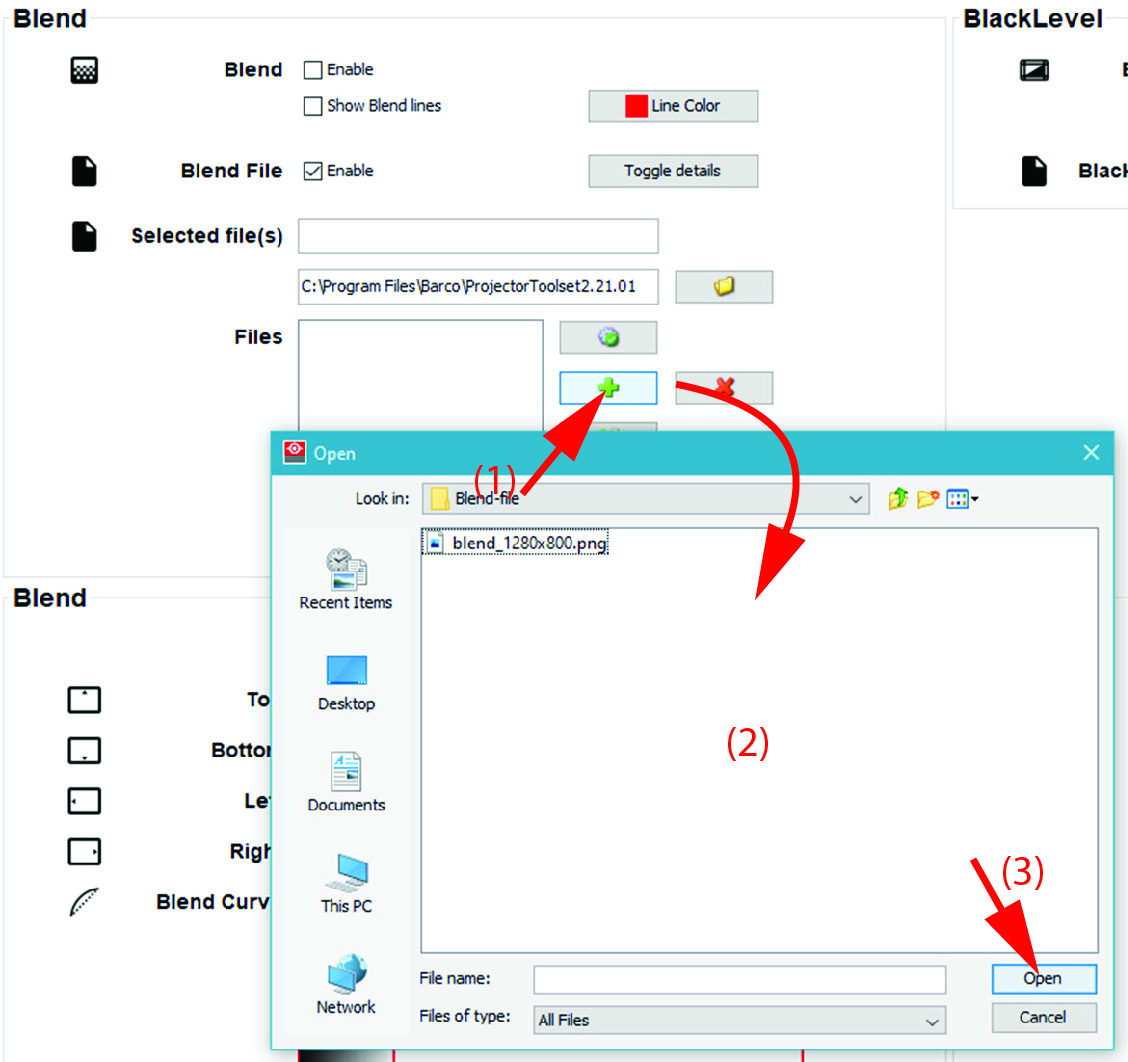
Image 12–5 Add Blend mask file Click on the + button (1).
A browser window opens.
- Browse to the desired file (2) and click Open (3).
The selected file will be uploaded in the files list.
The file must have a resolution of 1280x800 pixels. File format: png.