About saving your settings
The current warp configuration can be saved to file for reuse or as backup.

The current warp configuration can be saved to file for reuse or as backup.
In the menu, click on the Save icon (1).
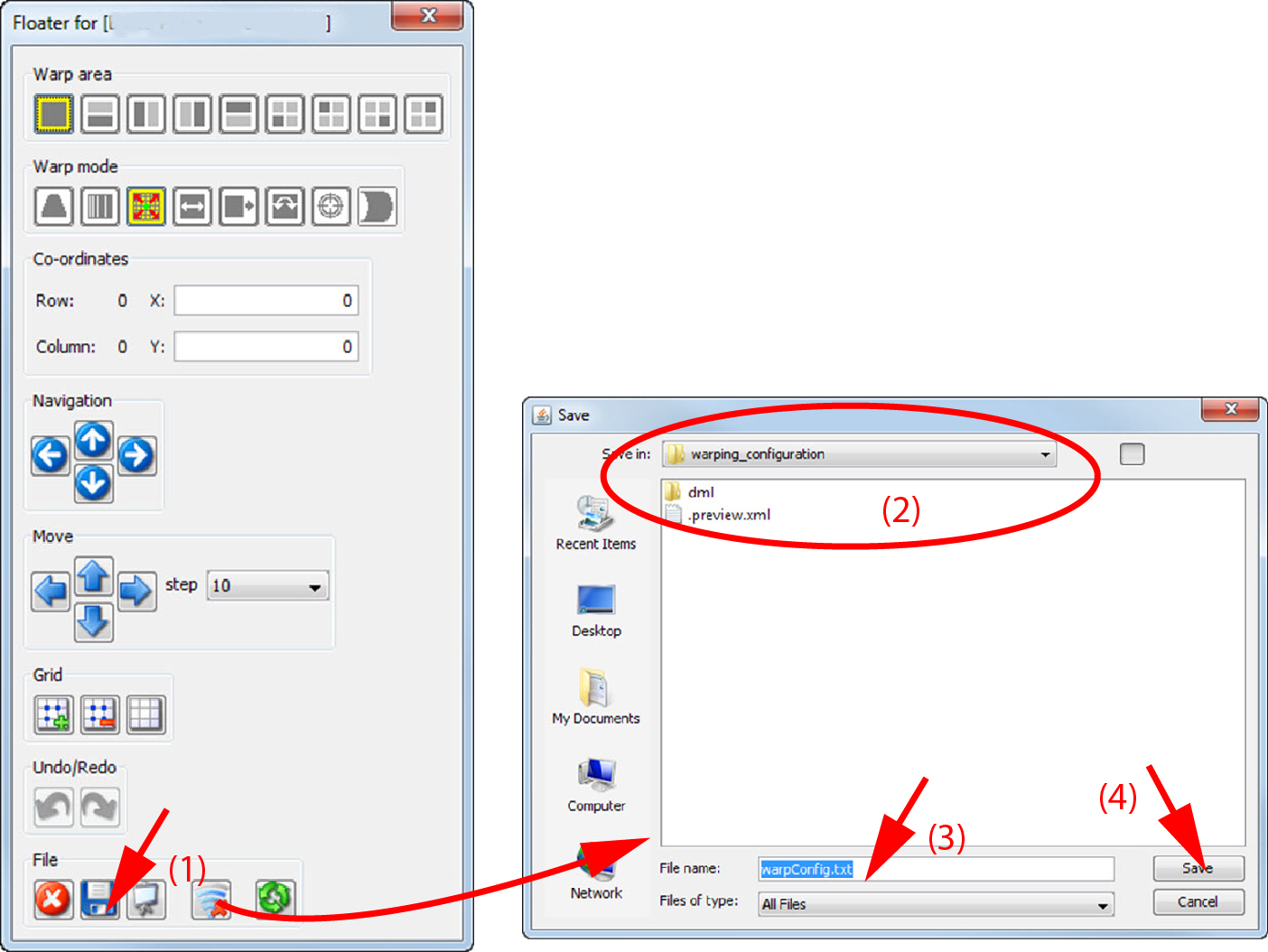
A browse window opens. The default location is within the install directory of Projector Toolset
Right click on the raster window to open the context menu.
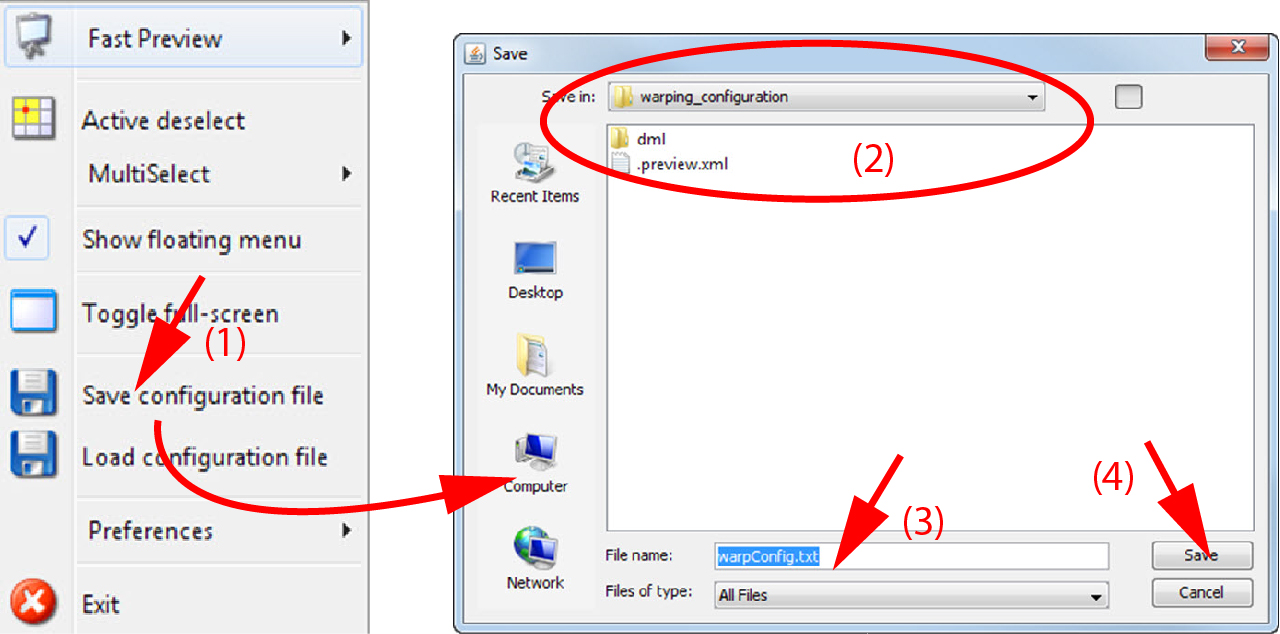
Select .
A browse window opens. The default location is within the install directory of Projector Toolset