13.2.1 Geometry - 4 Corner/Bow

About enabling/disabling a function

By checking the check box the functions can be enabled or disabled.

There is a certain level structure available. Only when warp is enable, it possible to adjust 4Corner or Bow in real time depending on their selection. Symmetrical bow is only possible when bow is enabled.
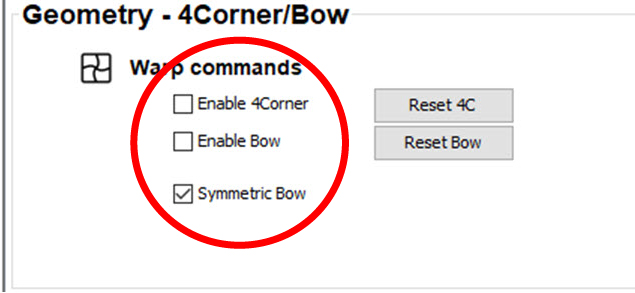
Image 13–2 Enabling warp functions
How to
  1. Check the check box in front of a function to enable that function.

    The following functions can be enabled:

    • Enable 4Corners: enables or disables the 4corner adjustment.
    • Enable Bow: enables or disables the bow adjustment.
    • Symmetric Bow: allow to adjust the bow in a symmetrical way.
Reset 4 corners

To reset the 4 corner adjustments, click on Reset 4C.

Reset bow

To reset the bow adjustments, click on Reset Bow.