
How to activate mask file
Click Show details next to Black Level Mask to open the details window.
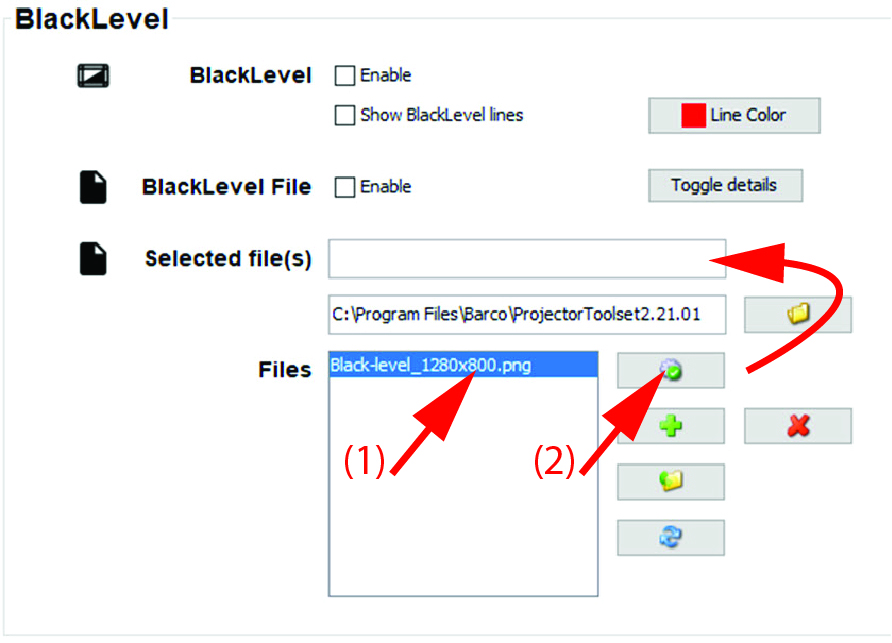
Image 12–16 Activate Black mask file - Select a file out of the list (1).
Click on the activate button (2).
The selected file is activated and the name is mentioned next to .