6.28 Programming Menu > Adjustment area > Source adjustment

General

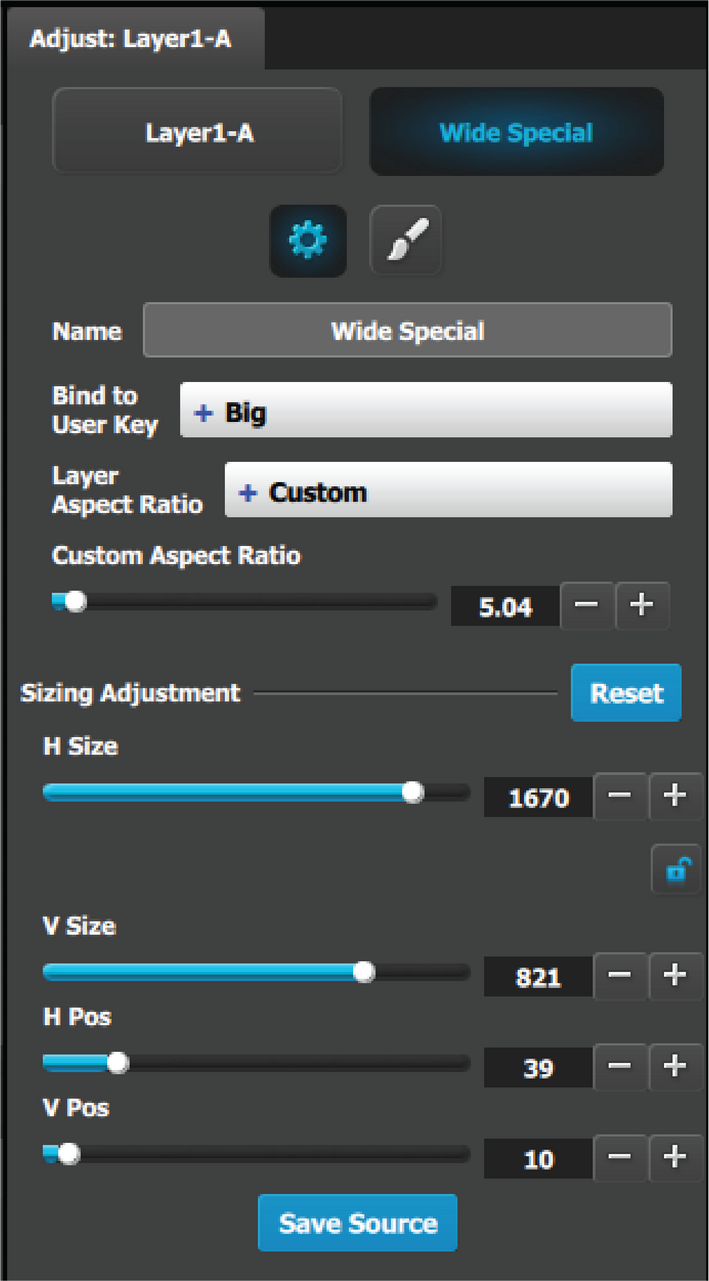
The Source adjustments are shown on the Adjust panel when a layer with a valid Source is selected. The Source adjustment controls does not appear when you select the Source by itself. Also note that the adjustments made here are made on the layer’s copy of the Source, not the actual Source itself. The actual Source is updated only when the “Save Source” is pressed.

Description

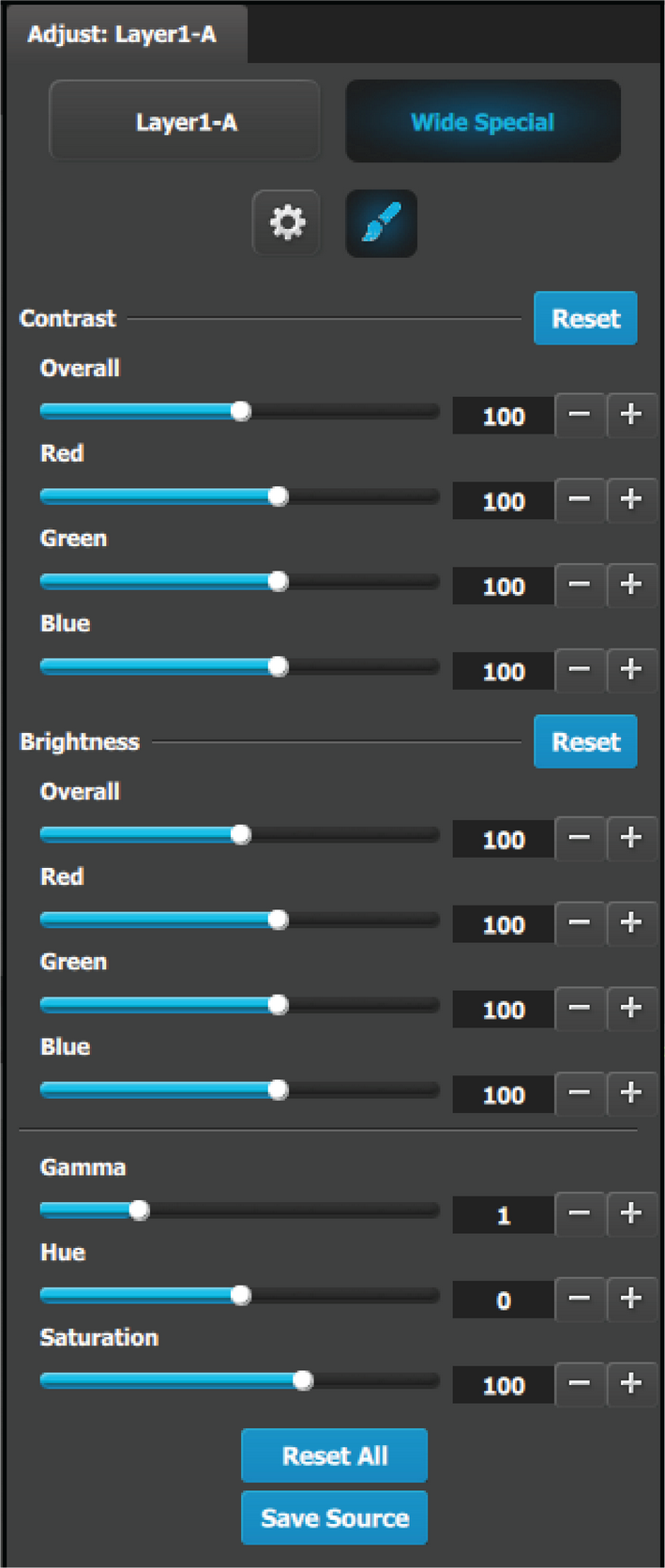
When a layer with a valid Source is selected, 2 adjustment tabs are shown. It defaults to showing the layer adjustments. But the user can click on the Source adjustment tab to see the adjustments mentioned in this section.

Two Tabs for Source adjustment:

Main adjustment

The following Source Adjustment Menu functions are provided: (All figures are in pixels)

  • H Size: adjusts the source’s horizontal size.
  • V Size: adjusts the source’s vertical size.
  • H Position: adjusts the source’s horizontal position.
  • V Position adjusts the source’s vertical position.
  • Save Source would save the Source information from the selected layer to the actual Source

Note that the “Custom aspect ratio” is disabled unless the “Default Layer Aspect Ratio” is set to Custom.

Color adjustment
  • RGB Contrast and Brightness settings are adjustable within a range of 0% to 200%. The default setting for all of these properties is 100%.
  • Gamma is adjustable within a range of 0.3 to 3.28. The default setting is 1.0.
  • Hue is adjustable within a range of -180 to +180 degrees. The default setting is 0 degrees.
  • Saturation is adjustable within a range of 0% to 200%. The default setting is 0%.
  • Reset All: Returns all values to their default settings.
  • Save Source would save the Source information from the selected layer to the actual Source.