EC-40 Overview
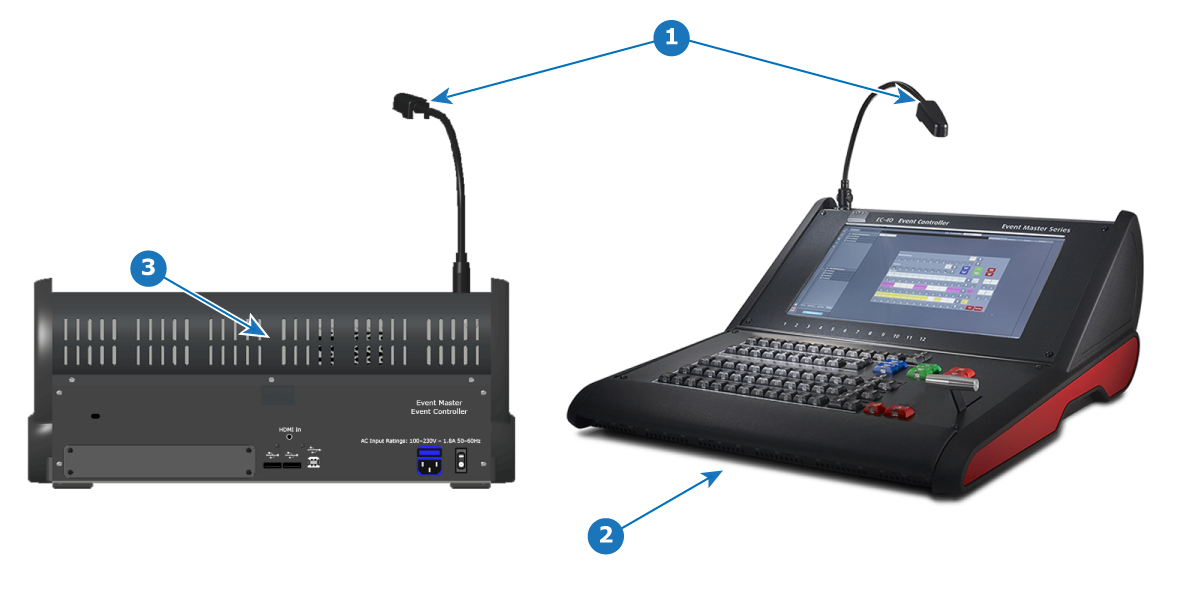
- 1
- Work light
- 2
- White light
- 3
- Red backlight

Work Light
The EC-40 controller has a single flexible scriptlight connection, equipped with an LED light. The light can be adjusted for brightness in the Events Master Toolset Settings menu page in the tab User Prefs, which is available only when hardware is connected.
White light
White light under the hand rest is for reading show scripts. Light can be turned on and off in the Events Master Toolset Settings menu page in the tab User Prefs, which is available only when hardware is connected.
Red backlight
The Red backlight indicate that the power is on an is a design element. Light can be turned on and off in the Events Master Toolset Settings menu page in the tab User Prefs, which is available only when hardware is connected.