Overview
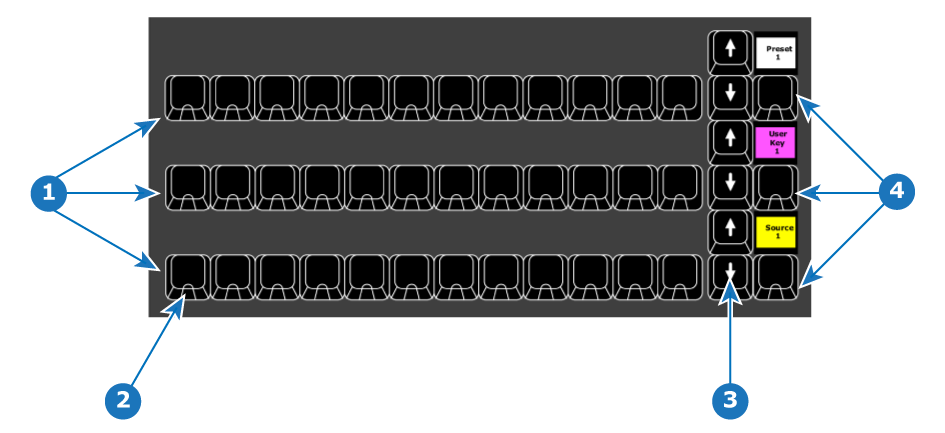
- 1
- Three rows of 12 Assign buttons
- 2
- LED on each button (red or green)
- 3
- Three rows of “Up” and “Down” arrows
- 4
- Three type buttons (with contextual displays)

The three rows of 12 buttons, each row can be assigned with several types of functions including memories, Source Files, Presets and UseKeys.
Each row also has an Up and Down arrow buttons which are used to switch between pages per row.
An additional button to the right of the arrow buttons on that row is called BUTTON TYPE. It has a display above it. The button toggles between assign types with multicolor indication of selected assign button type.
LEDs under the Assign buttons are RED and GREEN:
| LED color | Description |
| Red | for On PGM |
| Green | for On PVW |
Backlight color assign per function (for an entire row) :
| Function | Color |
| Source | Yellow backlight |
| User Key | Magenta backlight |
| Background Source | Green backlight |
| Preset | White backlight |