Given the low failure rate experienced on this device, it is extremely rare to have to change parts on the EC-40 controller.
Note: In the unlikely event your EC series controller requires service, please refer to the Return Material Authorization section in this manual prior to sending the unit back to the Barco Service Department.
The only parts that the user may have to change by itself is the work light and power fuse. The work light is a spare part provided by Barco (see spare parts list bellow). The fuse is not provided by Barco.
EC-40 Overview
Orientation and main components.
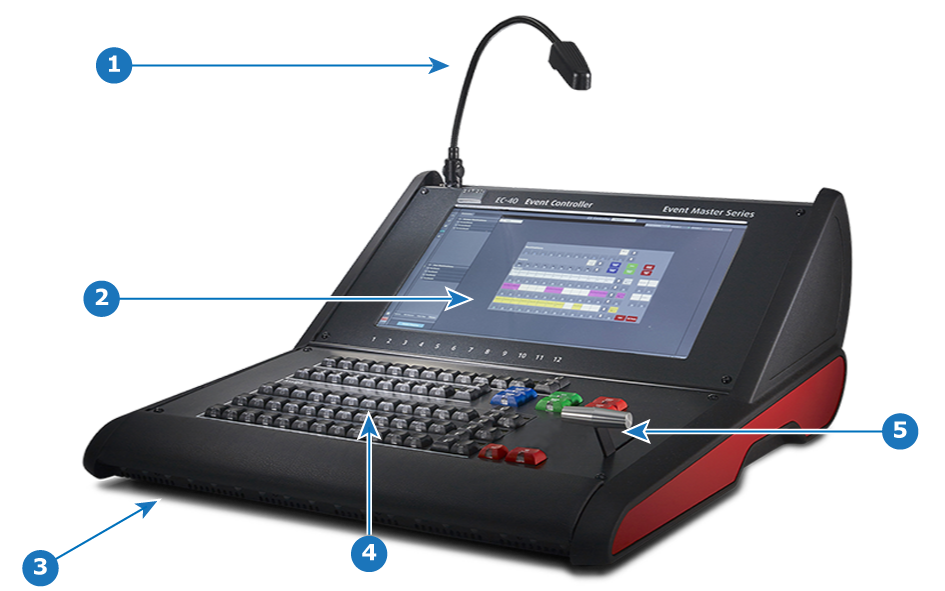
Front:
Image 14–1EC-40 controller
1
Work light
2
Touchscreen
3
White show-script light
4
User-assignable presentation buttons
5
T-bar
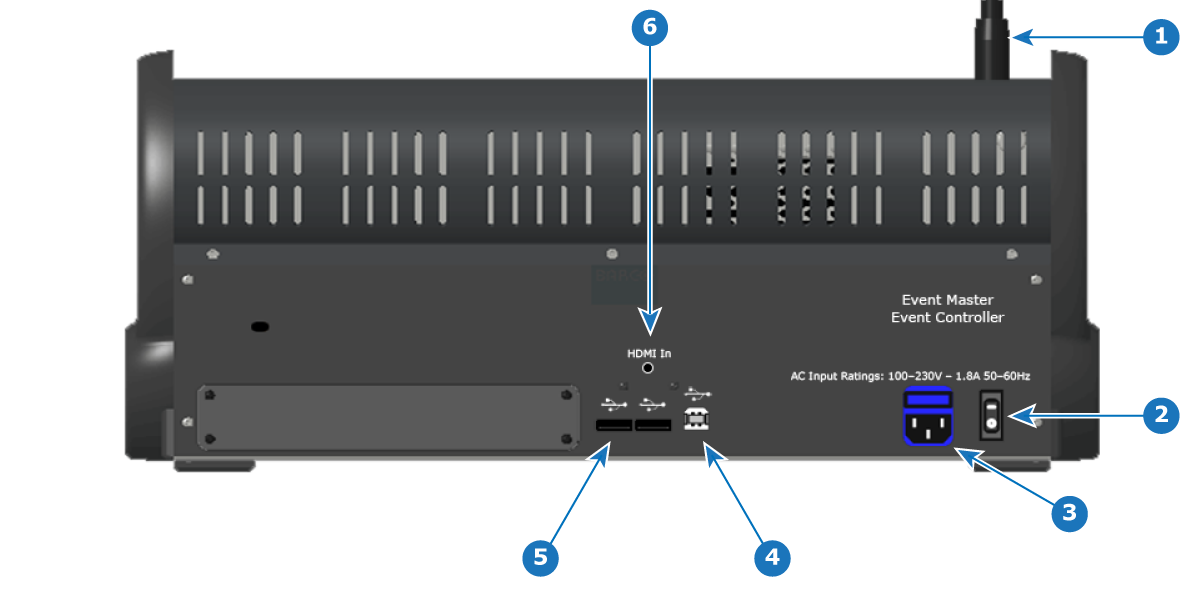
Rear:
Image 14–2EC-40 controller (rear view)
1
Work-light connector
2
Power switch
3
Power connector (and fuse)
4
USB B connector for connection to Host system
5
2x USB A connectors for USB peripherals
6
HDMI In
EC-40 Spare Parts list
P/N
Description
Comments
R767327K
KIT DESKLIGHT EC-50
1x work light (flexible support with XLR connection)
Fuse
Specifications:
Size
5x20mm
Amp Rating
5A
Voltage Rating
250V
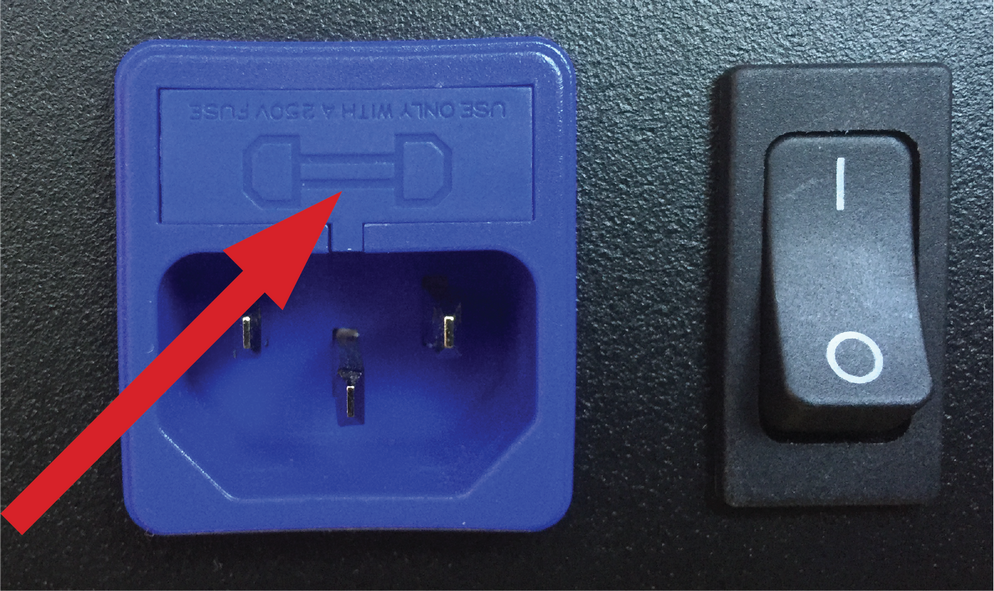
Location:
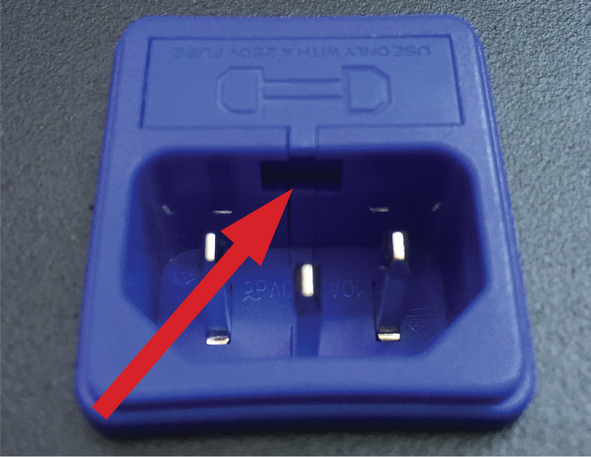
The fuse compartment is located above the power supply connector.
Image 14–3
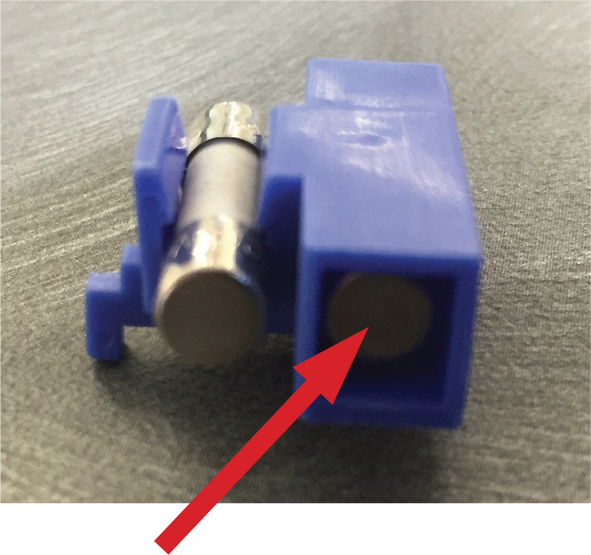
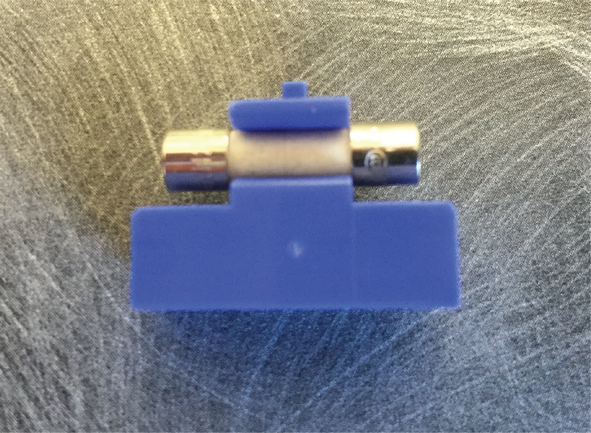
Spare fuse location:
A spare fuse is available in the fuse compartment.
Image 14–4
Note: It is strongly recommended to quickly buy a new fuse when the spare fuse is used.
How to change power supply fuse:
Note the open slot under the fuse compartment.
Image 14–5
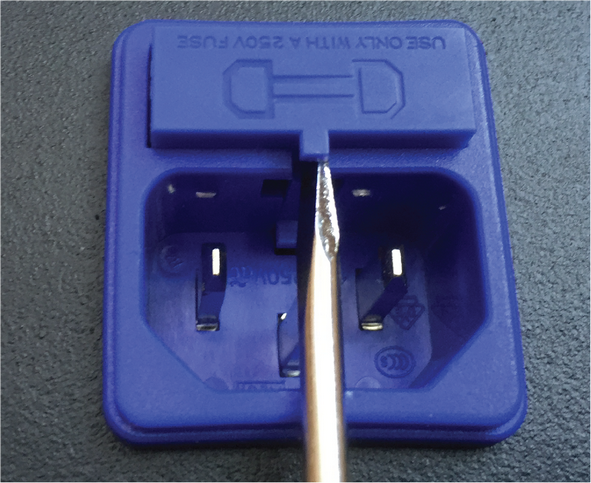
Use a small flat blade screwdriver to open the fuse compartment.
Image 14–6
Change the fuse. Fuse should be installed in the fuse holder as shown: