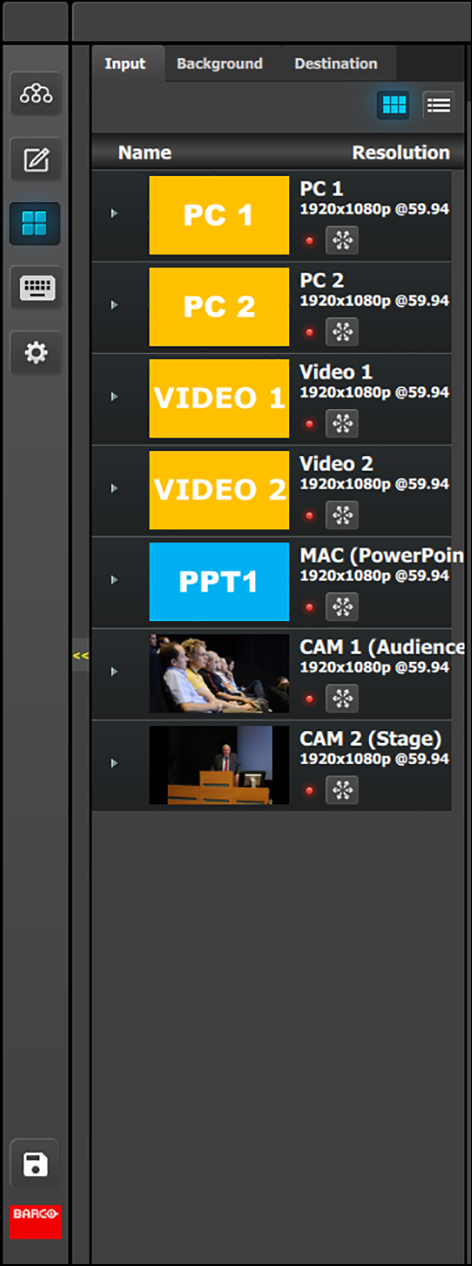
This part of the Multiviewer Menu provides a list of all the resources that are available to be displayed in the Multiviewer.
Description
Image 6–63Multiviewer Menu, Resource area
There are 3 tabs in this section:
Input: Lists the inputs as defined in the System Configuration menu.
Background: Lists the backgrounds as defined in the System Configuration menu.
Destination: Lists the destinations as defined in the System Configuration menu. AUX Preview is not a valid Multiviewer source.
How to add a resource to the Multiviewer
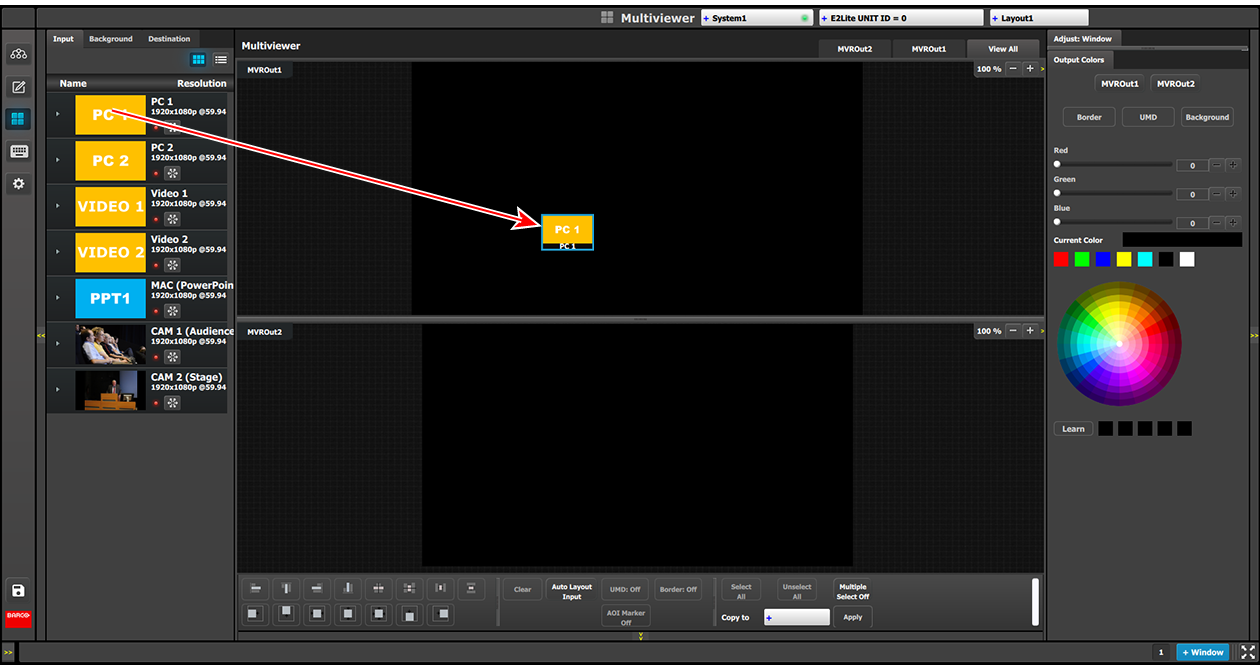
Resources are placed in the Multiviewer layout area by dragging them as it is done with the sources in the programming menu. When a resource is dropped in the Multiviewer a window appears in that location. A window cannot overlap another window, so if the resource is dropped at a location of another window the new resource will be ignored.
Image 6–64Add a resource to the Multiviewer
Note: Screen Destinations (Program and Preview) can be used up to two times in any Multiviewer Output. The position of the window for each copy can be different, but the size of the window for each copy is always be the same."
Note: If inputs, backgrounds or destinations are deleted after they are placed in the MVR, they will also automatically be deleted from the MVR.