
13.7 Front Cover Assembly

Flow chart
Image 13–17
Overview
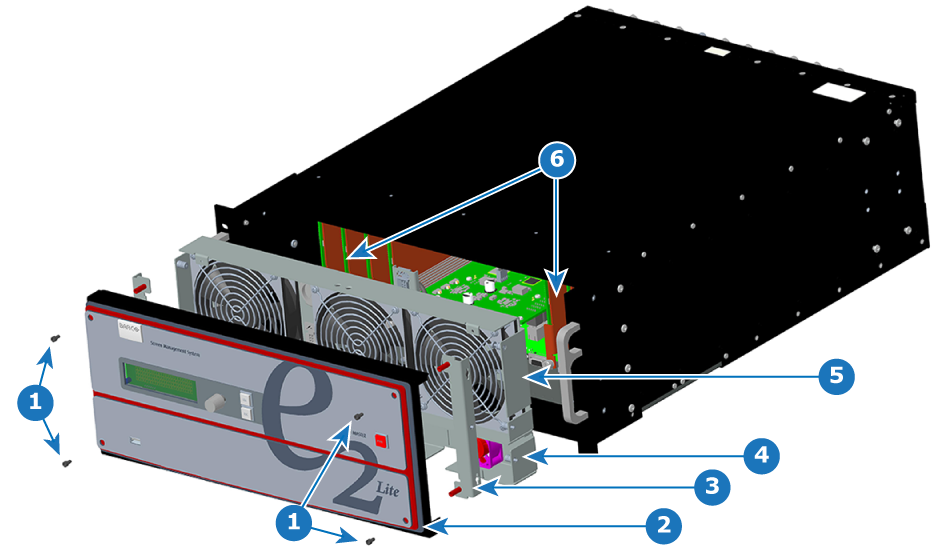
Image 13–18 Front-cover disassembly
1
Screws
2
Front-cover assembly
3
Front brackets
4
1RU fan tray
5
3RU fan tray
6
VPU cards
Necessary tools

1 x Screwdriver HEX 0.05" 7.05" (Provide by Barco in the original package).
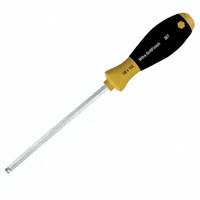
Image 13–19
How to remove the Front Cover Assembly
  1. Use the Hex screwdriver to remove the 4 screws (Hex 6-32x.25) that attach the front cover to the brackets located behind it.

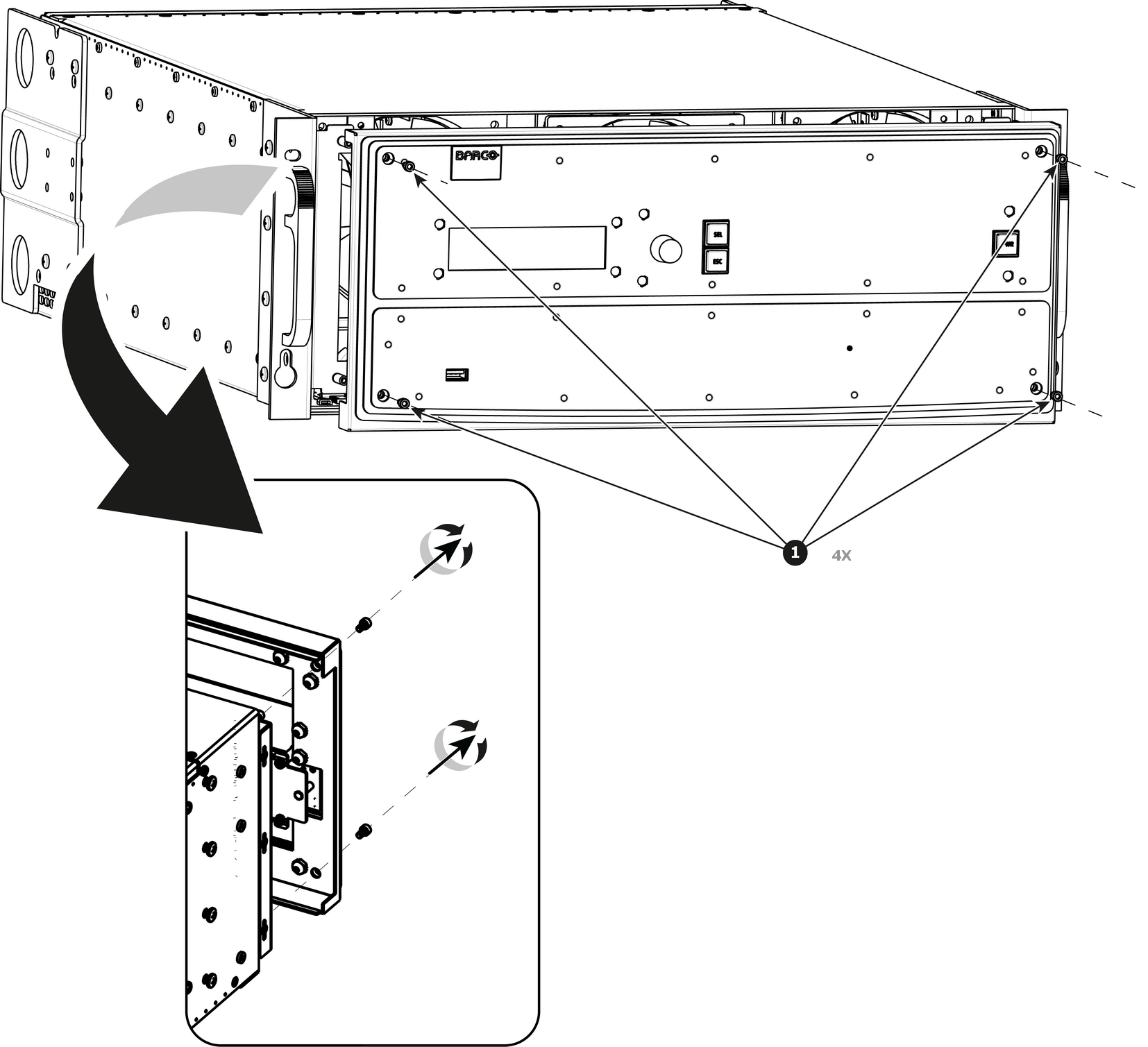
    Note: the standoffs go through the holes in sheet metal to properly align the front enclosure.
    Image 13–20
  2. Pull out the Front cover and lay it flat in front of the unit.

    At this point there are still 3 cables connecting the Front cover to the unit.
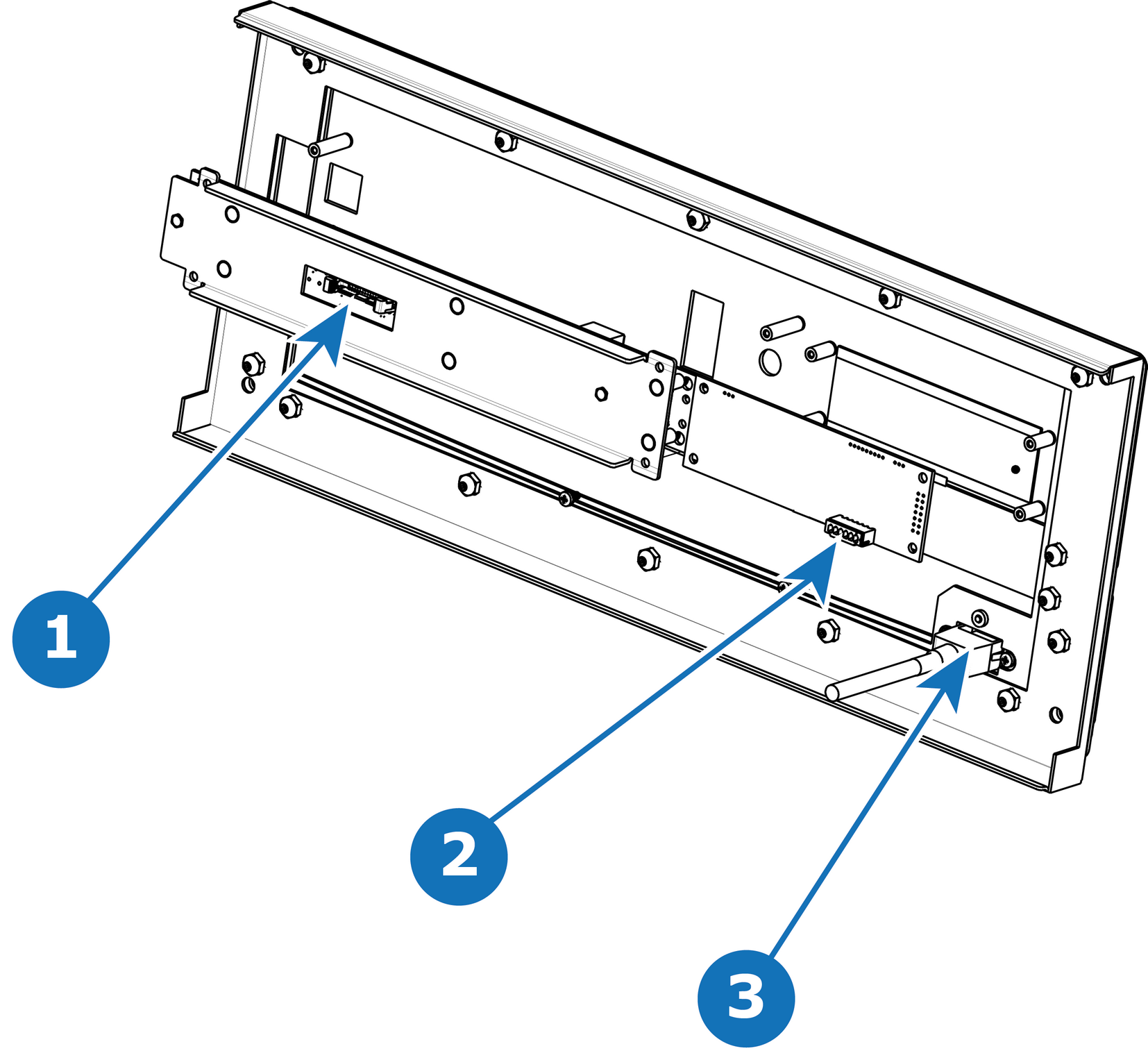
    Image 13–21
    1
    Front Panel Connector
    2
    VFD Connector
    3
    USB Connector
  3. Pull the latches away from connectors and gently pull the flat Front Panel away.
  4. Remove cables as outlined in the related procedures (VFD, USB and Front Panel connectors).
How to install the Front Cover Assembly

To install the Front Cover Assembly follow the same procedure in the reverse order.