
Overview
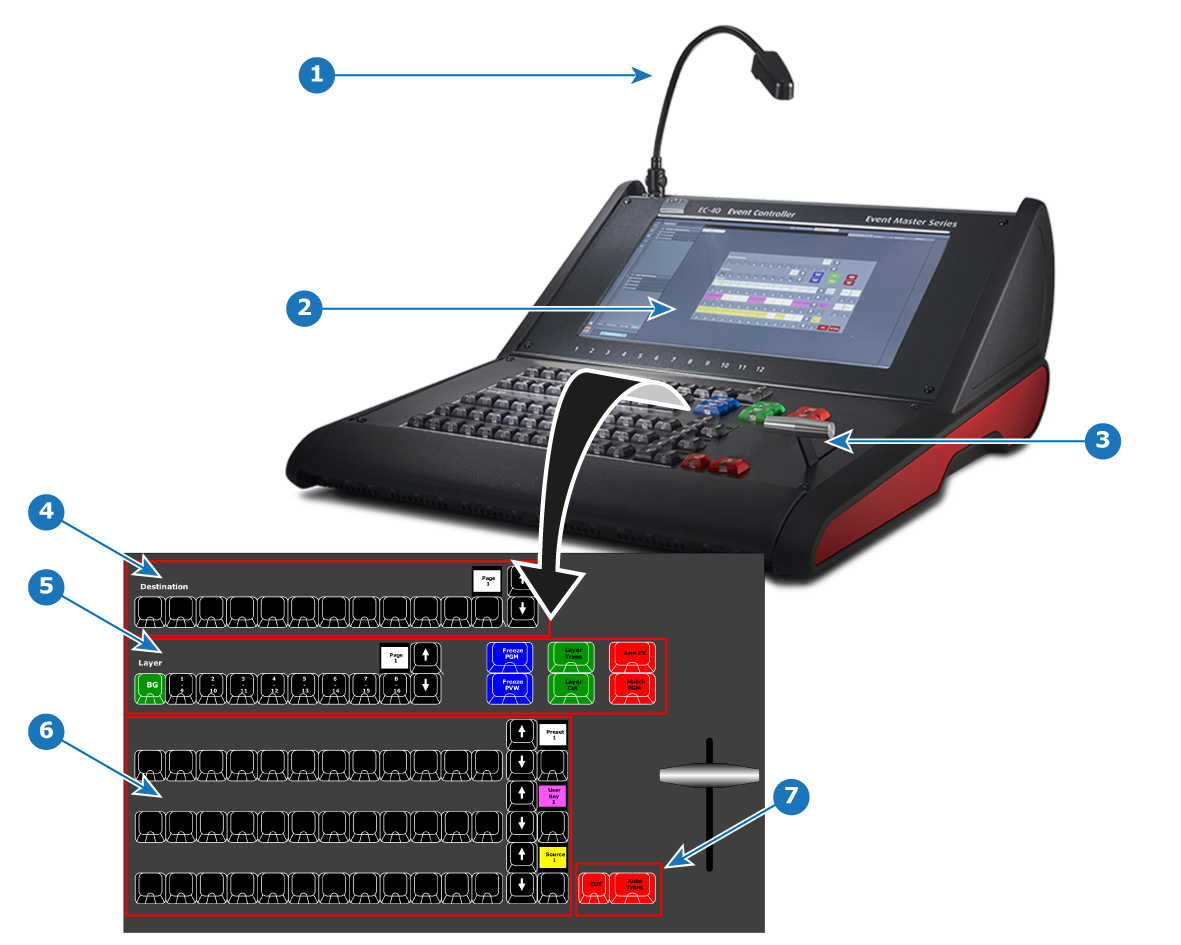
- 1
- Work light (flexible support
- 2
- Touchscreen
- 3
- T-bar
- 4
- 12 Destination buttons and a contextual display showing page of Destinations
- 5
- Layer buttons and a contextual display showing page of Layers
- 6
- Assign Buttons in three identical rows that can host multiple selections and a contextual display showing page of the Assign button row
- 7
- Cut and All Trans buttons