13.30 3RU Fan Cable

Flow chart
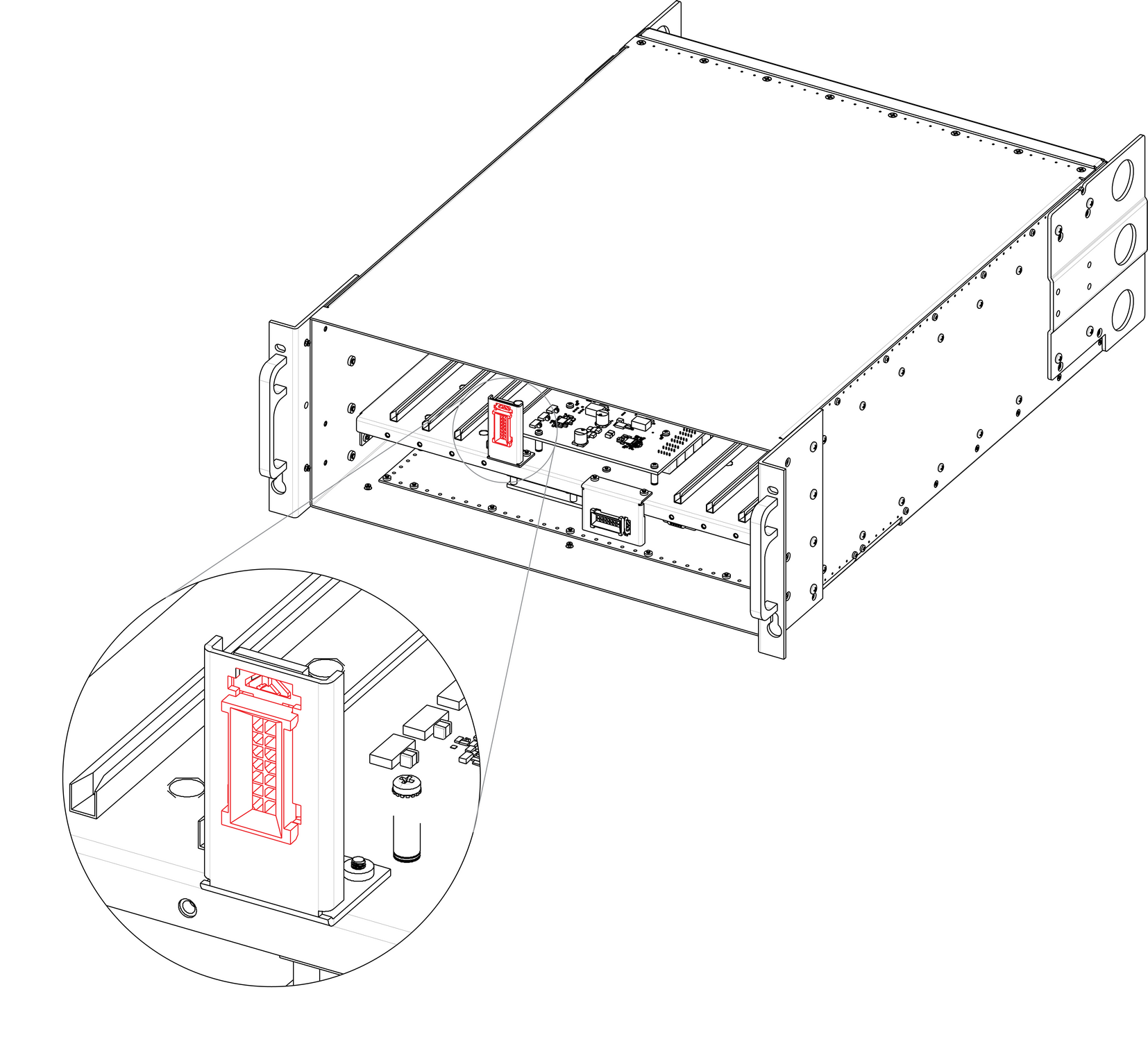
Image 13–83
Note: The 3RU cable assembly provides power to the 3RU fans from the System-Power board.
Note: One side of the cable is attached to a metal bracket that is accessible after the 3RU fan tray is removed. The other side of the cable assembly connects to the System-Power board and is accessible when the bottom panel is removed
Concerned parts
R767269KCable Kit Set
Necessary tools
How to remove the 3RU Fan cable
  1. Make sure the unit is placed in the upright position and the 3RU fan tray is removed
  2. Locate the 3RU cable connector that is exposed after the 3RU fan tray is removed. The connector is attached on a metal bracket that is vertically mounted in the chassis.

    Image 13–84
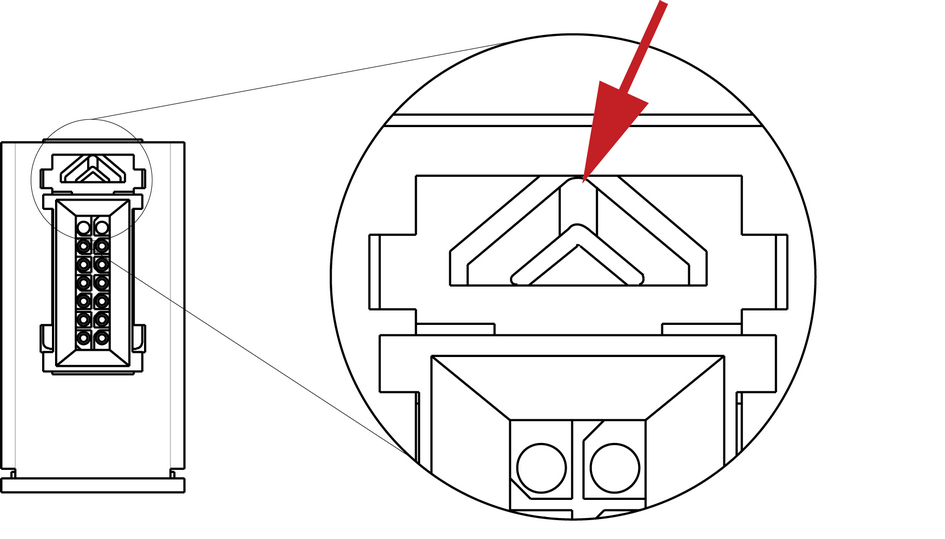
  3. Locate the snap lock on the top of the connector and push it back to release the connector from the bracket.

    Image 13–85
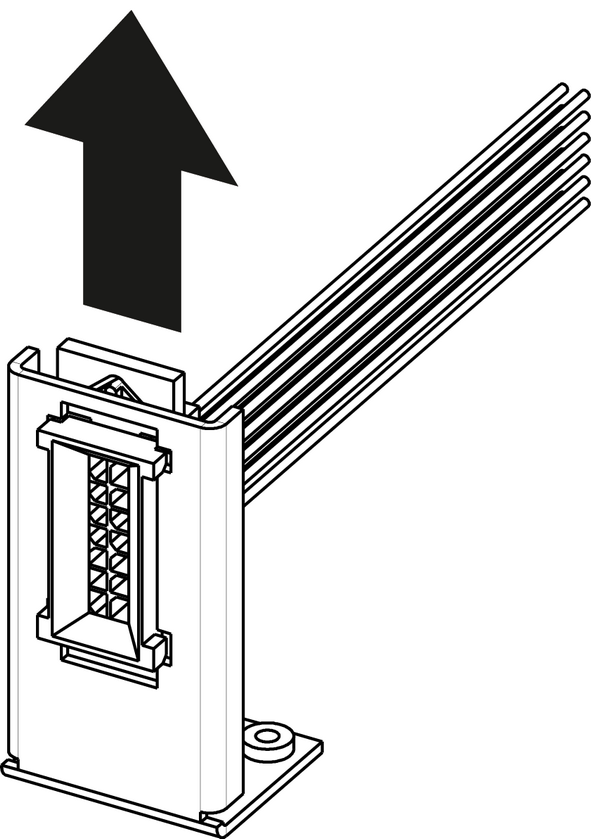
  4. Push the connector up until the slots in the metal bracket align with the flanges on the connectors.

    Image 13–86
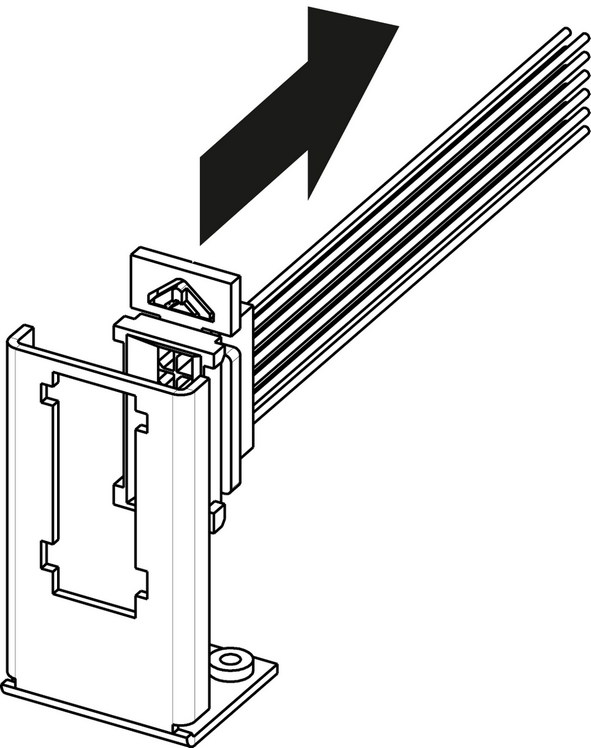
  5. Gently pull the 3RU cable assembly away from the bracket.

    Image 13–87
  6. Turn the unit upside-down and remove the bottom panel.
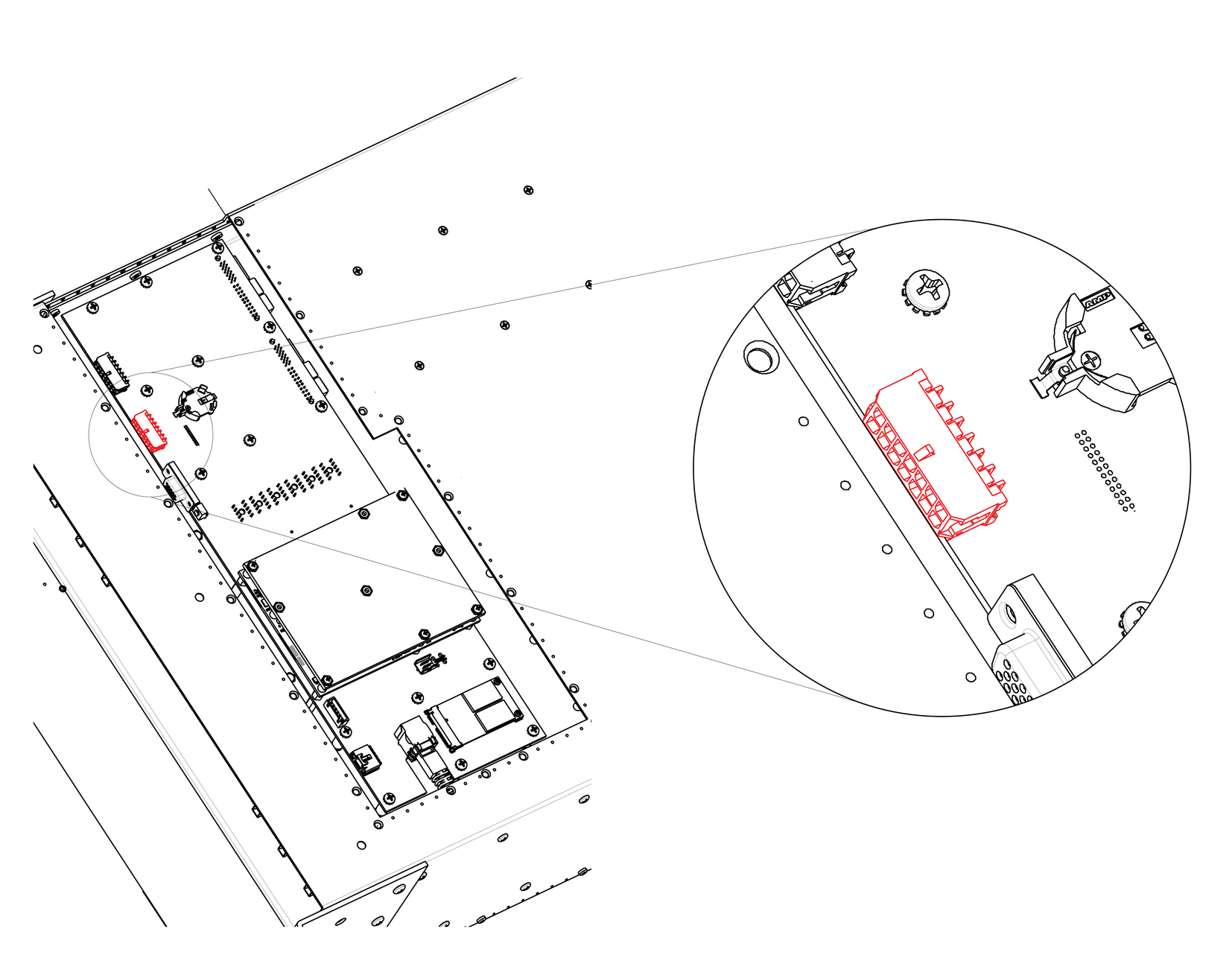
  7. Locate the 3RU cable that is plugged on the System-Power board.

    Image 13–88
  8. Remove the 3RU cable by gently pushing it out.
How to install the 3RU Fan Cable

To install the 3RU Fan Cable follow the same procedure in the reverse order.