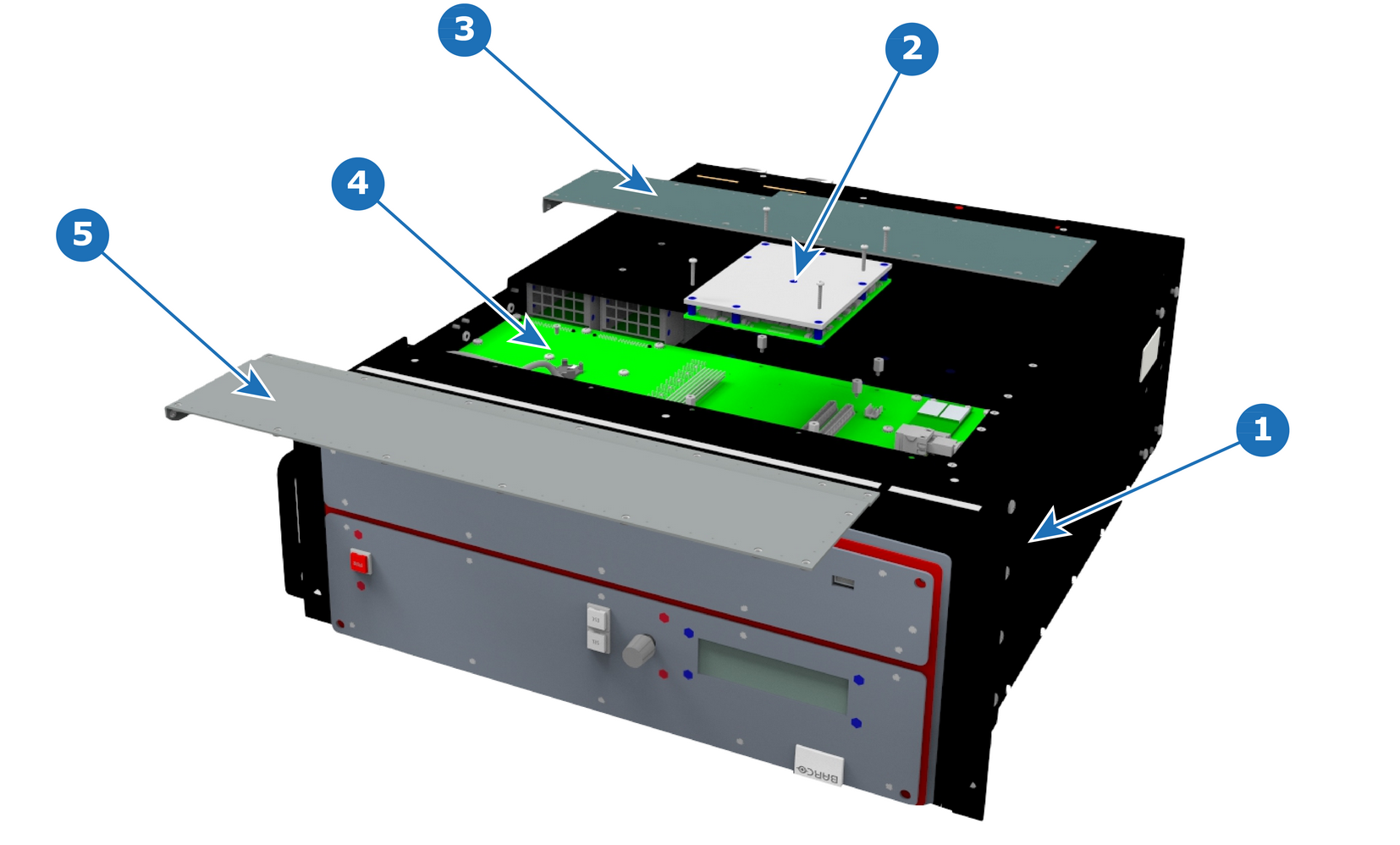
Flow chartImage 13–54 Note: Before you proceed removing the CPU module you need to remove the Bottom Panel as outlined in the related procedure.
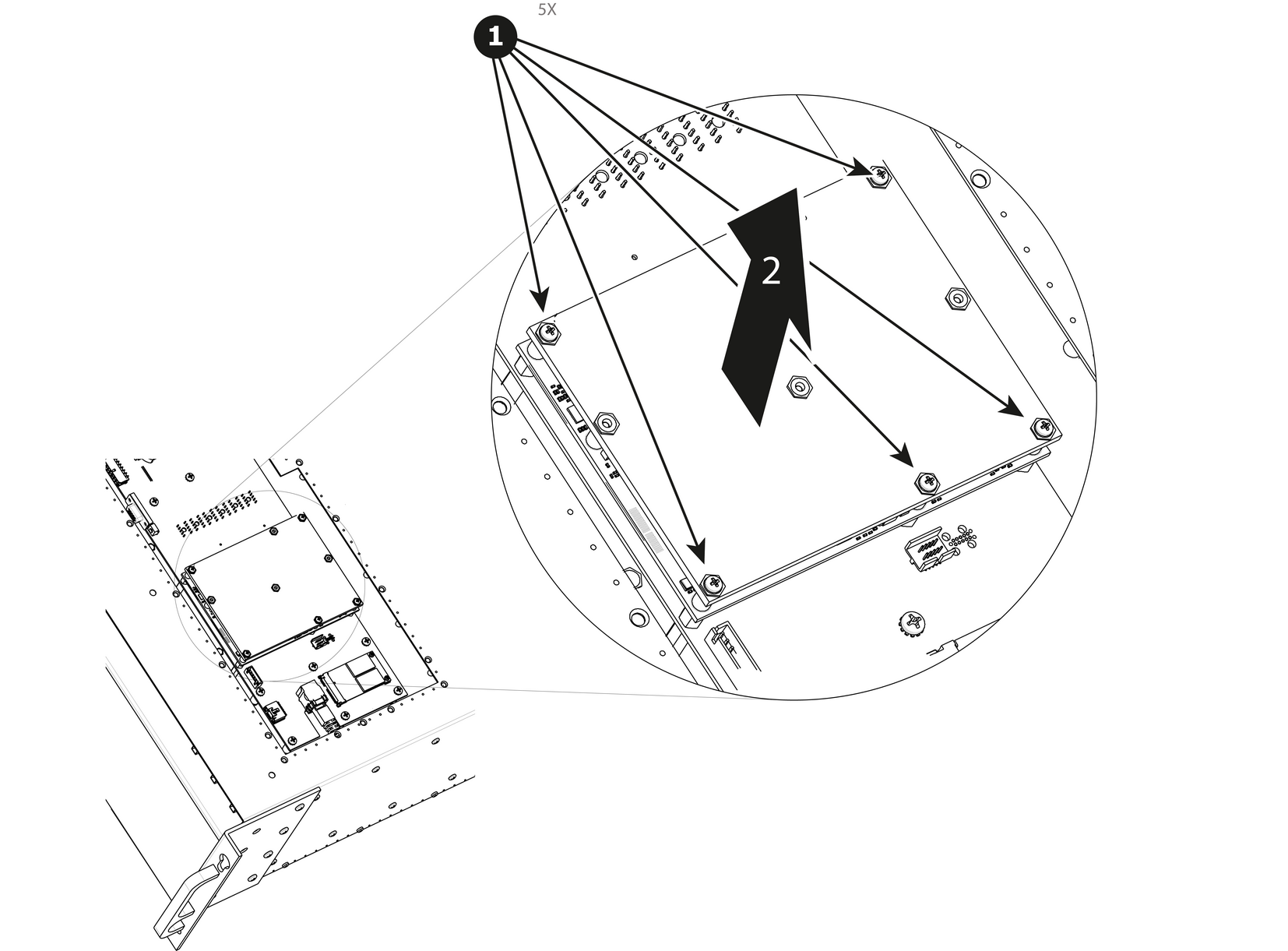
How to remove the CPU module Remove the five screws that attach CPU module to the system card.Carefully remove the CPU module by lifting it up.Image 13–56
How to install the CPU moduleTo install the CPU module follow the same procedure in the reverse order.