Prerequisites
Event Master Toolset revision 6.4 must be installed on the Host computer prior to the connection of the EC-40.


Event Master Toolset revision 6.4 must be installed on the Host computer prior to the connection of the EC-40.
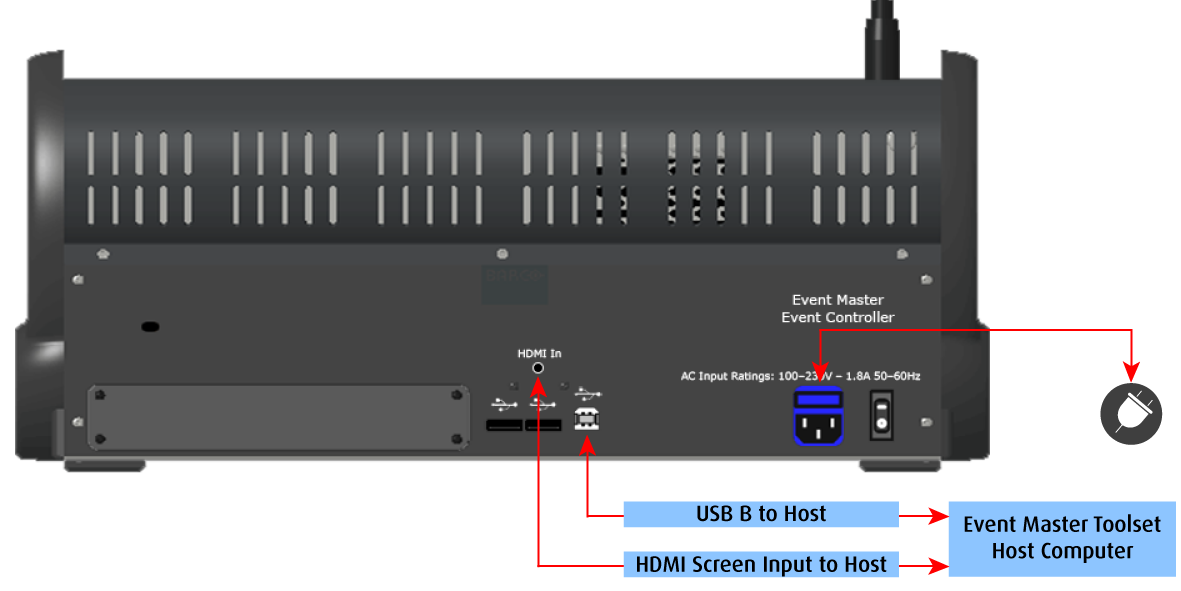
Connect the external screen and USB communication from the host computer to the HDMI In and USB B connector on the EC-40.
Plug the cord to the power outlet.
Necessary cables are provided in a new system. In the case that the original cables are missing, simply use standard computer cabling to make these connections.