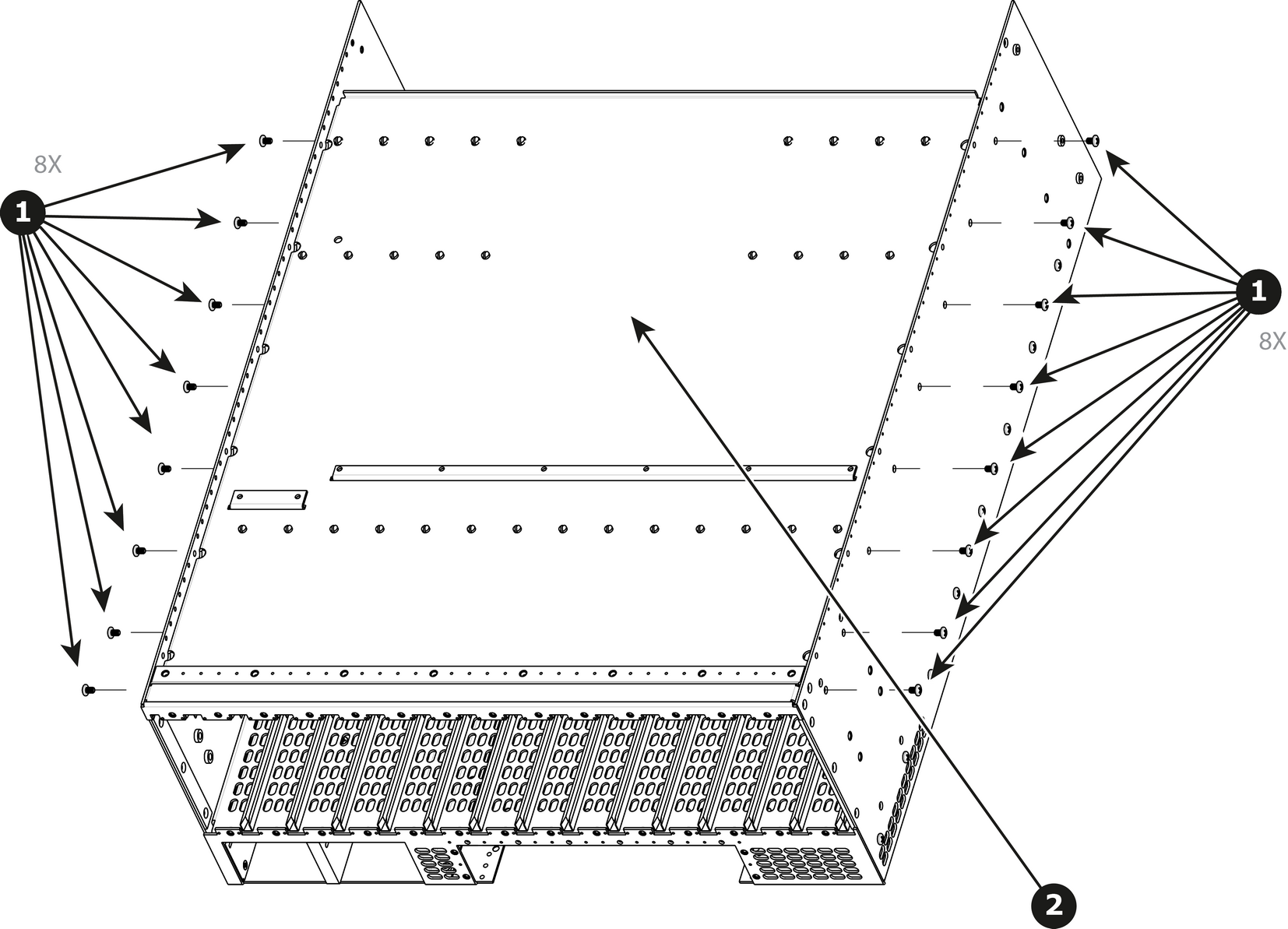
How to remove Top Card GuideRemove the 18 screws from the two sides (8 in each side, 6-32x0.25) that are located towards the bottom of the unit.Remove the card guide cover by gently pulling it away from the E2.Image 13–101
How to install Top Card GuideTo install the Top Card Guide follow the same procedure in the reverse order.Note: When installing the guide make sure you have 2 cards from the rear and two cards from the front (VPUs) installed before tightening the screws.Note: Use Loctite 242 to the screws before installing.