13.10 1RU Fan Tray

Flow chart
Image 13–26
Concerned parts
R767270K1RU Fan Tray
Necessary tools

1 x Phillips Screwdriver #2 (optional).

How to remove the 1RU Fan Tray
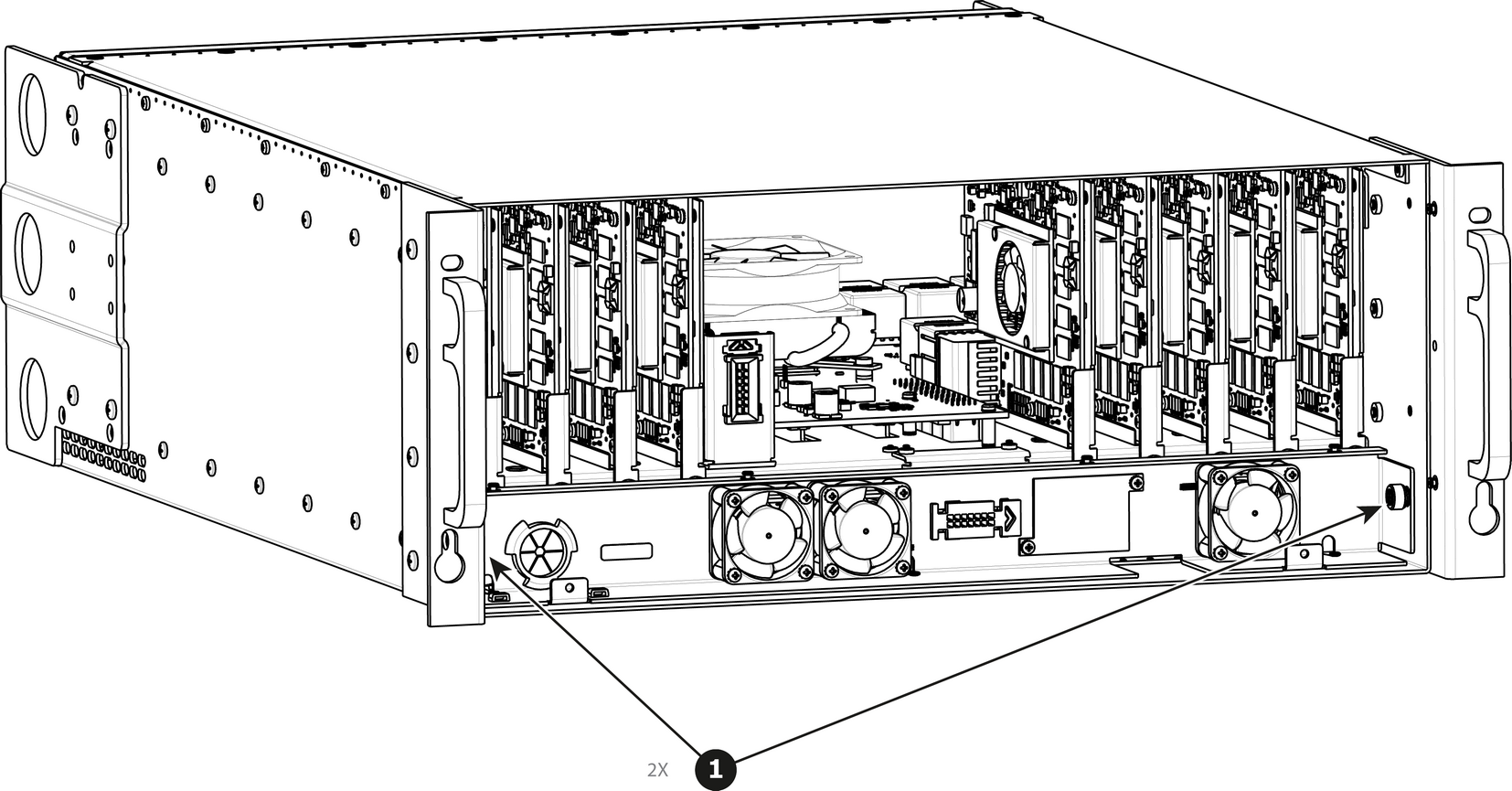
  1. Loosen and unscrew the 2 thumbscrews holding the 1RU fan tray to the chassis.

    Note: You may need a screwdriver if the thumbscrews are very tight.
    Image 13–27
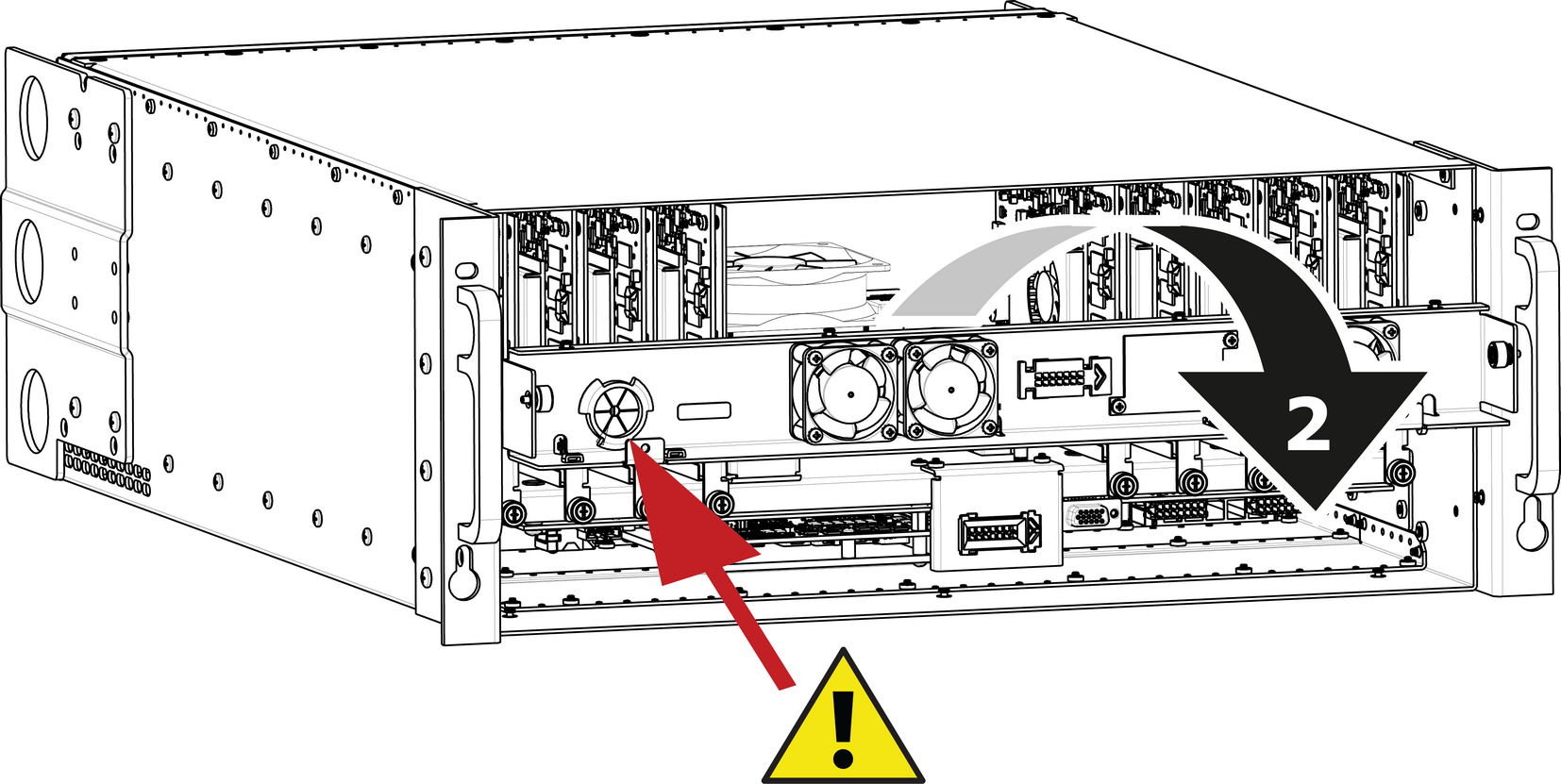
  2. Pull the tray out.

    Note: You might need to tilt the tray and maneuver it to go around the dimples located on the side of the chassis.
    Image 13–28
    Caution: Before you completely remove it from the unit carefully push the USB and Front panel cables through the grommet located on the left hand side.
How to install the 1RU Fan Tray

Follow the same procedure in the reverse order and in addition perform the following:

  1. Pass the USB and VFD cable through the grommet.
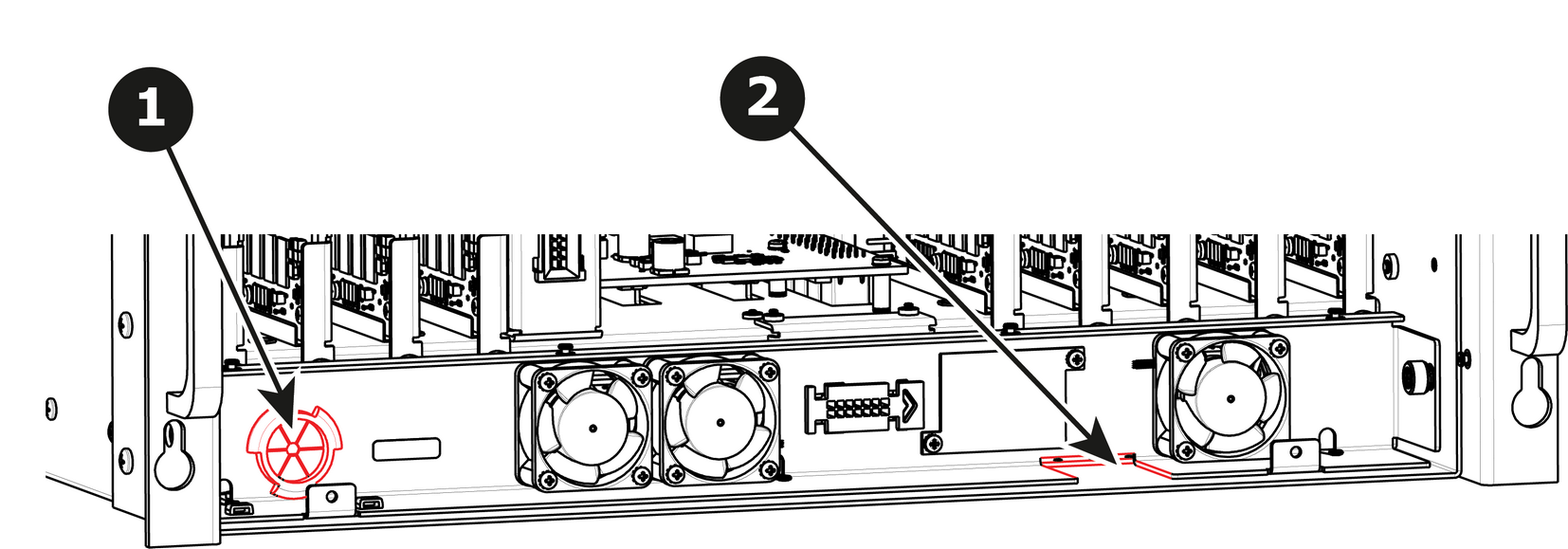
    Image 13–29
  2. Make sure that the front panel flat cable goes through the slot located on the right hand side.
  3. Line up the connector behind the fan tray and the connector on the bracket behind it and push so the two connectors mate.