Necessary tools
USB drive (Not supplied by Barco) formatted in FAT32.

USB drive (Not supplied by Barco) formatted in FAT32.
Prepare the flash drive with the upgrade file as describe below in the section “Preparing the flash drive with the upgrade file”


Select Format from the menu that appears.
The Format Disk screen appears.
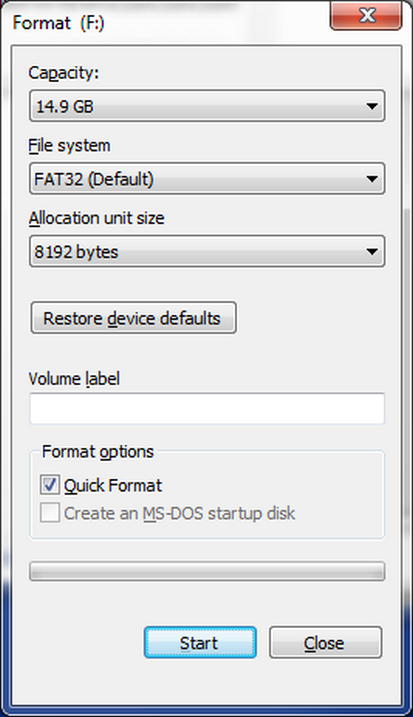
Click Start.
A message appears, warning that data will be erased during the formatting process.
Click OK to continue.
A confirmation message appears after a few seconds. The flash drive is now ready to use
Download the software upgrade for free from Barco’s website (URL: http://www.barco.com). Click on myBarco and login to get access to secured information. Registration is necessary.
Select Firmware Upgrade from the Setup Menu. The Firmware Upgrade submenu appears.
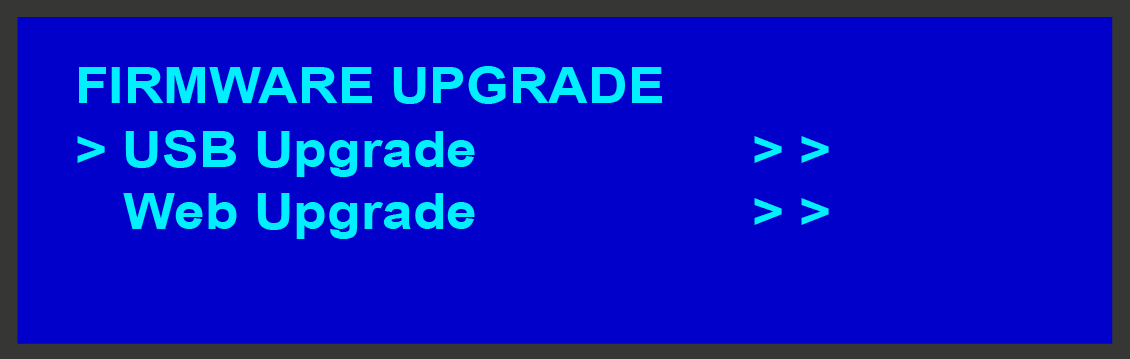
Select USB Code Upgrade. The menu shown in the following illustration appears.
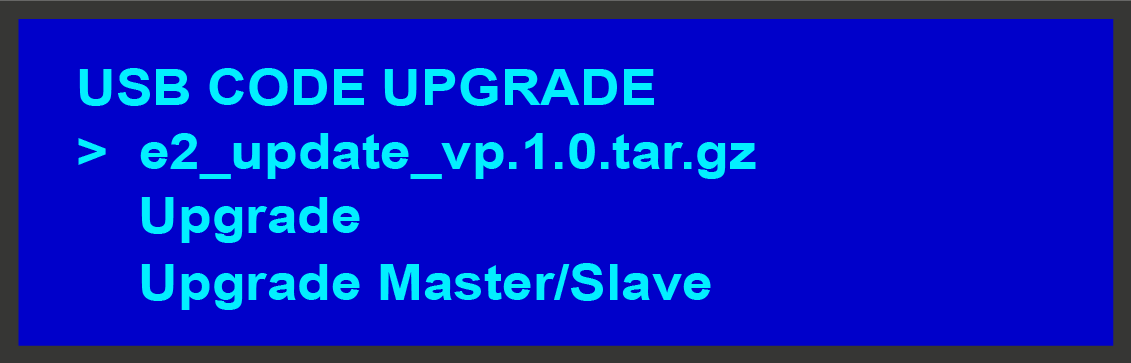
Scroll to Upgrade and press SEL again.
A progress message appears.