Flow chart


| R767260K | Front Panel Board |
1 x Phillips Screwdriver #2
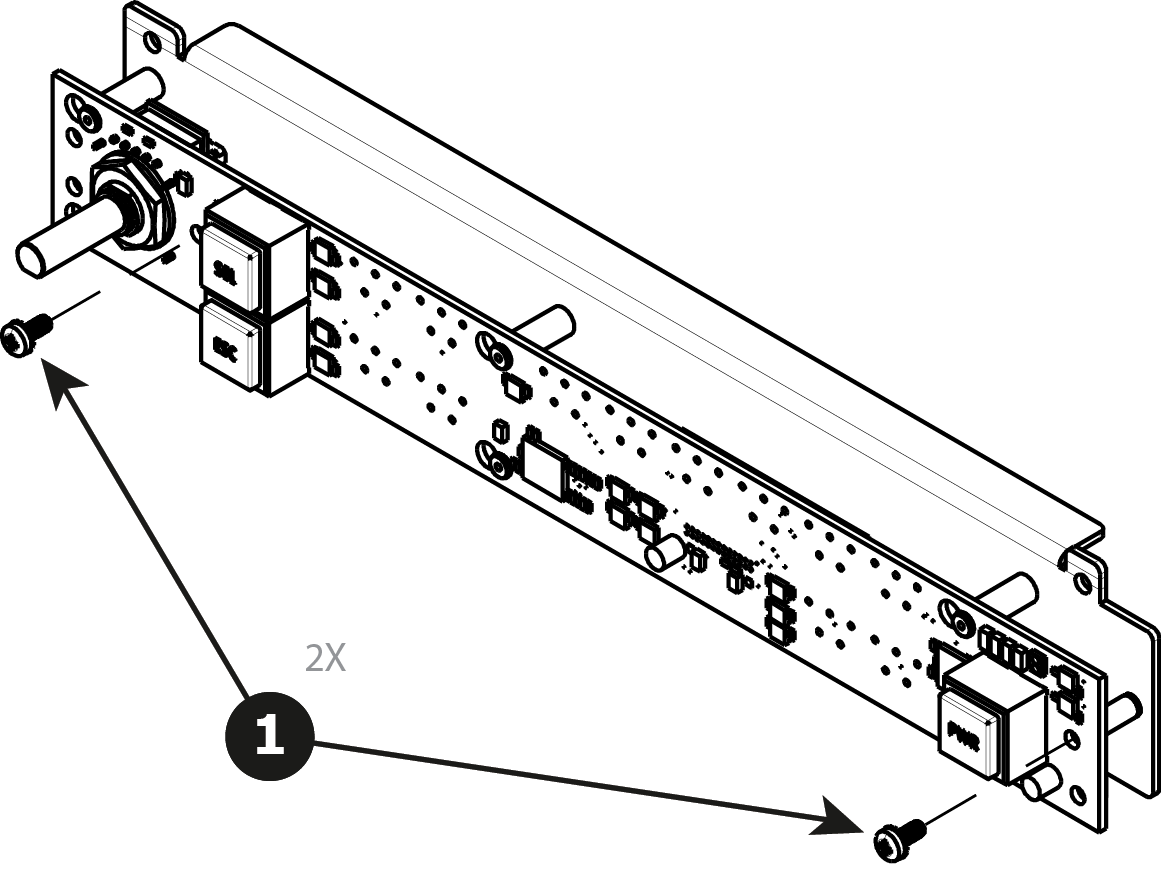
Remove the two screws ( 4-40X.25) that secure the PCB to the front mount.
Move the PCB to the right and then out to release it from the mount.
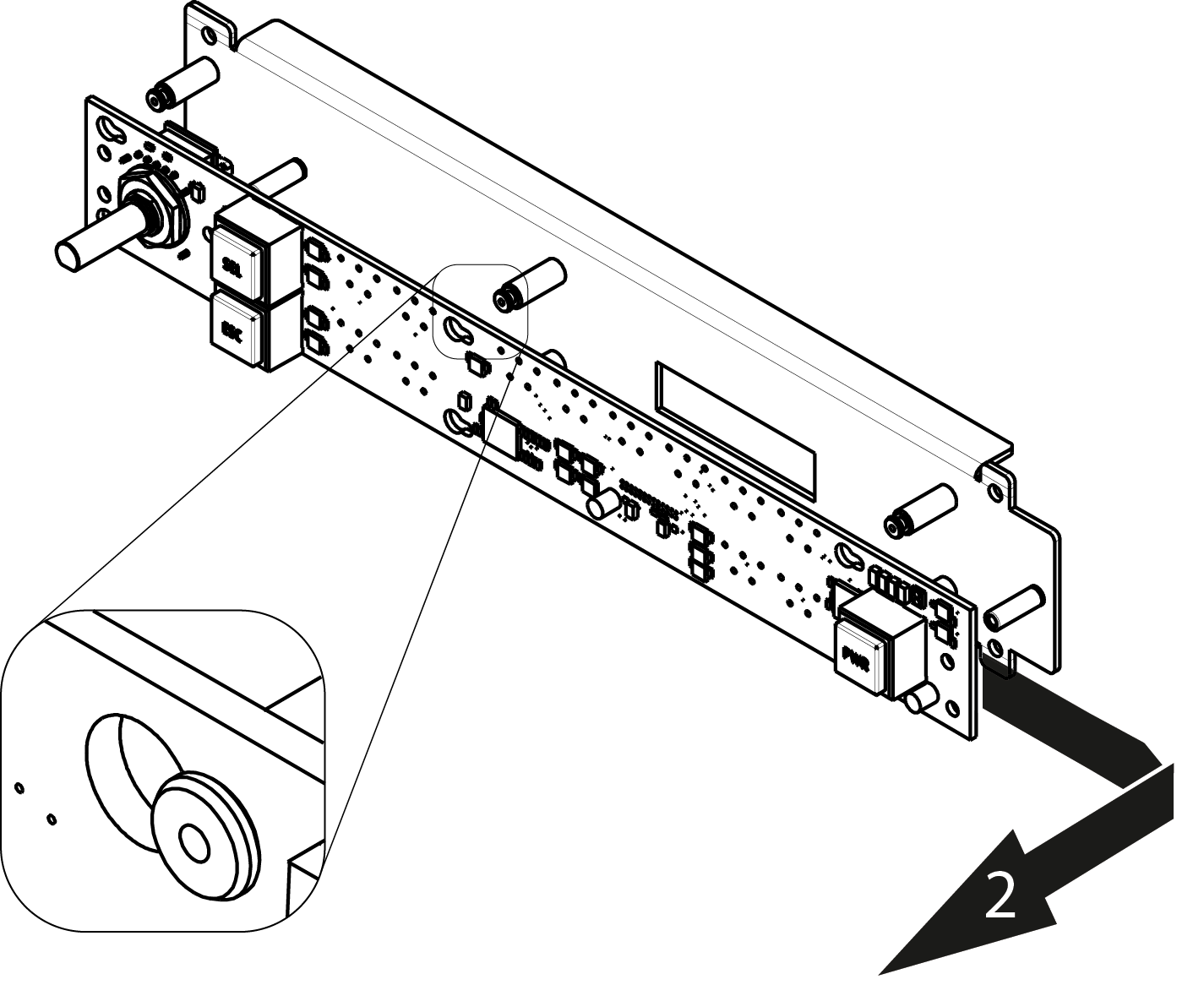
To install the Front Panel Board follow the same procedure in the reverse order.