
13.25 USB Extension Cable

Flow chart
Image 13–70
Note: The USB Extension cable connects the USB cable to the System Power board. This procedure provides instructions on how to disconnect the cable on both sides.
Concerned parts
R767269KCable Kit Set
Necessary tools

1 x Phillips Screwdriver #2

How to remove the USB Extension cable
  1. Partially remove the front panel assembly and pull it away to expose the cables behind it (refer to the related procedure).
  2. Disconnect the USB Extension cable from the USB cable.
  3. Gently push the cable through the grommet located in the 1RU tray.
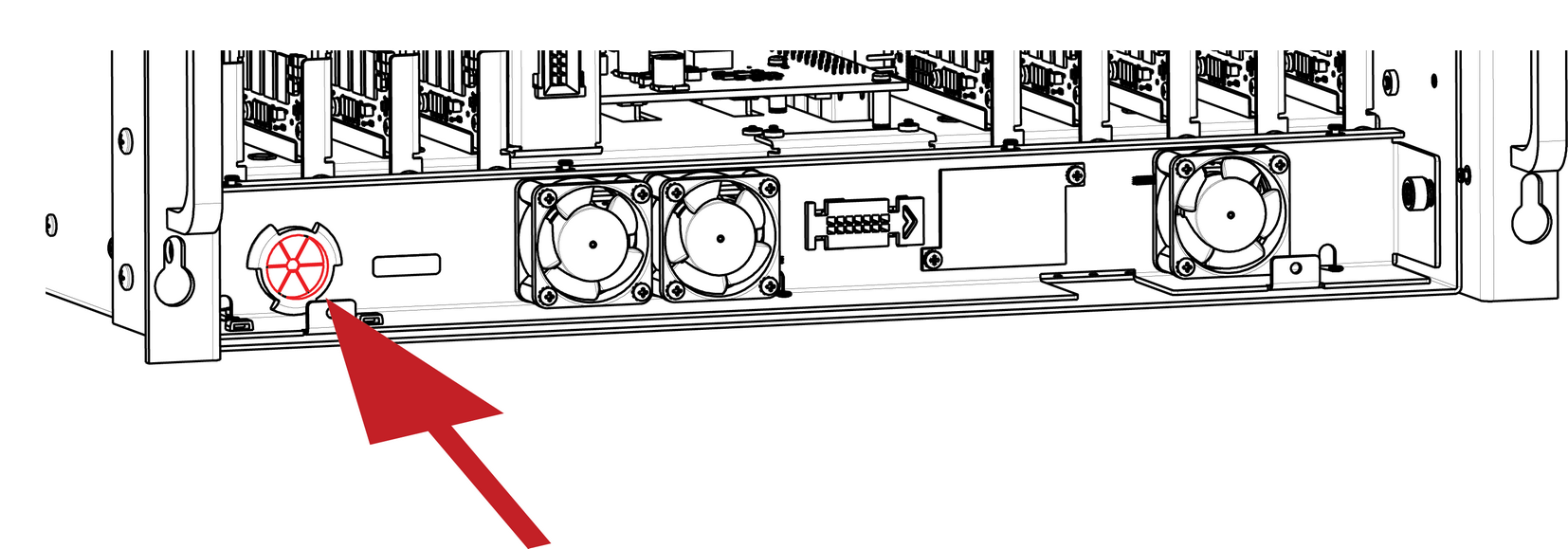
    Image 13–71
  4. Turn the unit upside down and remove the bottom panel (Follow the instructions provided in the bottom panel removal section).
  5. Locate the USB Extension cable that is plugged on the System-Power board.
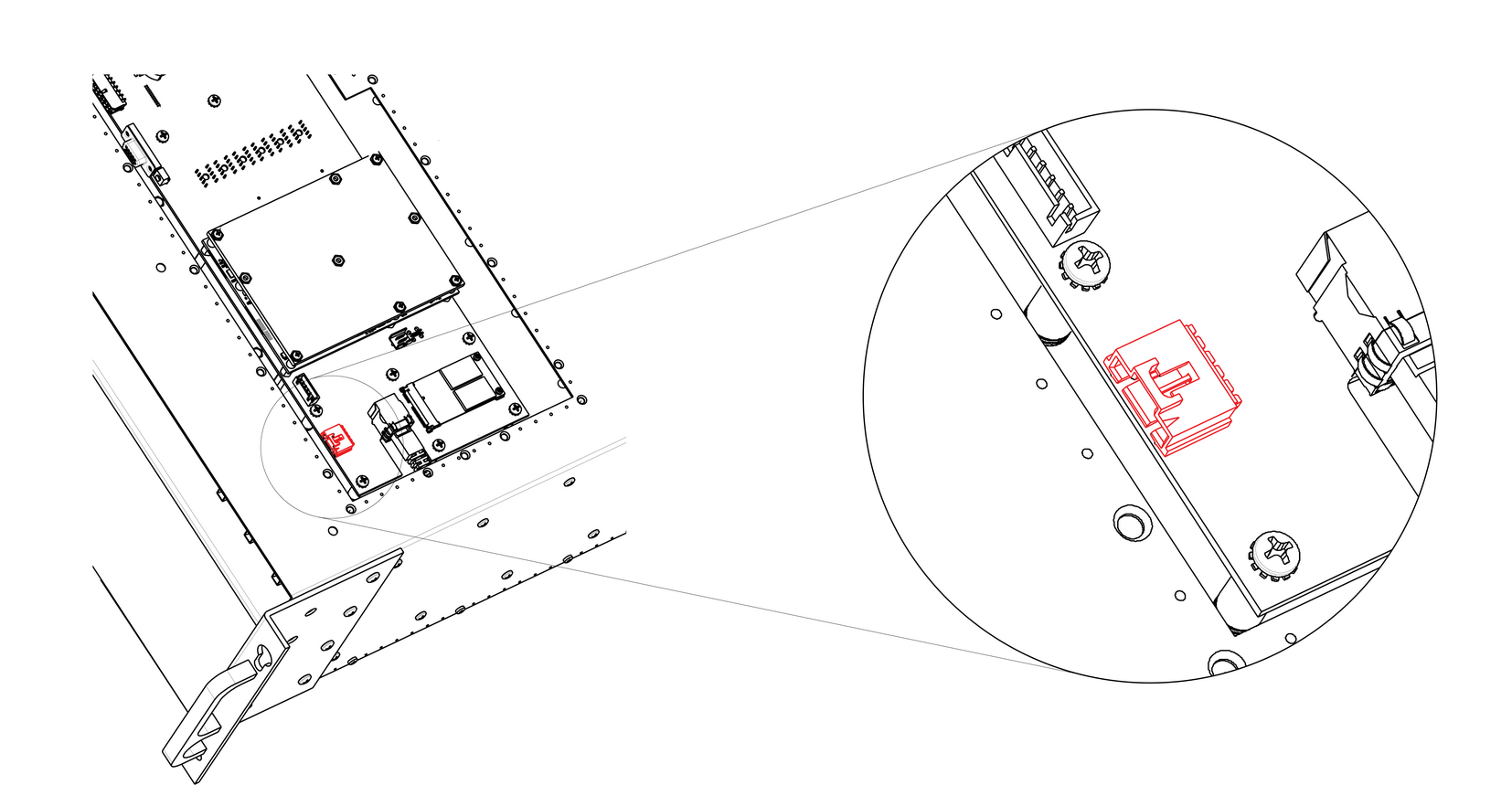
    Image 13–72
  6. Unplug the USB Extension cable by gently pushing it out.
  7. Pull the cable out of the unit.
How to install the USB Extension cable

To install the USB Extension cable follow the same procedure in the reverse order.