13.32 Rear Rack Ears

Concerned parts
R767273KConnector protector
Necessary tools

1 x Phillips Screwdriver #2

How to remove Rear Rack-Ears
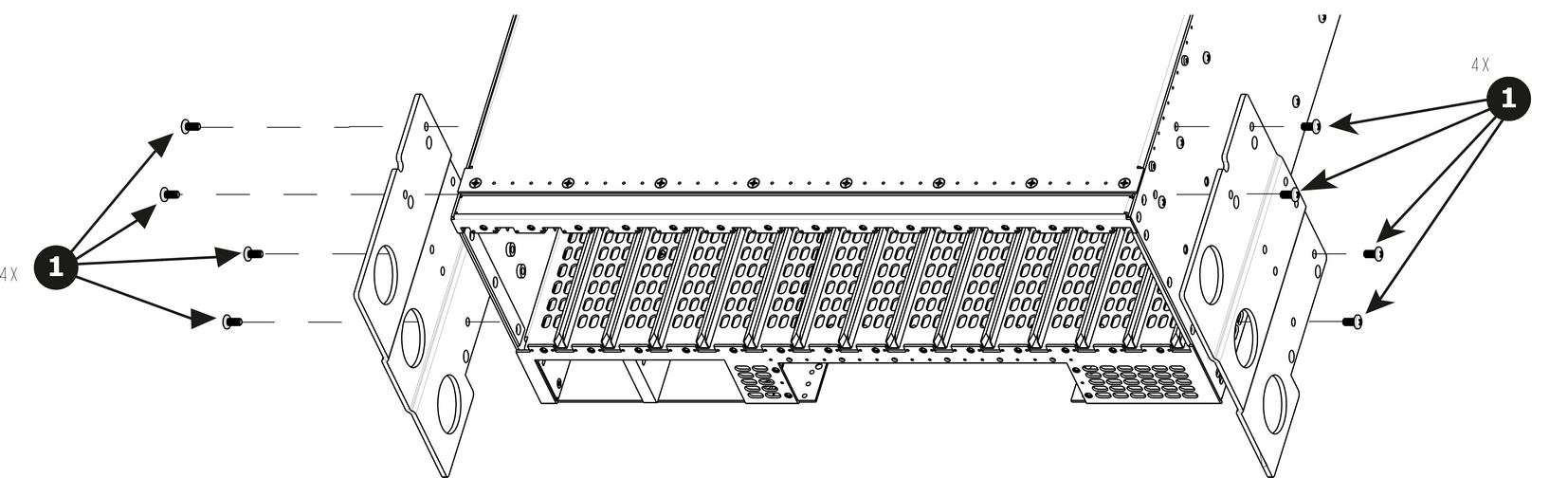
  1. Remove the eight pan head screws (8-32x.31), four from each side, to detach the rear rack ears and connector protectors from the unit.

    Note: If the rear rack ears have been removed, do not re-install the 8-32x.31 screws. Without the rack ears in place, the screws may damage the multiviewer card.
    Note: You don’t need to remove the rear rack ears to access any other part of the unit.
    Image 13–95
How to install Rear Rack-Ears

To install the Rear Rack-Ears follow the same procedure in the reverse order.

Note: When shipping an E2 Lite in a Barco-supplied case, make sure that the rear connector protectors are installed to prevent damage.