13.4 Rear I/O Cards

Flow chart
Image 13–3
Overview
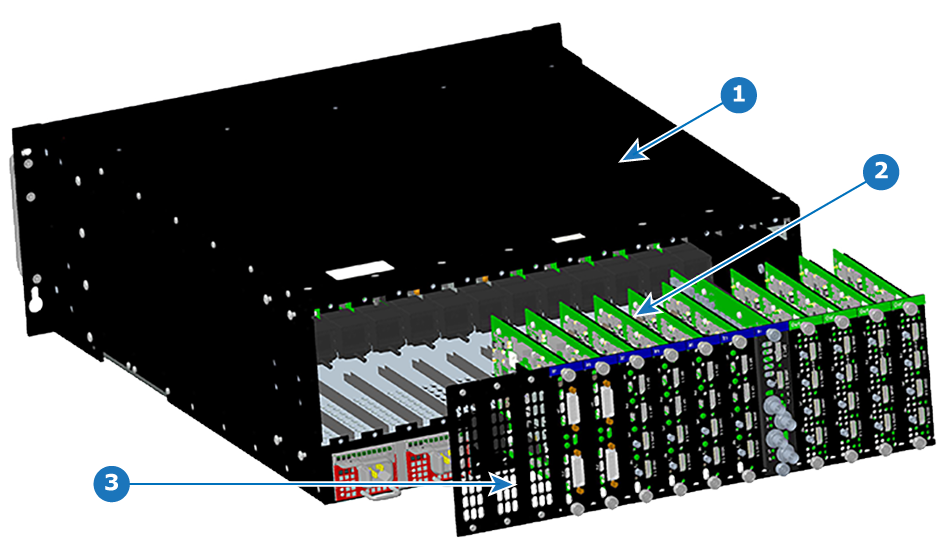
Image 13–4 Chassis rear – I/O cards
1
Chassis
2
I/O cards
3
First three slots empty
Concerned parts
R9004740DVI Input
R9009368HDMI Input
R9009400HDMI Output
R9009401Tri-Combo Input
Necessary tools

Phillips Screwdriver #2.

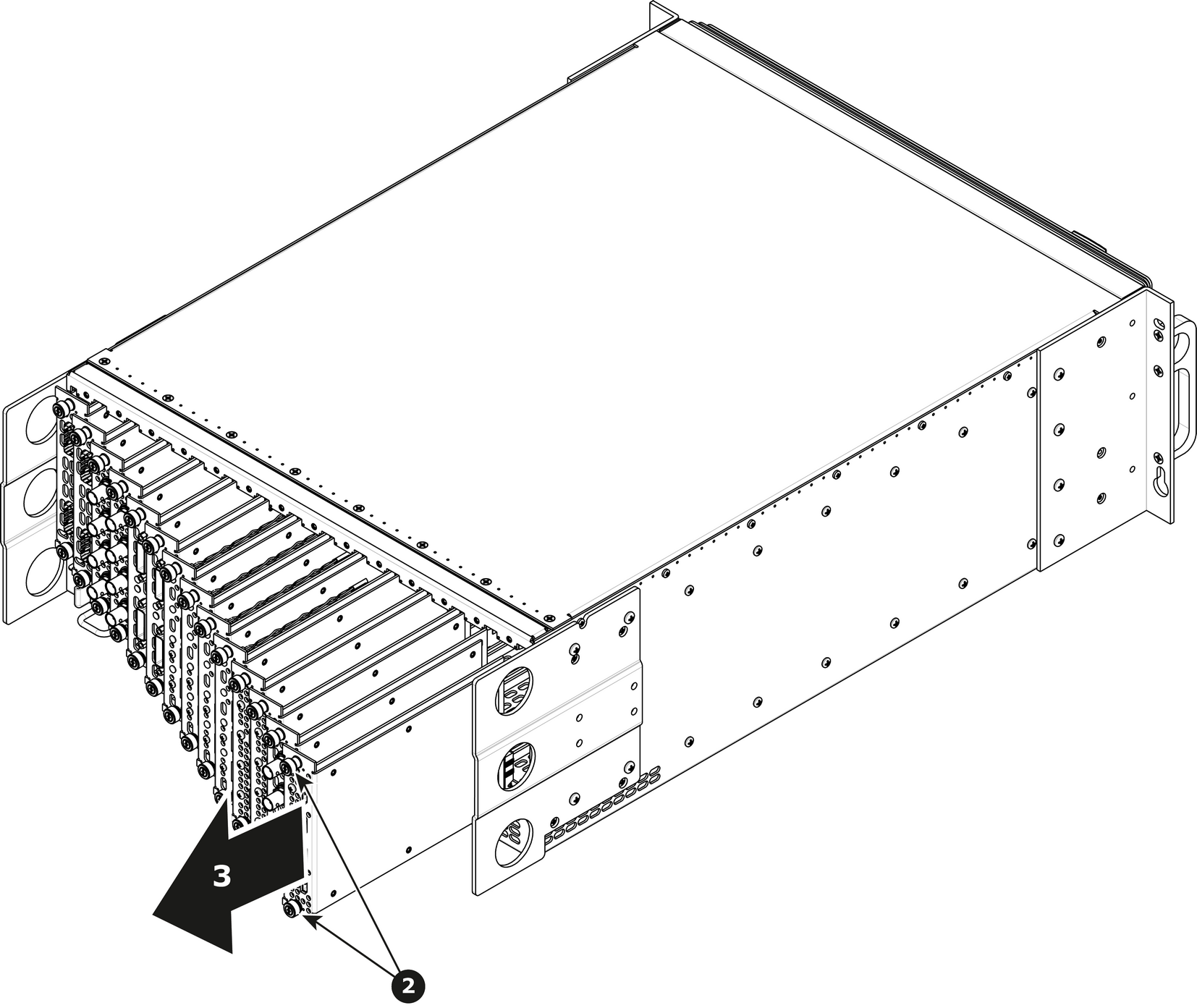
How to remove a card
  1. Locate the card you wish to replace.

    Note: There are 14 card slots. The first slot on the left is slot 1 and the last slot on the most right position is 14.
  2. Loosen and unscrew the top and bottom thumbscrews that are holding the card to the chassis.
  3. Gently pull the card out of its slot.

    Tip: You may need to wobble it a little bit up or down to loosen it from the card guides as you are pulling out.
    Image 13–5
How to install a card

To install a card follow the same procedure in the reverse order.

Note: Apply a little pressure on the card until it is fully inserted in the back plane connector.