Flow chart
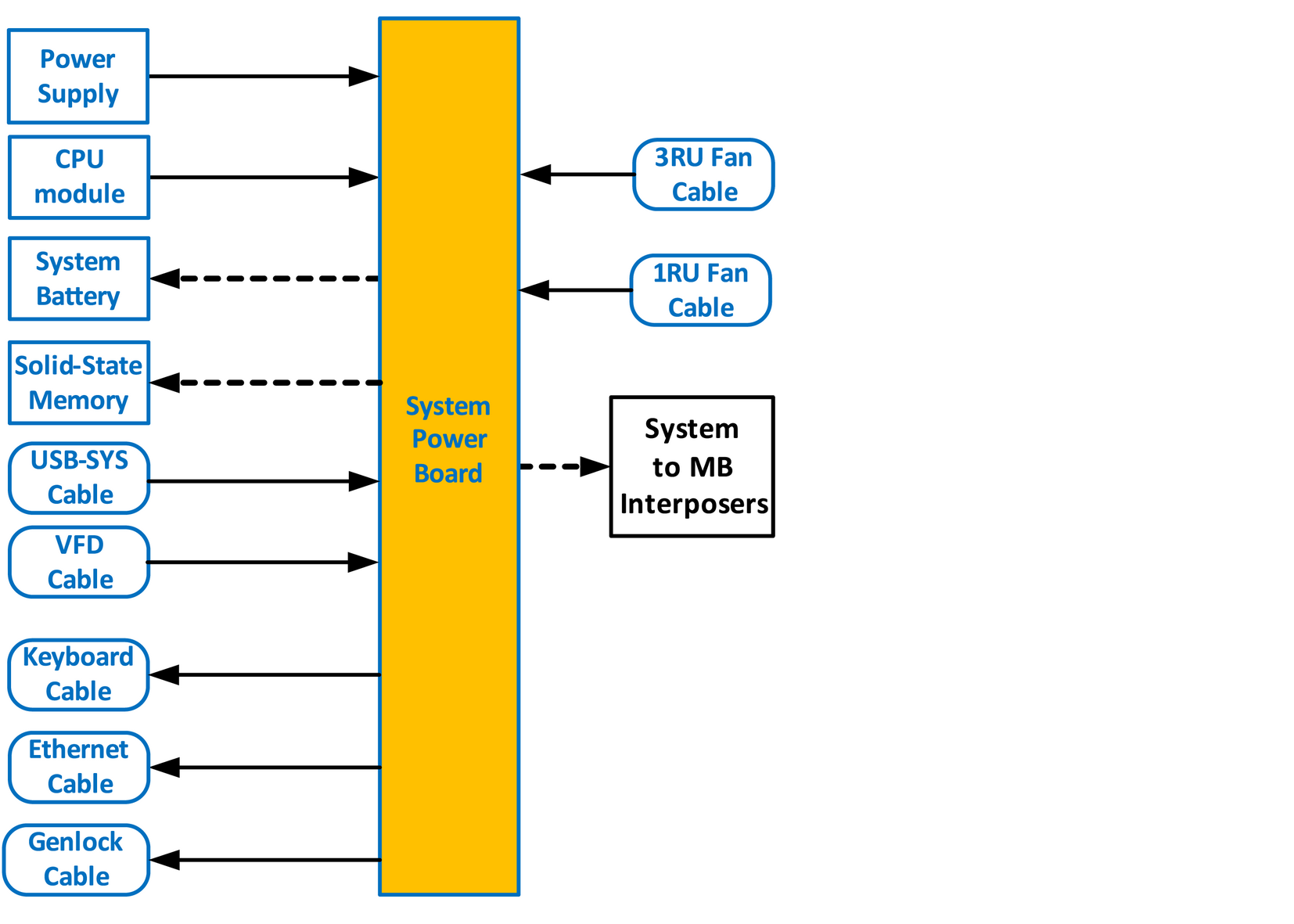

Note: Before you proceed removing the System-Power board you need to remove the Power Supplies, Bottom Panel and the CPU board. Follow the instructions provided in these sections.

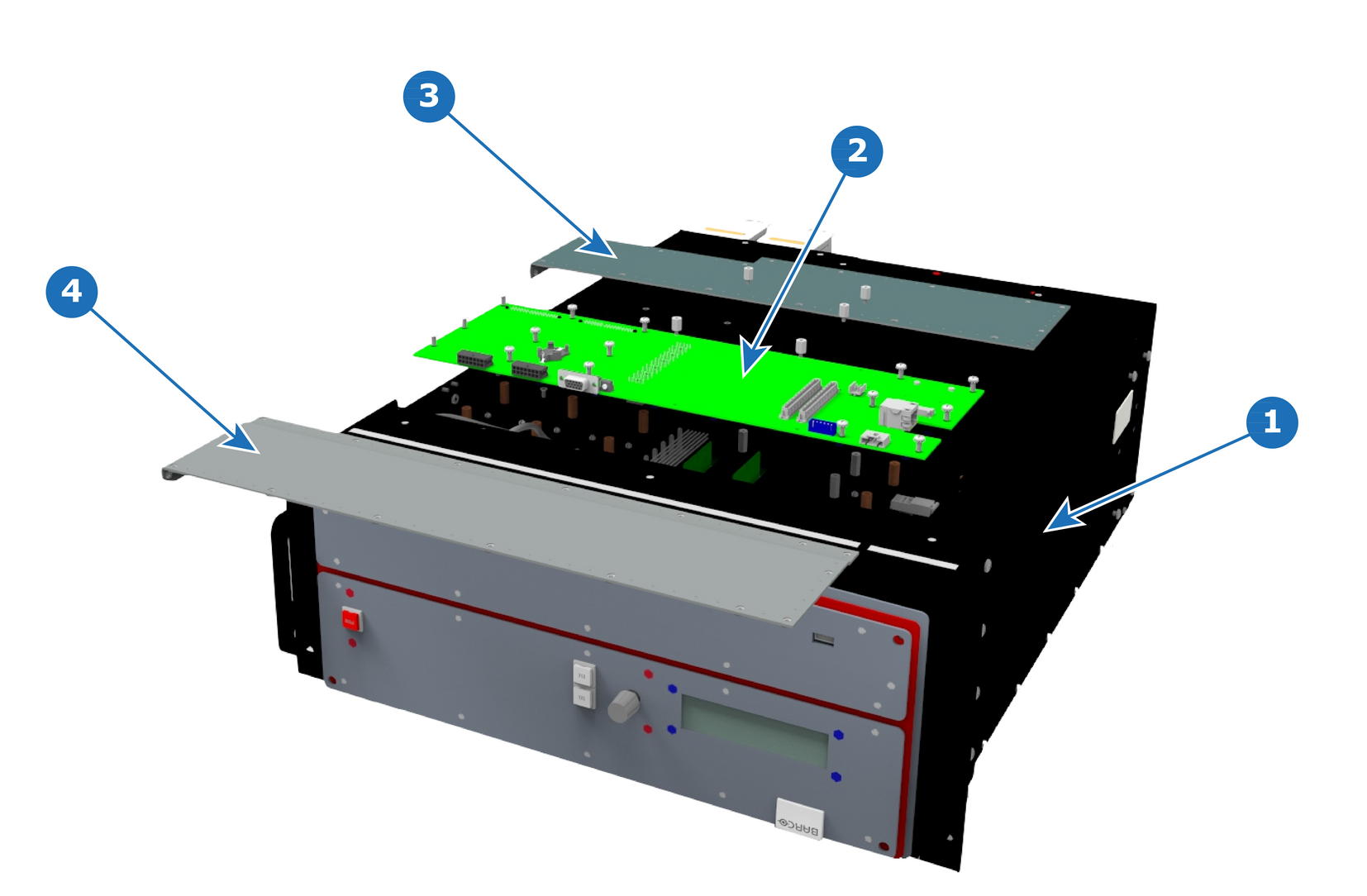
| R767543K | System Power Board, E2 Lite |
With the Hex Screwdriver, remove the 5 standoffs (m 2,5 H6 Stainless Steel) which attach the CPU module to the motherboard.
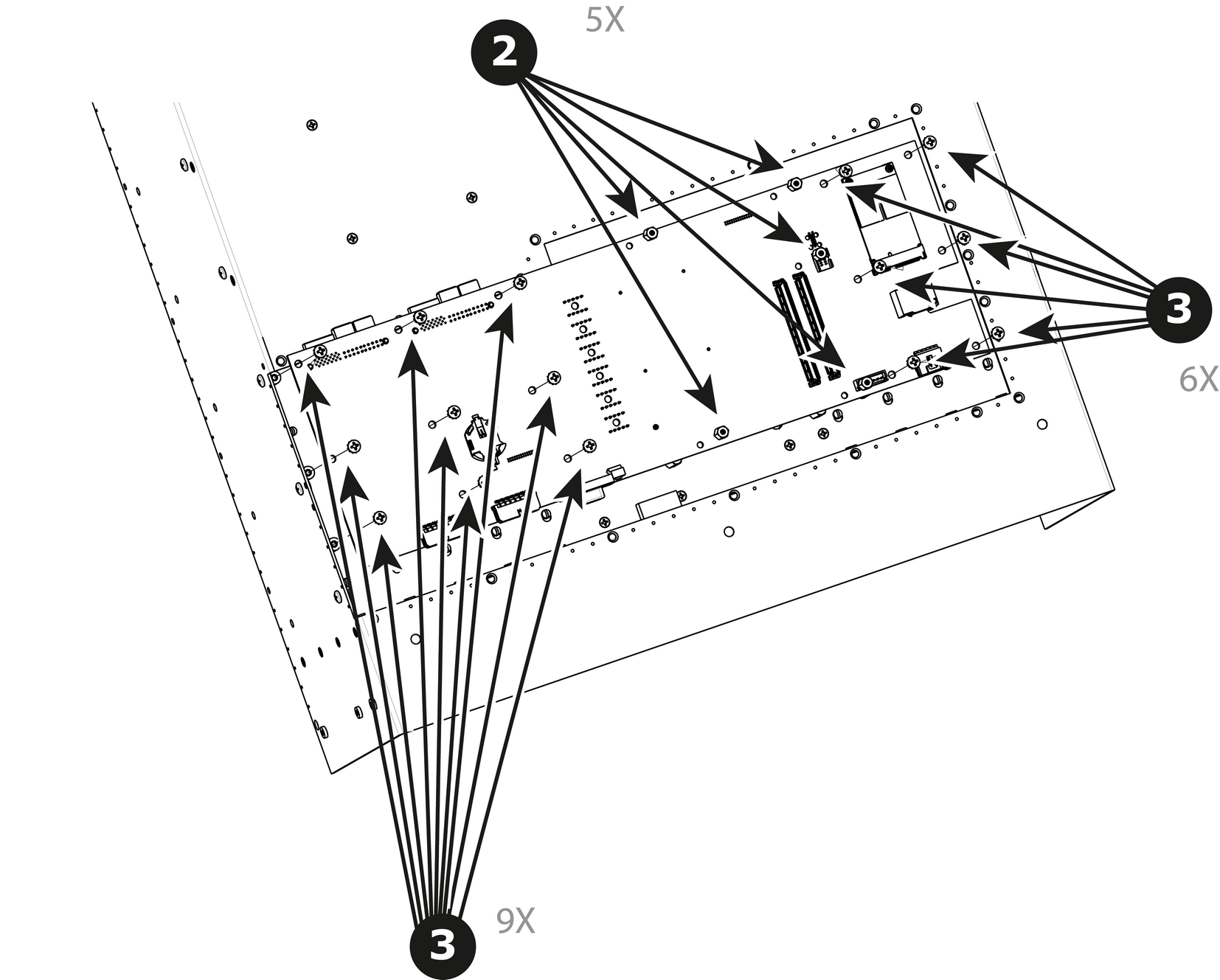
Carefully lift the board up and remove the card from the System. Don't pull the board too far because there are still 3 cables attached to the card.
To install the System-Power Board follow the same procedure in the reverse order.
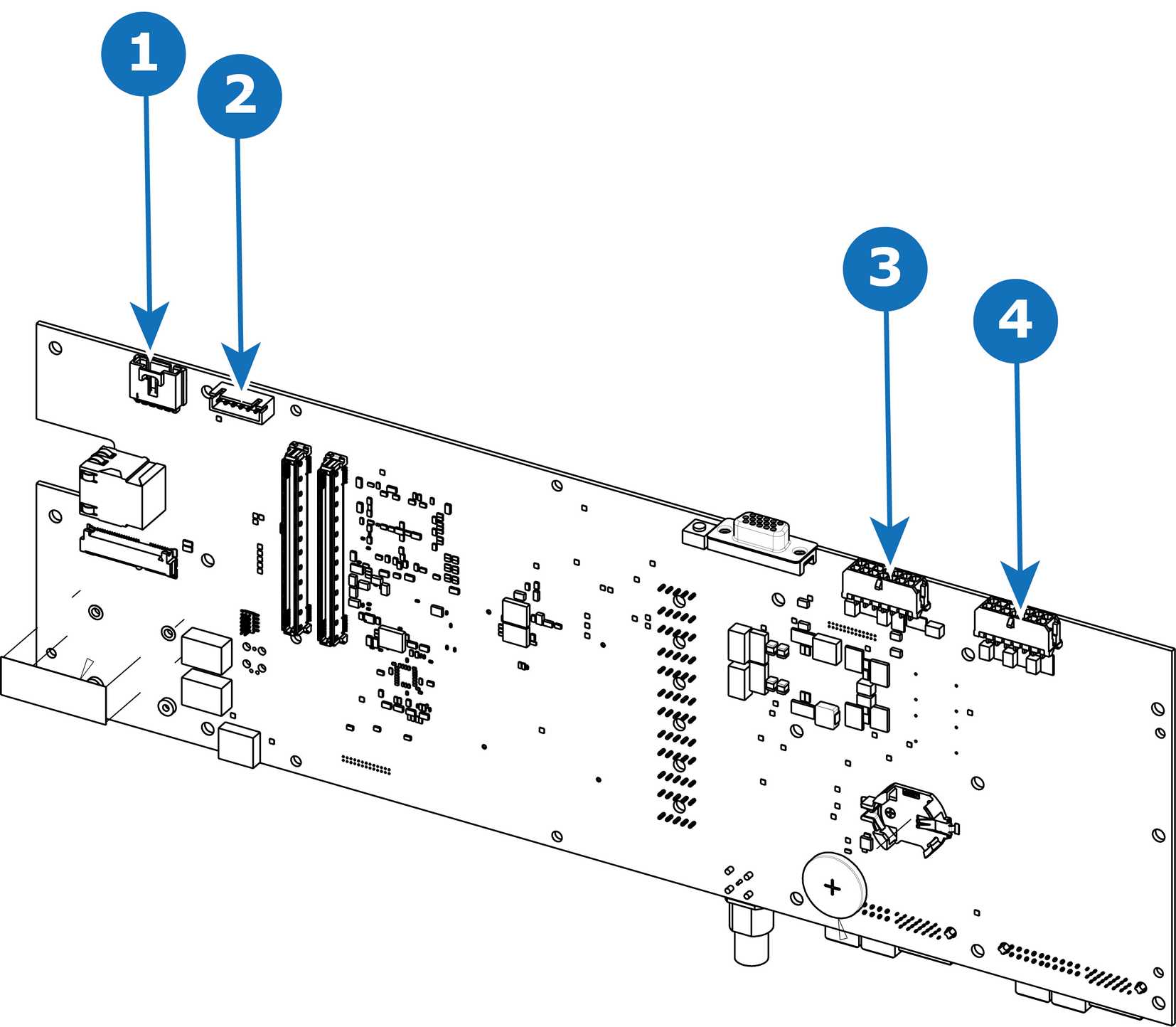
| 1 | USB connector | 3 | 3RU connector |
| 2 | VFD connector | 4 | 1RU connector |
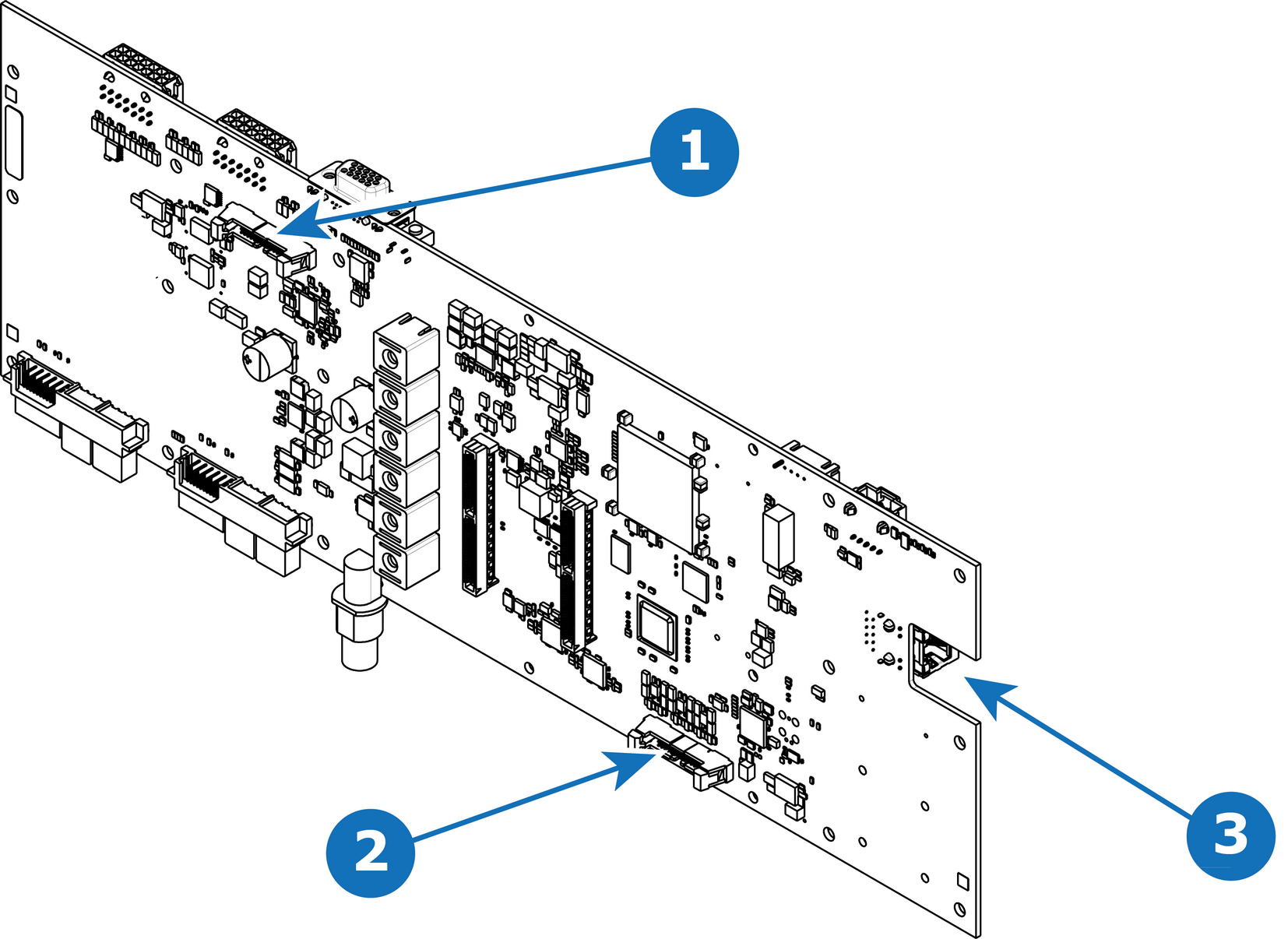
| 1 | Keyboard connector | 3 | Ethernet connector |
| 2 | Genlock connector |