Flow chart


Note: The flat ribbon VFD cable connects the VFD assembly to the System Power board. This procedure provides instructions on how to disconnect the cable on both sides.

| R767269K | Cable Kit Set |
Push out the side latches on VFD connector to release the VFD cable.
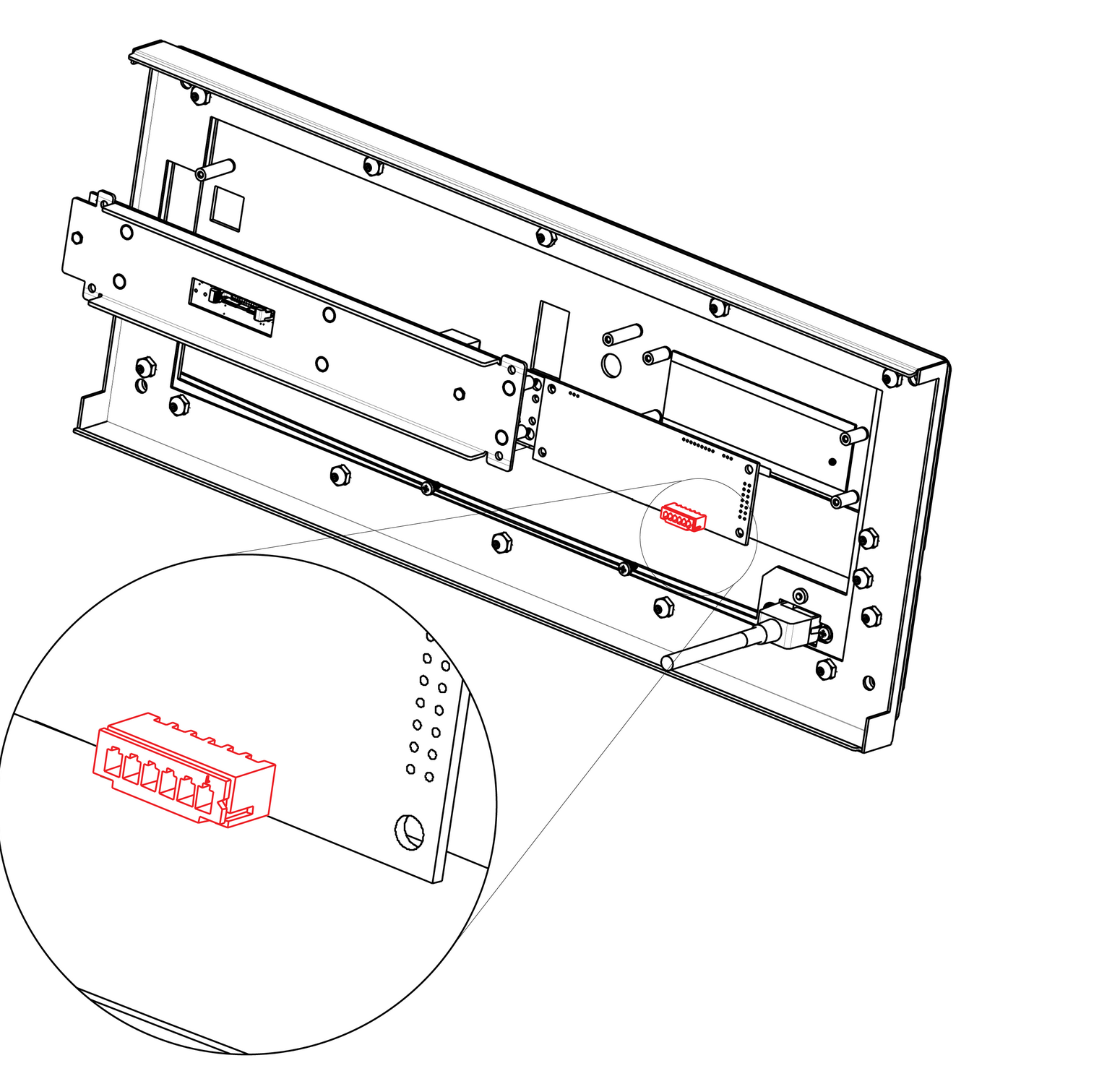
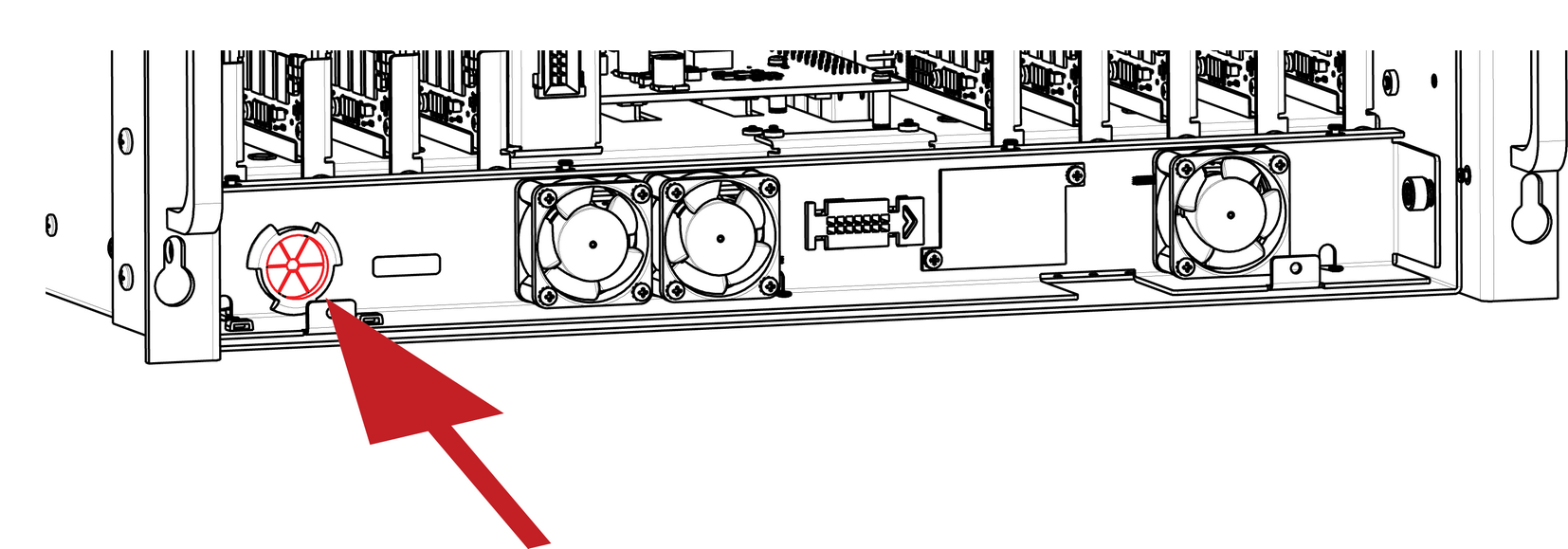
Gently push the cable through the grommet located in the 1RU tray.
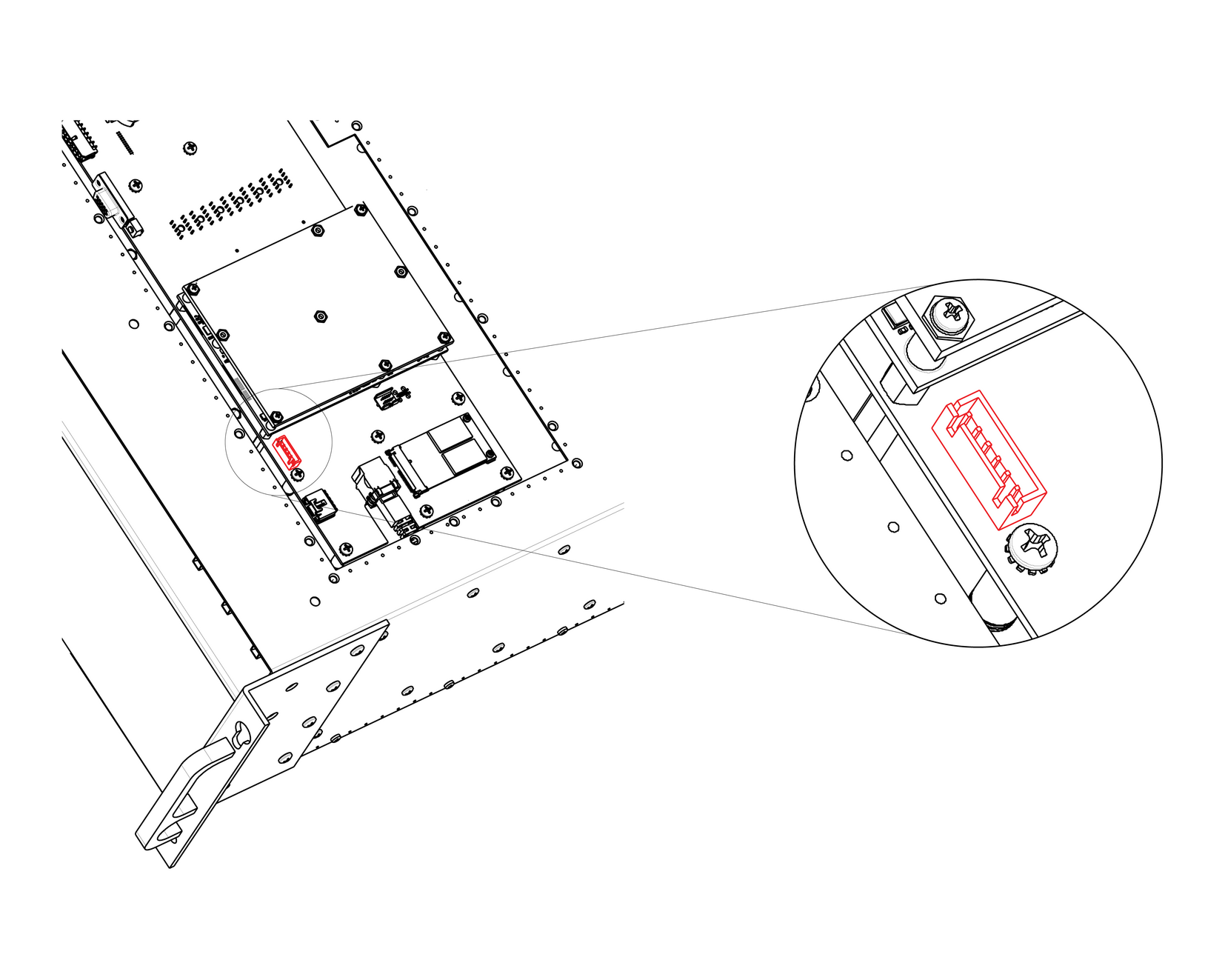
Locate the VFD cable that is plugged on the System-Power board.
To install the VFD Cable follow the same procedure in the reverse order.