
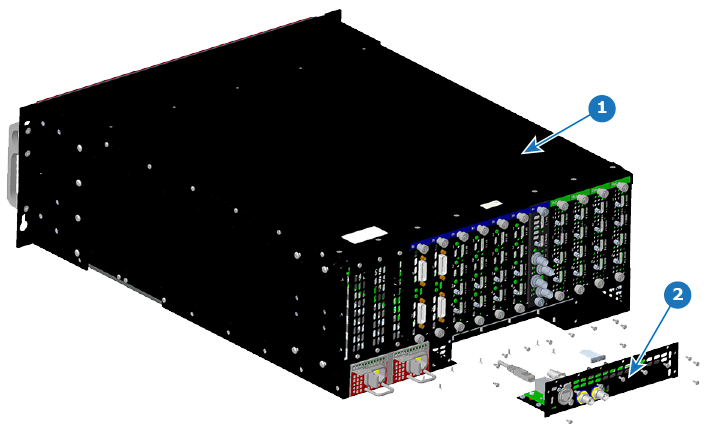
13.23 Genlock Assembly

Flow chart
Image 13–63
Overview
Image 13–64 Genlock assembly removal
1
Chassis
2
Genlock Assembly
Concerned parts
R767552KGenlock Assembly
Necessary tools

1 x Phillips Screwdriver #2

How to remove the Genlock Assembly
  1. Remove the seven flat head screws (4-40 X .25) that attach the Genlock assembly to the rear side of the chassis.
  2. Remove the ten pan head screws (4-40 X .25) that attach the Genlock assembly to the rear of the chassis.
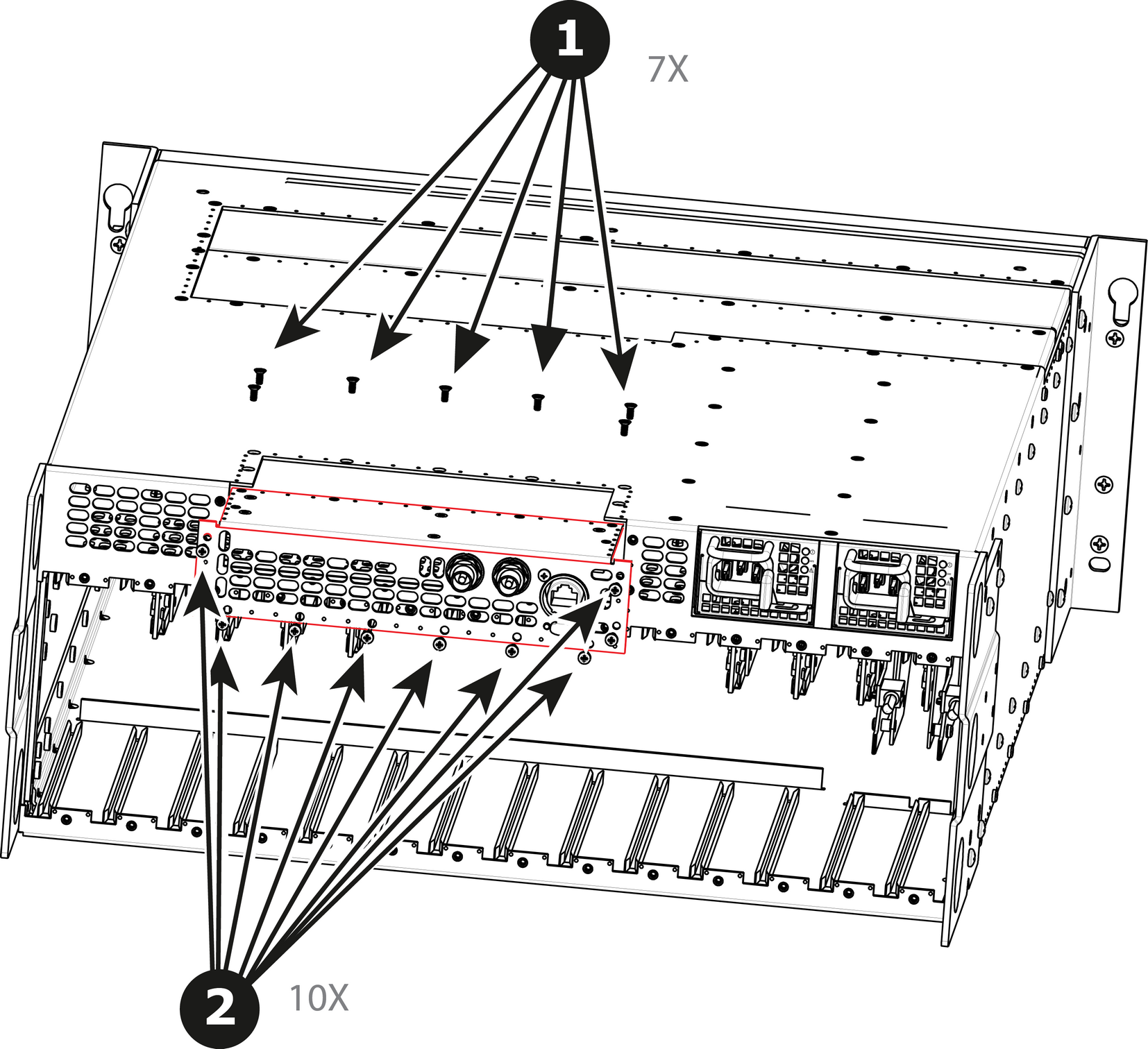
    Image 13–65
  3. Gently pull the Genlock assembly away from the unit . Don't pull the assembly too far back because there are still 2 cables attached.

    Note: At this point there are still 2 cables connecting the Genlock Assembly to the unit.
  4. Unlatch the VFD ribbon cable from the connector and pull it up and away from the Genlock board.
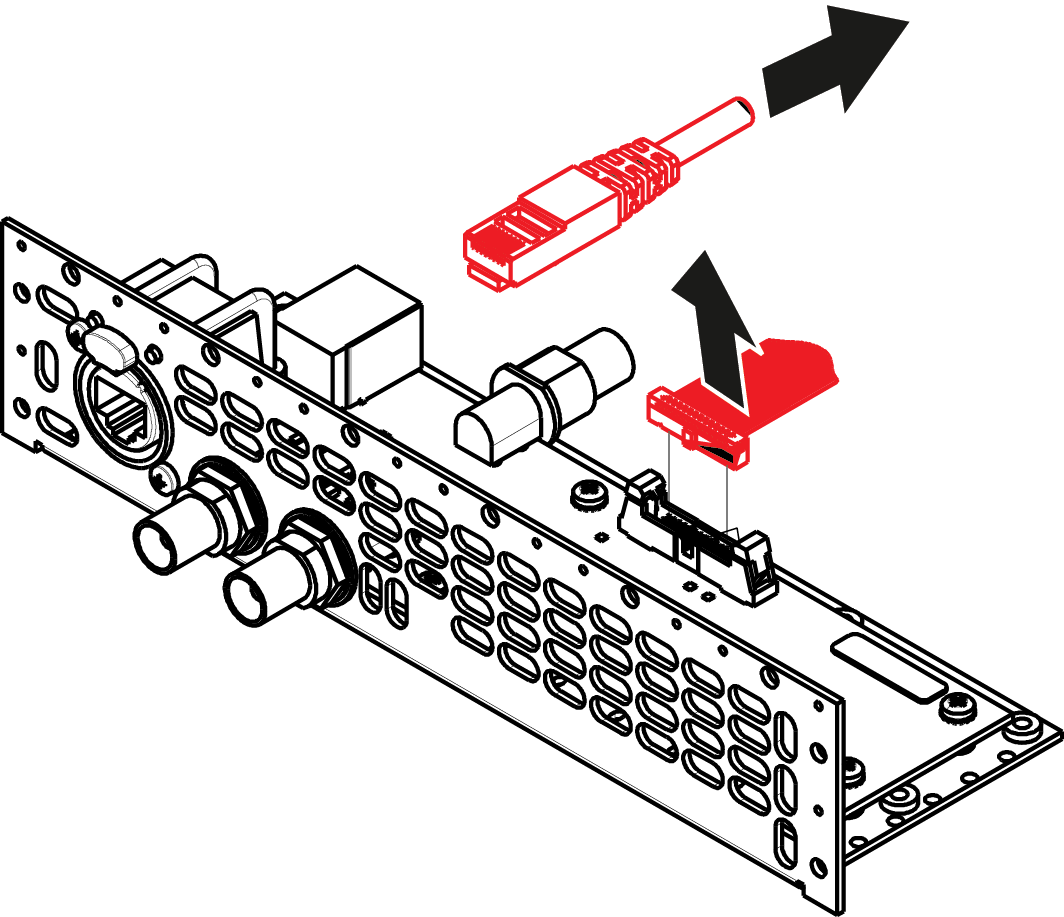
    Note: This cable connects the Genlock board to the System-Power board.
    Image 13–66
  5. Unlatch the Ethernet cable from the connector and pull back and away from the Genlock board.

    Note: This cable connects the Genlock board to the System-Power board.
How to install the Genlock Assembly

To install the Genlock Assembly follow the same procedure in the reverse order.