2.3 Power supply connection

To connect the power supply
  1. Connect the supplied external DC power supply unit to the +25 VDC power input of your display.
  2. Plug the other end of the external DC power supply into a grounded power outlet by means of the proper power cord delivered in the packaging.
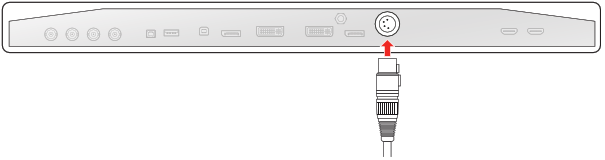
    Image 2–4
Warning: To avoid risk of electric shock, the external DC power supply must be connected to a mains with protective earth. The ground connection on the display’s DC power input connector has no protective earth function. The MDSC-8427 display protective earth connection is provided via a dedicate pin (see next steps).
Protective earth

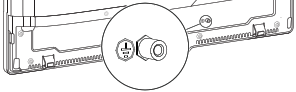
Earth the MDSC-8427 by connecting the protective earth pin to a grounded outlet by means of a yellow/green AWG18 wire (maximum admitted cable length according to national regulation requirements).

Image 2–5
Warning: The display must be earthed.
Potential equalization

When potential equalization between the display and other devices is required then connect the potential equalization pin (POAG) to the potential equalization terminal of the equipment.

Image 2–6