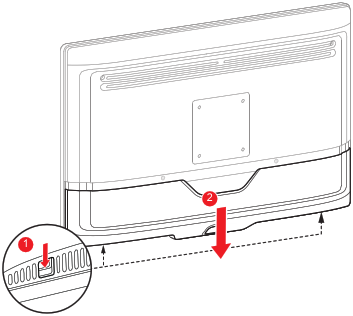
To remove the connector coverGently press and hold the clips at the bottom right and left side of the connector cover.Slide the cover downwards while holding the clips pressed.Note: Either press the two clips at once, or press and release one side of the cover first and then press and release the other side.Image 2–1