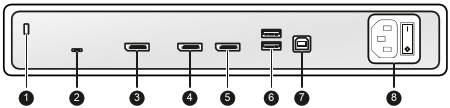
Product overview
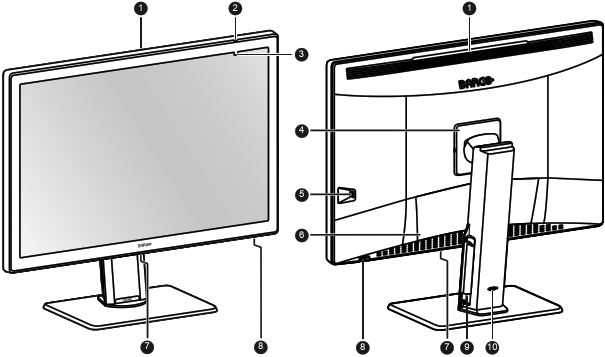
- SoftGlow Wall light
Ambient light sensor and Power status LED
- Off: Display not powered (mains cable unplugged or power switch in OFF position), or display is in normal operation
- Fast blinking amber: Display is entering DPMS mode
- Slow blinking amber: Display is in DPMS mode
- Steady amber: Display manually switched off via the jog dial, or display in hibernate mode (requires DPMS and Hibernate to be enabled in the OSD menu)
- Front sensor
- VESA mount cover
- USB-A 2.0 downstream connector with high-power charging functionality
- Connector compartment cover
- SoftGlow Task light
- Jog dial
- Cable routing channels
- Stand locking mechanism