About
The default security settings help setting are applied on the initial connection of newly registered devices. Devices that are already connected are not affected.

The default security settings help setting are applied on the initial connection of newly registered devices. Devices that are already connected are not affected.
Click .

The window will be prompted.
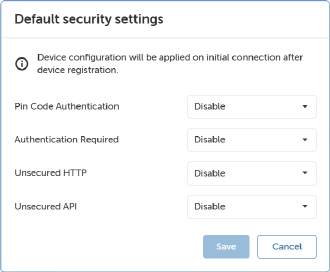
Click .
The new security settings will be applied on the initial connection of registered devices.