About
This procedure explains how to start a 90-day free trial. The trial activates all features of the Control subscription for the selected device. Each device can only use the trial once.

This procedure explains how to start a 90-day free trial. The trial activates all features of the Control subscription for the selected device. Each device can only use the trial once.
IMS main sidebar > >
Click on next to the device you want to start a trial for.
The window will be prompted.
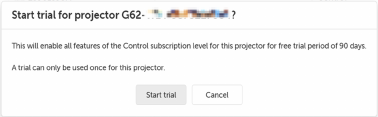
Click .
A success message appears, indicating that control features will be available within one hour.
The button changes to .
