3.4 Column chooser

About column chooser

The Column chooser tool allows users to customize which columns are visible in the Fleet view. By hiding or showing columns, users can focus on relevant data.

Location

IMS main sidebar > Fleet view > Column Chooser

How to hide/ show a column
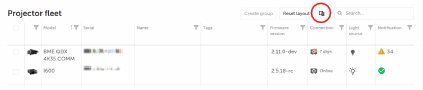
  1. Click the Column chooser icon.

    Image 3–5

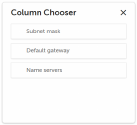
    The Column chooser window will be prompted.

    Image 3–6
  2. Manage column visibility:

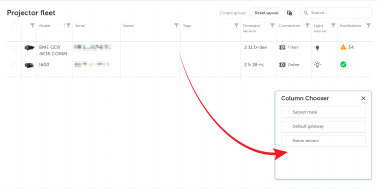
    • Drag and drop a column into the Column Chooser window to hide it. See Image 3–7.
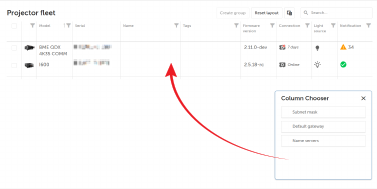
    • Drag a hidden column from the Column Chooser window back into the grid to show it. See Image 3–8.
    Image 3–7
    Image 3–8