IMS main sidebar > Fleet view > Device detail page > Control > Flex > FLEX resolution limit
Layout
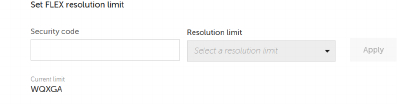
Image 4–18
How to set Flex resolution limit
Enter the security code in the Security code box.
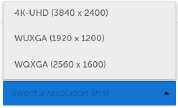
Select the resolution limit from the Resolution limit drop down list.
Image 4–19
Click Apply.
A pop-up window confirms the command was sent, and a mail confirms success or reports failure.
Note: A red value under the Pending change means that a previous attempt to set the Flex resolution failed. The failure happened because the security code was wrong or the device was offline. The system rejected the change, so it will not apply it.