
Description
The Settings menu provides access to the Event Master series processor web app that is built into the unit. The app provides users with diagnostic reports, includes an FAQ section and contact information and supports system backup / restore and new firmware installation.
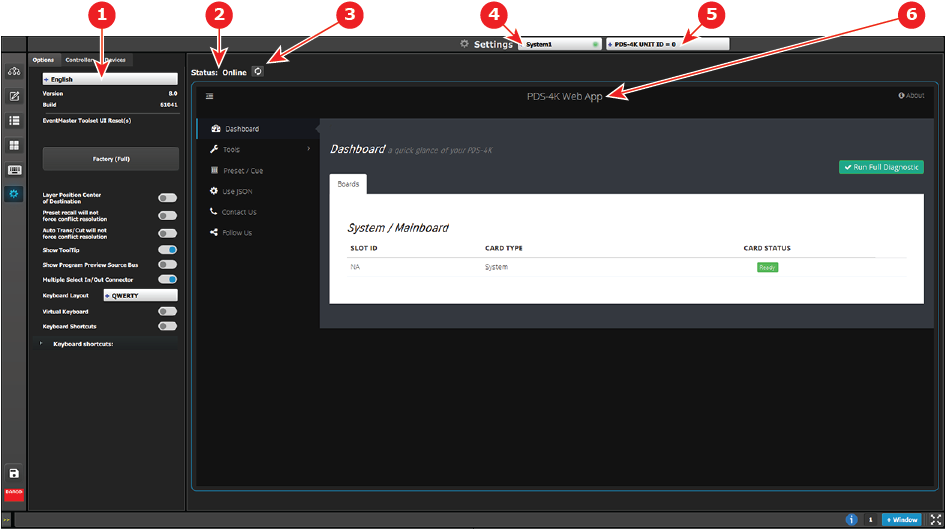
| 1 | Resources area | The Resources area contains the Options, Controller, and Devices tabs.
Please see the sections below dedicated to these options. |
| 2 | Status | Show status:
|
| 3 | Refresh Web app area button | Similar to web browser, pressing this button will trigger an attempt to refresh / reconnect to the web interface of the selected VP. |
| 4 | System select combo box | Informs the users which System is currently being selected. If there is more than one System defined in the UI, this combo box can be used to select between the different Systems. |
| 5 | Device select combo box | Informs the user which Device is currently being selected in the current system. |
| 6 | Web app area | Main work area where the different menus are displayed. |
