
Description
Use the Multiviewer menu to display multiple resources (Inputs, Backgrounds, Destinations) on one or two monitors. On the PDS-4K each resource can be used only once in any Multiviewer layout. Multiviewer Menu is the module used to setup the Multiviewer layouts.
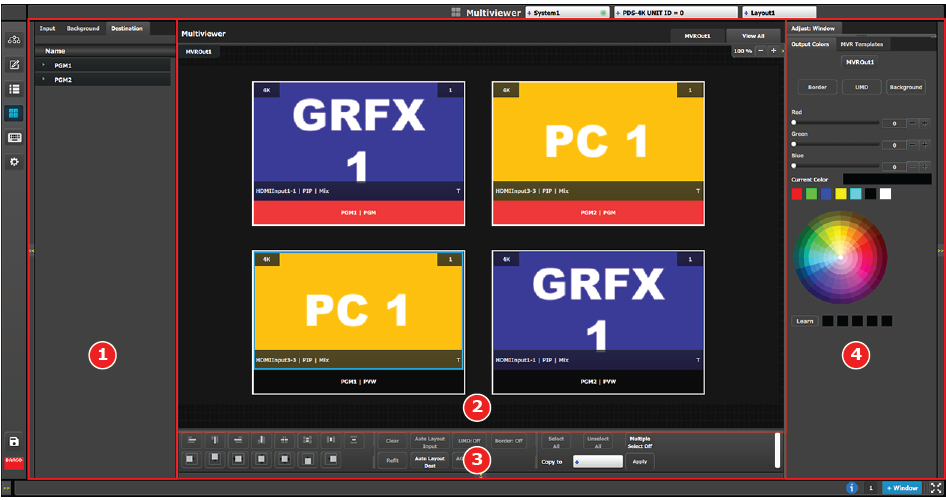
| 1 | Resources area | Lists the resources available to be displayed in the Multiviewer: Inputs, Backgrounds and Program/Preview Destination Outputs. |
| 2 | Multiviewer Layout area | The multiviewer outputs are composed, viewed and managed individually or as a group. |
| 3 | Modifier area | Alignment adjustments and controls to manage the multiviewer windows. |
| 4 | Adjustment area | Color and sizing adjustments for the windows in each PIP, as well as the background color for each MVR output. |
