
How to power Off the projector
Press the POWER button (2) on the control panel or the OFF key (5) on the remote control, a message displays on the screen.
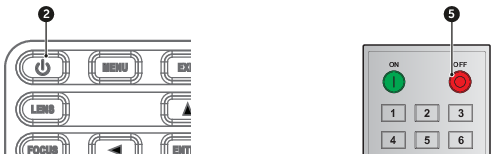
Image 5–5 - Press the POWER button or OFF key again to confirm, otherwise the message disappears after 5 seconds and the projector remains on.
