About schedule
Schedule the project functions to operate automatically at the set time.
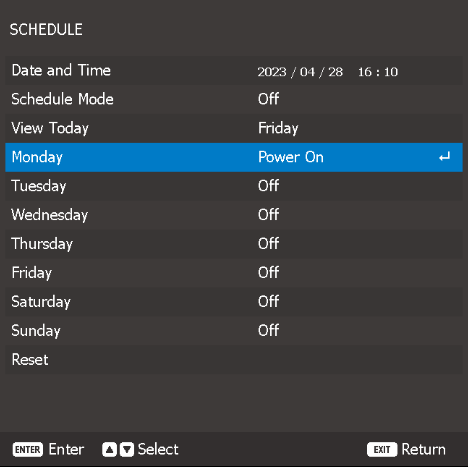

Schedule the project functions to operate automatically at the set time.
Check or adjust the date and time for the projector.
Enables or disables the schedule function.
If the projector is controlled via external devices or software, the Schedule Mode displays AP Mode and the projector’s schedule functions are grayed out.
View the event list scheduled for today.
Set up the schedule for days of a week.
On the Schedule menu page, select a day and configure the schedule settings.
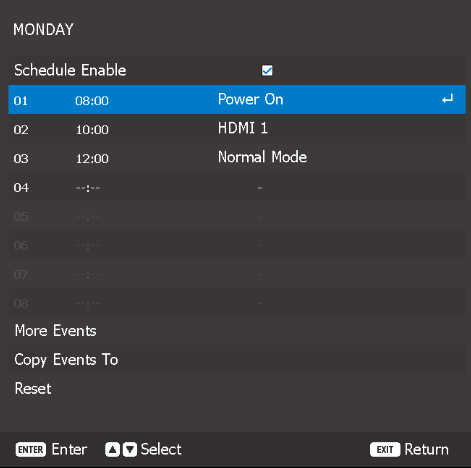
Schedule Enable:
Enables or disables the schedule function for the selected day.
Event 01-08 / Event 09-16:
Select an event record number, and set up the schedule details.
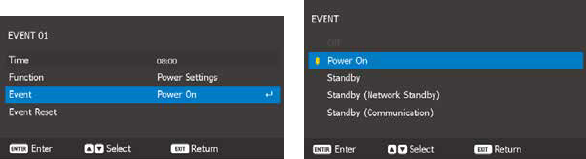
Time:
Set the time for the event.
Function:
The available functions are:
Event:
Select a function for the event, which operates automatically at the set time.
Reset:
Resets the event settings.
More Events / Previous Events (Event 01-16):
Displays more event records, and select one to set up the schedule details.
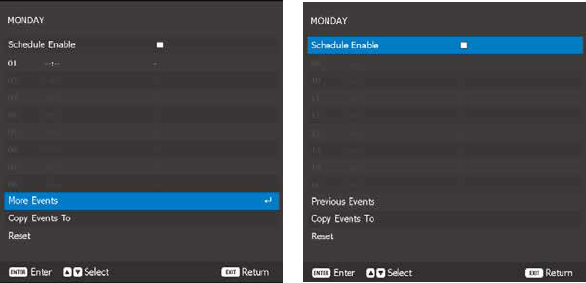
Copy Events To:
Copy the events setup for the day to another day.
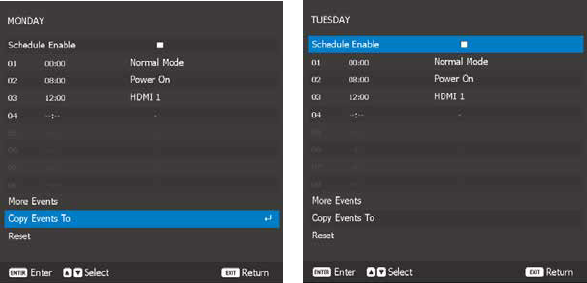
Reset:
Resets the schedule settings for the day.
Reset all of the schedule settings.