
How to remove
- Remove the non-ultra short throw (non-UST) lens.
Disconnect the lens cable (see red reference) in LSM type1.
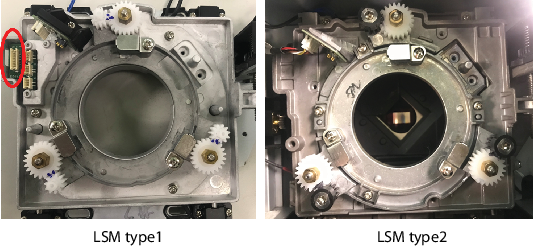
Image 7–9 Remove the screws (inside red circles) securing the non-UST lens boresight plate with a Philips #2 screwdriver.
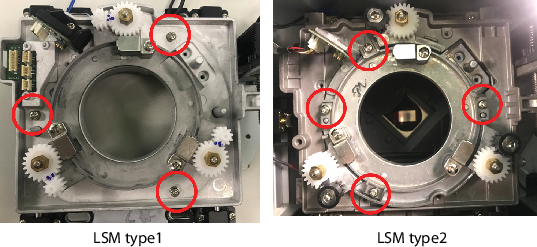
Image 7–10 
Remove the non-UST lens boresight module from the projector.
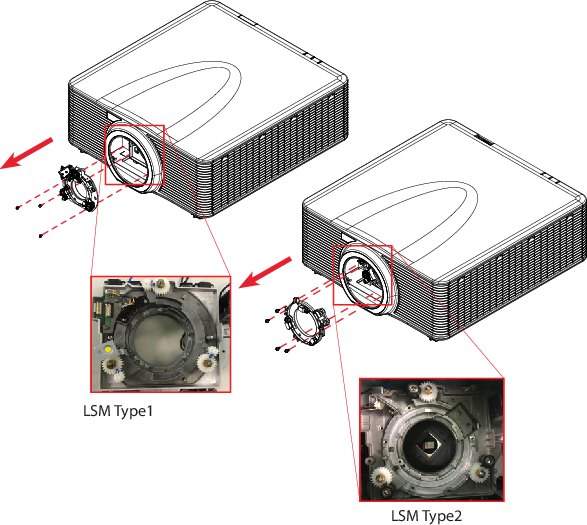
Image 7–11