
How to install
For type 1 lens shift module (G60 + LSM 1), you need to install an UST lens boresight plate in order to attach the UST lens to the projector.
Disconnect the lens cable from the small circuit board on the lens shift module (If not yet done).
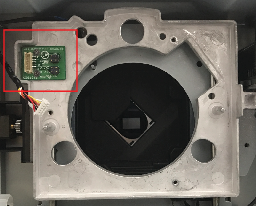
Image 7–12 
Insert the UST lens boresight module to the projector.
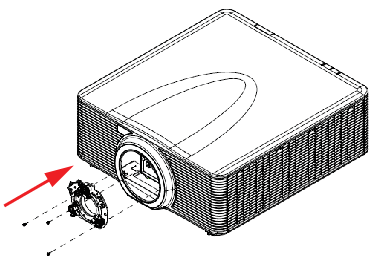
Image 7–13 On the UST lens boresight module, install and tighten the 3 screws with a Philips # 2 screwdriver.
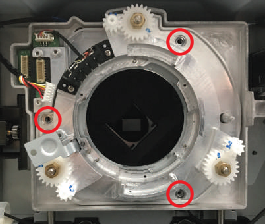
Image 7–14 Connect the lens cable to the lens holder.
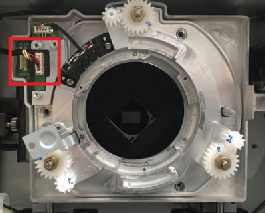
Image 7–15