Location and availability
- Menu: uration > >
- Access level: administrator, service user
- Model: all


The default administrator acknowledges and accepts responsibility for ensuring compliance with all applicable data protection laws and regulations. This includes, but is not limited to, the implementation of appropriate retention policies and procedures.
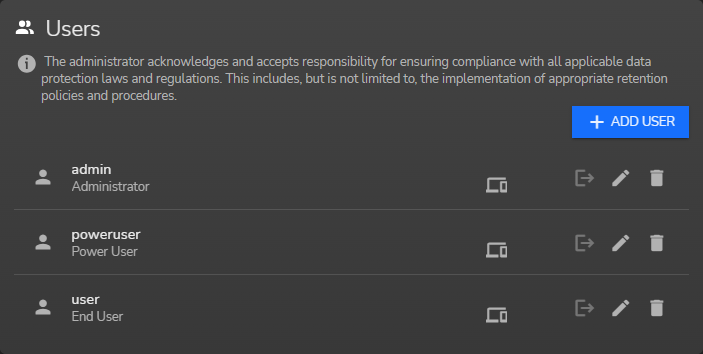
The Users panel has the following options:
Select the Add user button.
The window will be prompted.
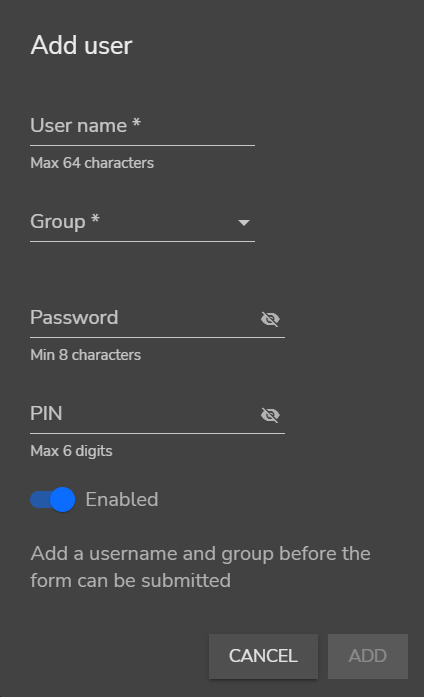
Enter the settings of the user:
Click ADD.
The new user is added to the list of users.