11.6.4 Control

About control

This projector can be controlled remotely by a computer or other external devices through wireless or wired network connection. It allows the user to control one or more projectors from a distant control center, such as powering the projector on or off, and adjusting the image brightness or contrast.
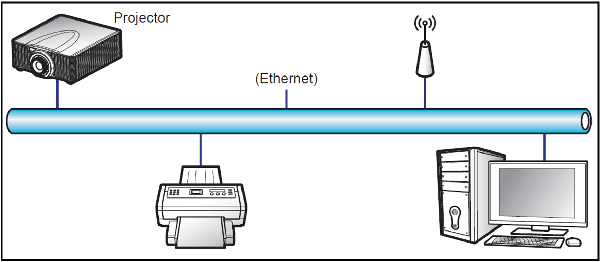
Image 11–7
Crestron

Control the projector with Crestron controller and related software. (Port: 41794)

You can configure the IP Address, IPID, and Port for the network connection. For more information, please visit http://www.crestron.com.

Extron

Control the projector with Extron devices (port 3023).

For more information, please visit http://www.extron.com.

PJ Link

Control the projector with PJLink v1.0 commands (port 4352).

You can configure the IP Address (Service) for the network connection. For more information, please visit http:// pjlink.jbmia.or.jp/english.

AMX

Control the projector with AMX devices (port 9131).

For more information, please visit http://www.amx.com.

Telnet

Control the projector using RS232 commands though Telnet connection (port 3023).

HTTP

Control the projector with web browser (port 80).

Reset

Reset the function settings to default factory values.

Note: – Crestron is a registered trademark of Crestron Electronics, Inc. of the United States.

– Extron is a registered trademark of Extron Electronics, Inc. of the United States.

– AMX is a registered trademark of AMX LLC of the United States.

– PJLink applied for trademark and logo registration in Japan, the United States of America, and other countries by JBMIA.

– For more information about the various types of external devices which can be connected to the LAN/ RJ45 port and remotely control the projector, as well as the supported commands for these external devices, please contact the Support-Service directly.