Location
>

>
Backup creates a ShowFile of the current active show and device configuration. This sharable ShowFile file can be fully or partially restored to any compatible Event Master device.
Select (reference 1) in the main window.
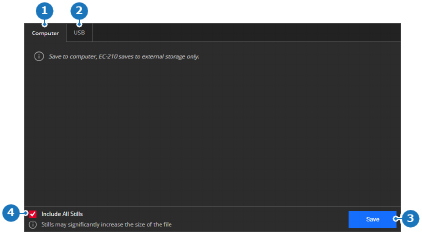
Must the stills be included in the ShowFile?
Click on (reference 3, Image 6–13) to create the ShowFile.
A pop-up window is shown.
Store the ShowFile in the desired folder using the pop-up.
The ShowFile is saved with the extension .tar.gz.