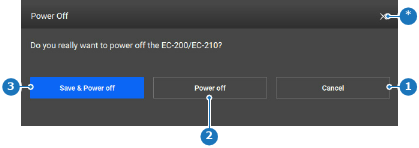
How to shut downMust any made changes be saved?If yes, click Save & Power off (reference 3).If no, click Power off (reference 2).Image 8–173 1Cancel button2Power off button3Power off and save changes button*Close buttonThe device powers off.